Access Cloudflare-protected sites in Prowlarr with FlareSolverr
FlareSolverr is a proxy server that solves Cloudflare and DDoS-GUARD challenges on behalf of apps like Prowlarr. When an indexer site shows a CAPTCHA or JavaScript challenge, FlareSolverr uses a headless browser to complete the challenge and return the valid response.
On Olares, you can set up FlareSolverr as an indexer proxy for Prowlarr. Once configured, Prowlarr routes requests for protected indexers through FlareSolverr, so your *arr apps can keep searching and downloading content.
This guide walks you through installing FlareSolverr, connecting it to Prowlarr, and adding Cloudflare-protected indexers such as 1337x.
Learning objectives
In this guide, you will learn how to:
- Install FlareSolverr on Olares.
- Configure FlareSolverr as an indexer proxy in Prowlarr.
- Add Cloudflare-protected indexer sites.
- Verify that FlareSolverr is solving challenges correctly.
Prerequisites
- An Olares device that is set up and running.
- Prowlarr installed and running. See Set up the *Arrs stack for installation steps.
Install FlareSolverr
Open Market and search for "FlareSolverr".
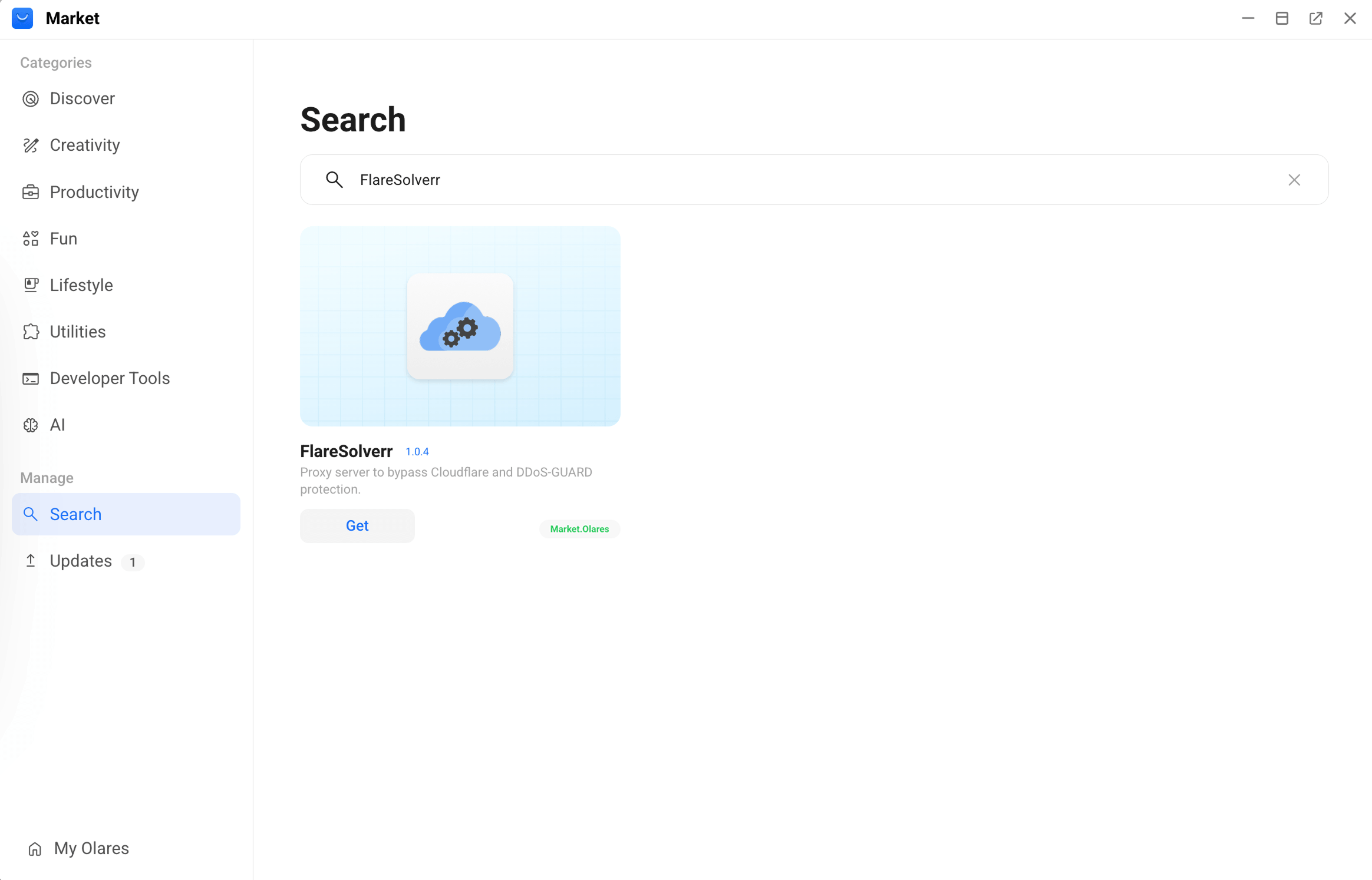
Click Get, then Install, and wait for installation to complete.
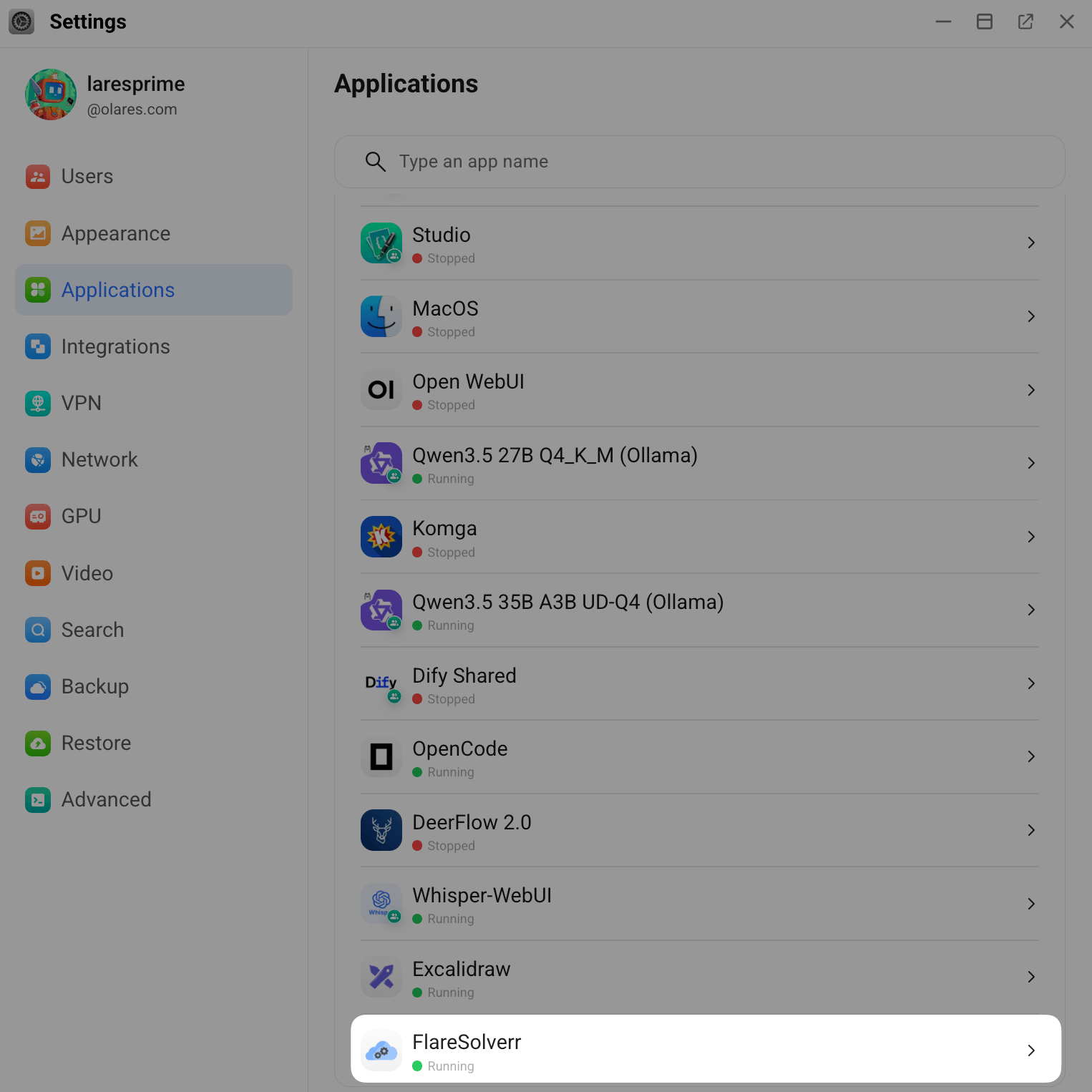
FlareSolverr runs as a background service, so it does not appear on Launchpad.
In Settings > Applications, look for FlareSolverr in the app list to confirm it is running.
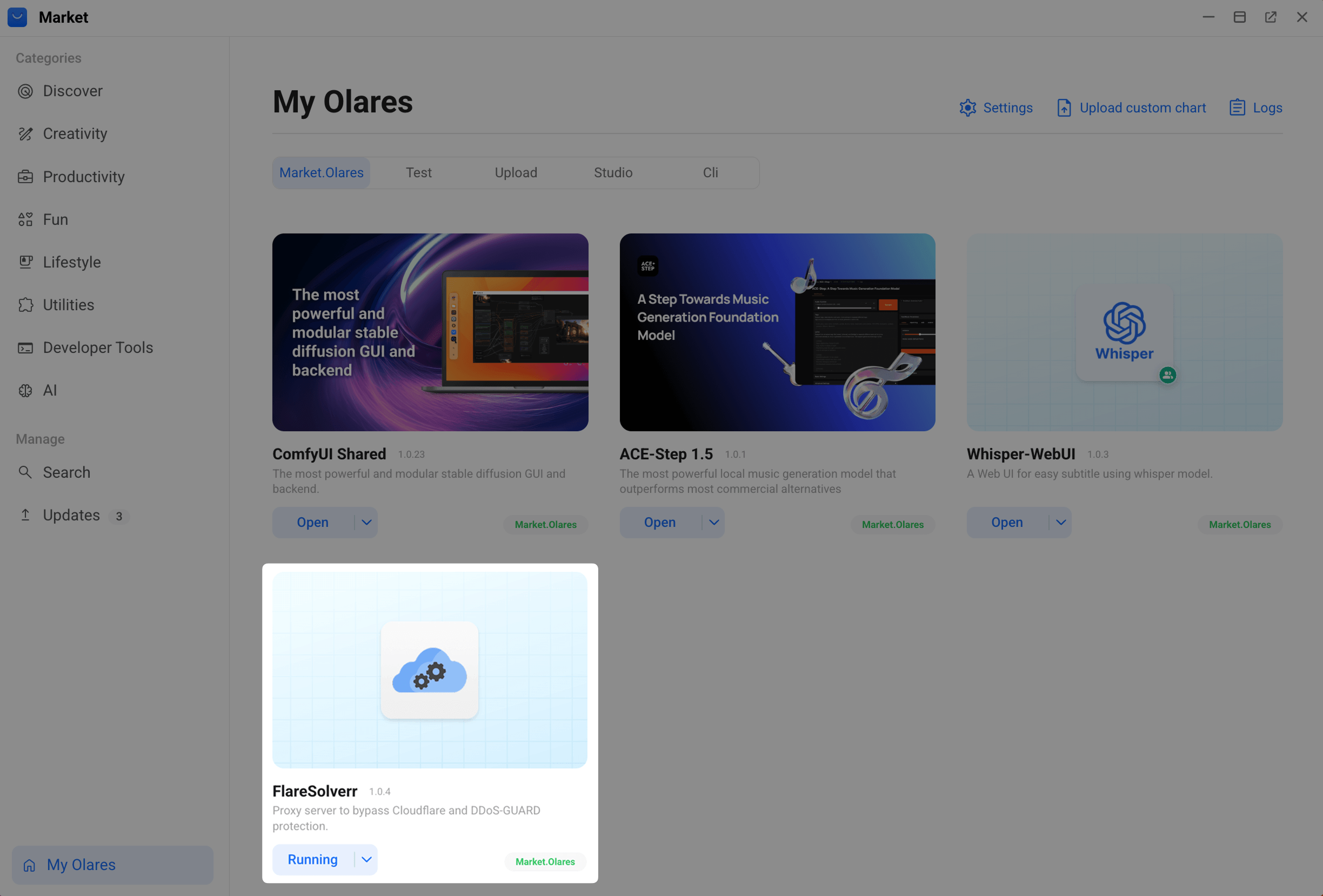
Or open Market > My Olares to see FlareSolverr among your installed apps to confirm it is running.
Configure FlareSolverr in Prowlarr
Get the FlareSolverr endpoint
How app endpoints work
When a client connects to another Olares app, it uses that app's endpoint as the network address. If the app exposes multiple endpoints, choose the one that matches the feature or protocol the client needs.
For FlareSolverr:
- Go to Olares Settings > Applications > FlareSolverr > Entrances.
- Select FlareSolverr, then copy the Endpoint URL.
Add FlareSolverr as an indexer proxy
Open Prowlarr from Launchpad.
First-time setup
The first time you open Prowlarr, the Authentication Required dialog appears. Select an authentication method, set a username and password, then click Save to continue.
Go to Settings > Indexers.
Under Indexer Proxies, click add_2, then select FlareSolverr.
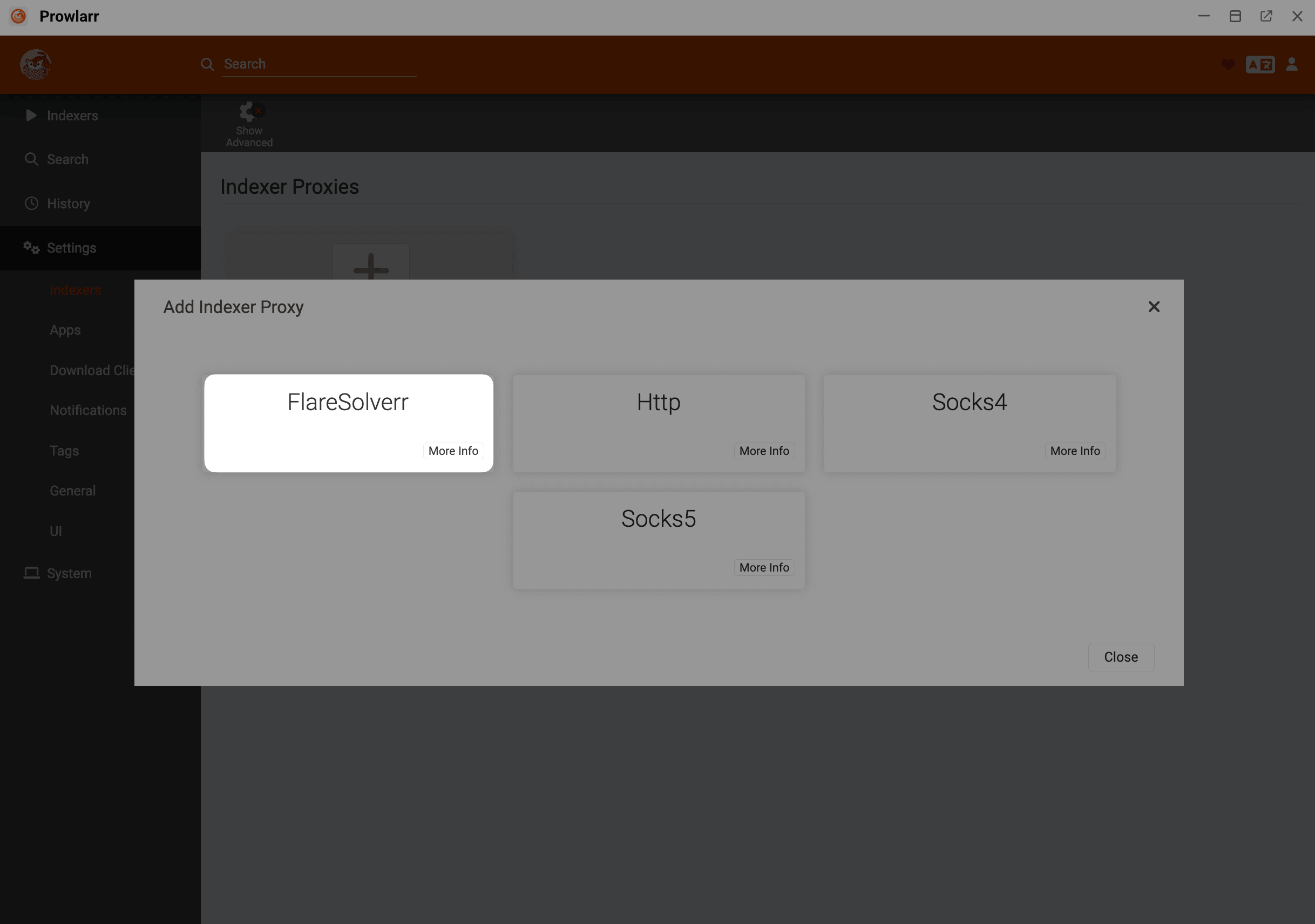
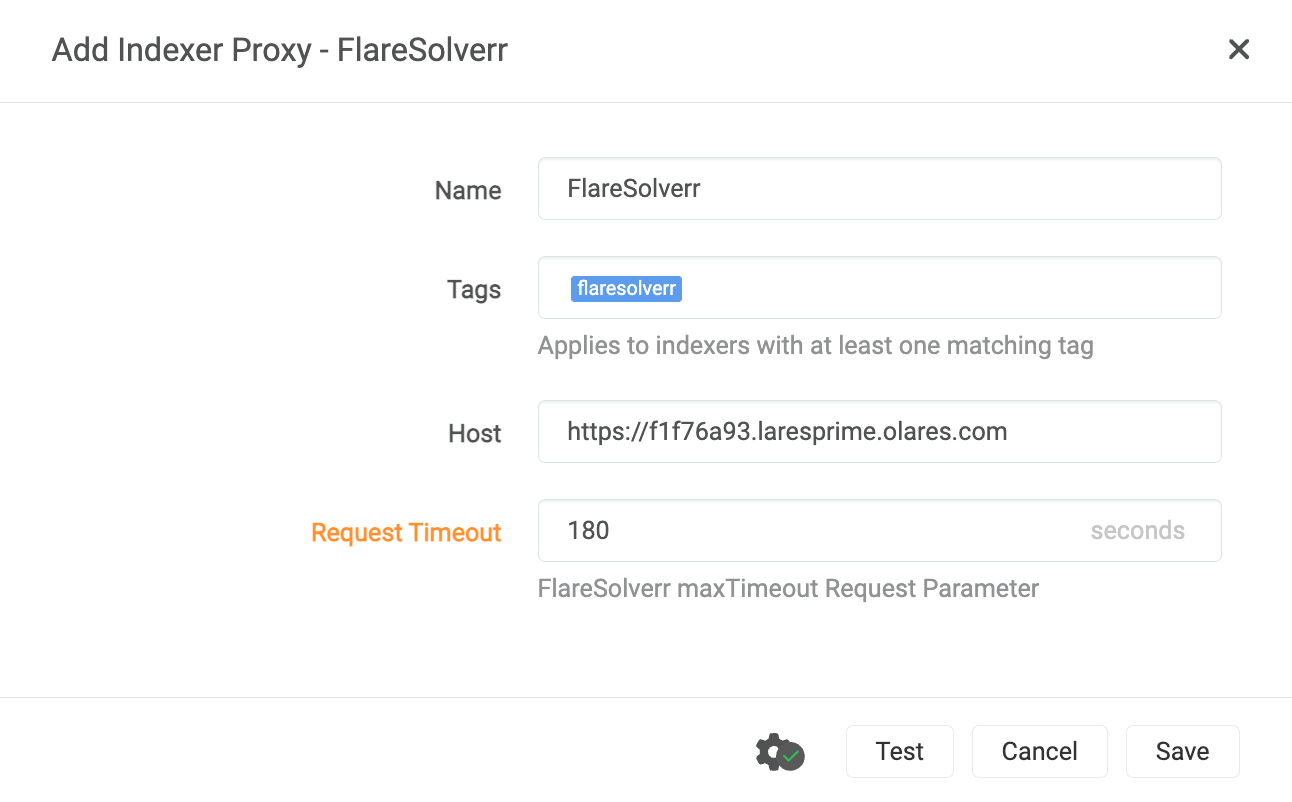
Configure the proxy settings:
- Tags: Enter a lowercase tag name such as
flaresolverr. Prowlarr uses this tag to decide which indexers should route requests through FlareSolverr. - Host: Paste the FlareSolverr Endpoint you copied earlier.
- Tags: Enter a lowercase tag name such as
Click the gear icon and set Request Timeout to
180seconds.Click Test to verify the connection, then click Save.
Add a Cloudflare-protected indexer
This example uses 1337x, a popular indexer site protected by Cloudflare.
In Prowlarr, click Indexers > Add Indexer and search for "1337x".
Select 1337x, then set Base URL to
1337x.to.In the Tags field at the bottom, enter the same tag you assigned to the FlareSolverr proxy (e.g.,
flaresolverr).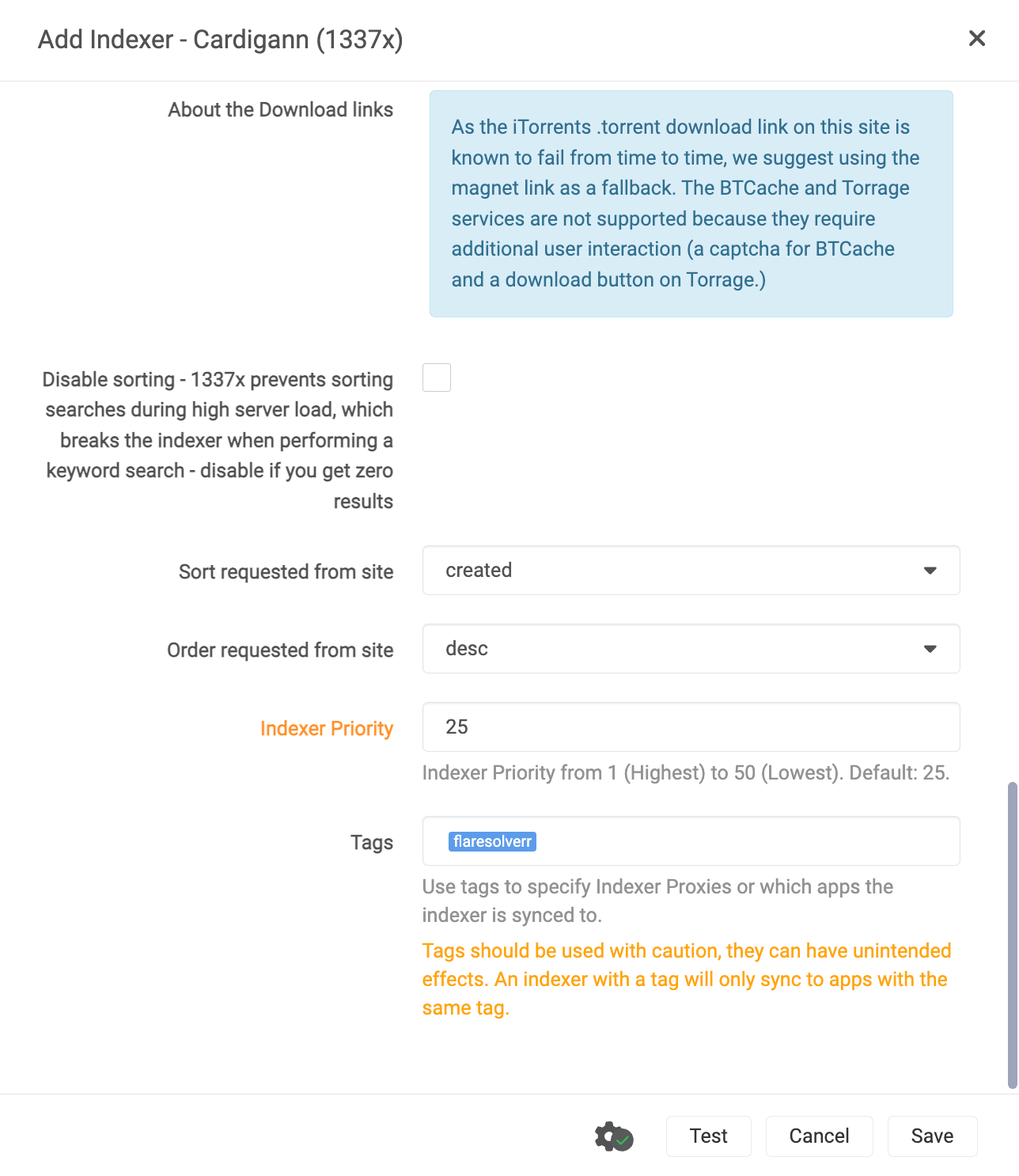
Click Test.
INFO
The challenge-solving process might take some time and does not always succeed on the first attempt. Try a few times if the initial test fails.
Verify FlareSolverr is working
You can check FlareSolverr's logs to confirm it is receiving and solving Cloudflare challenges.
Open Control Hub and select the FlareSolverr project from the sidebar.
Under Deployments, click the running pod of flaresolverr, then expand the container to view its logs.
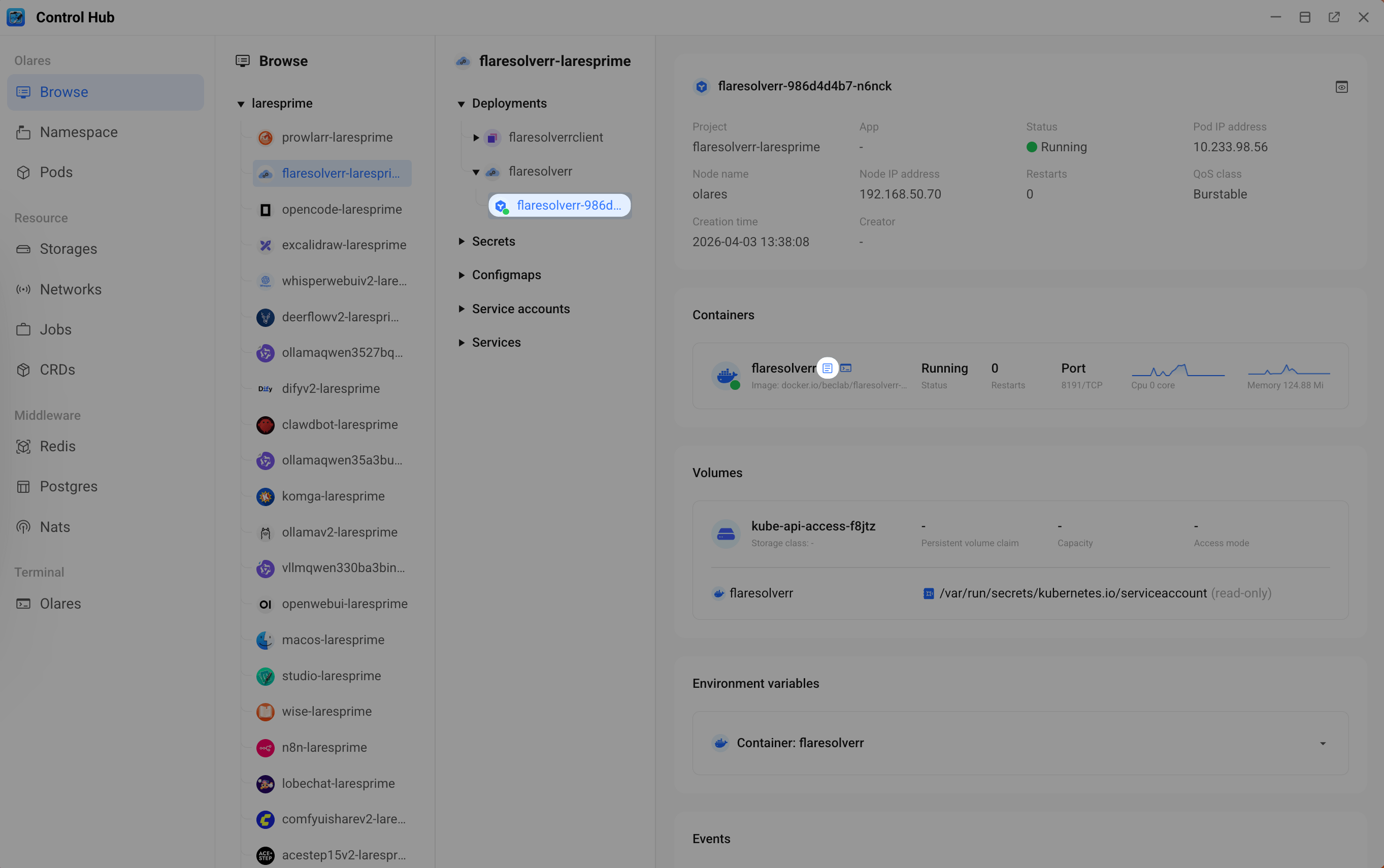
Click the play button to stream real-time logs.
Go back to Prowlarr and click Test on the 1337x indexer. You should see the incoming request appear in FlareSolverr's logs.
Look for
Challenge solvedin the logs. This confirms FlareSolverr has bypassed Cloudflare protection.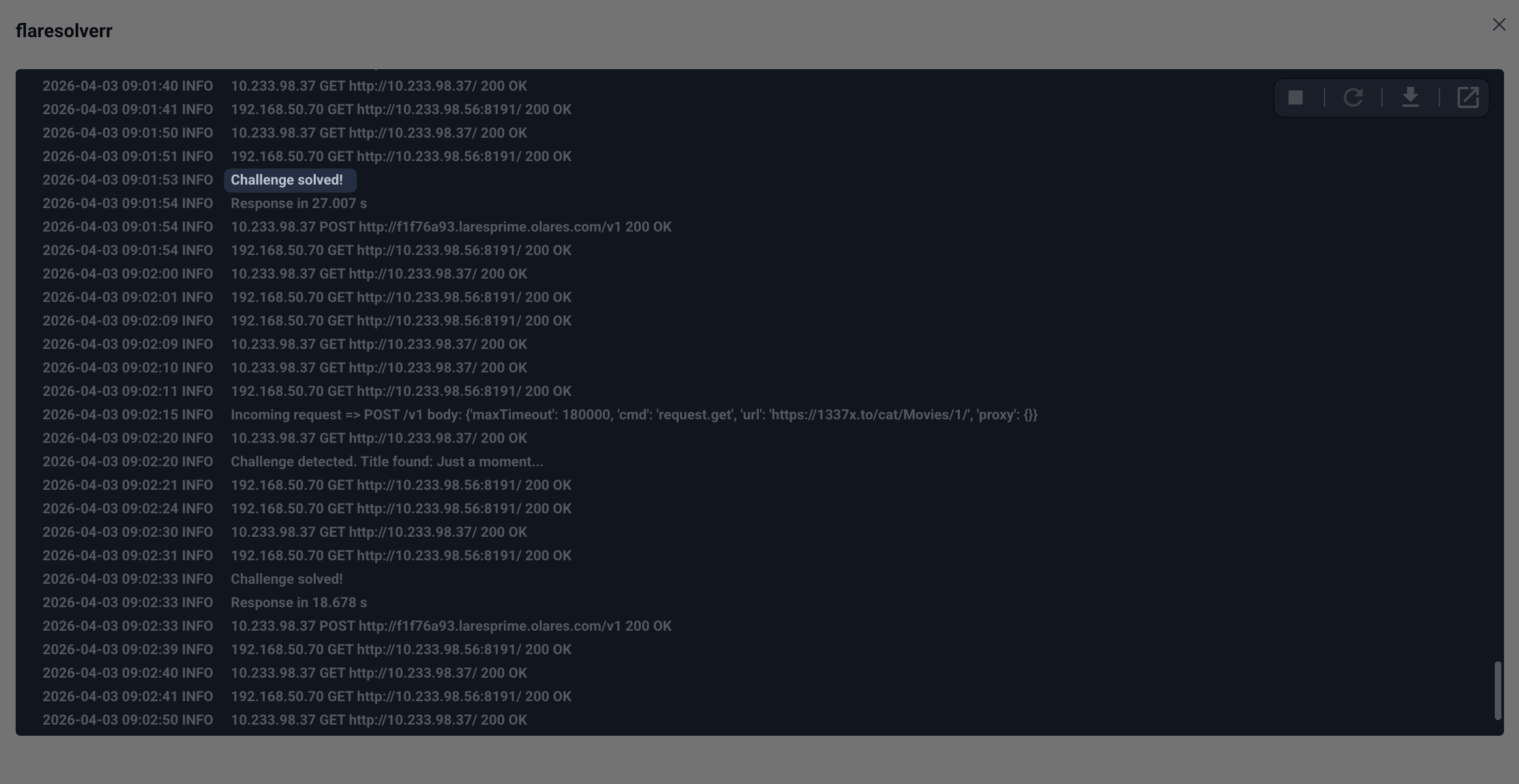
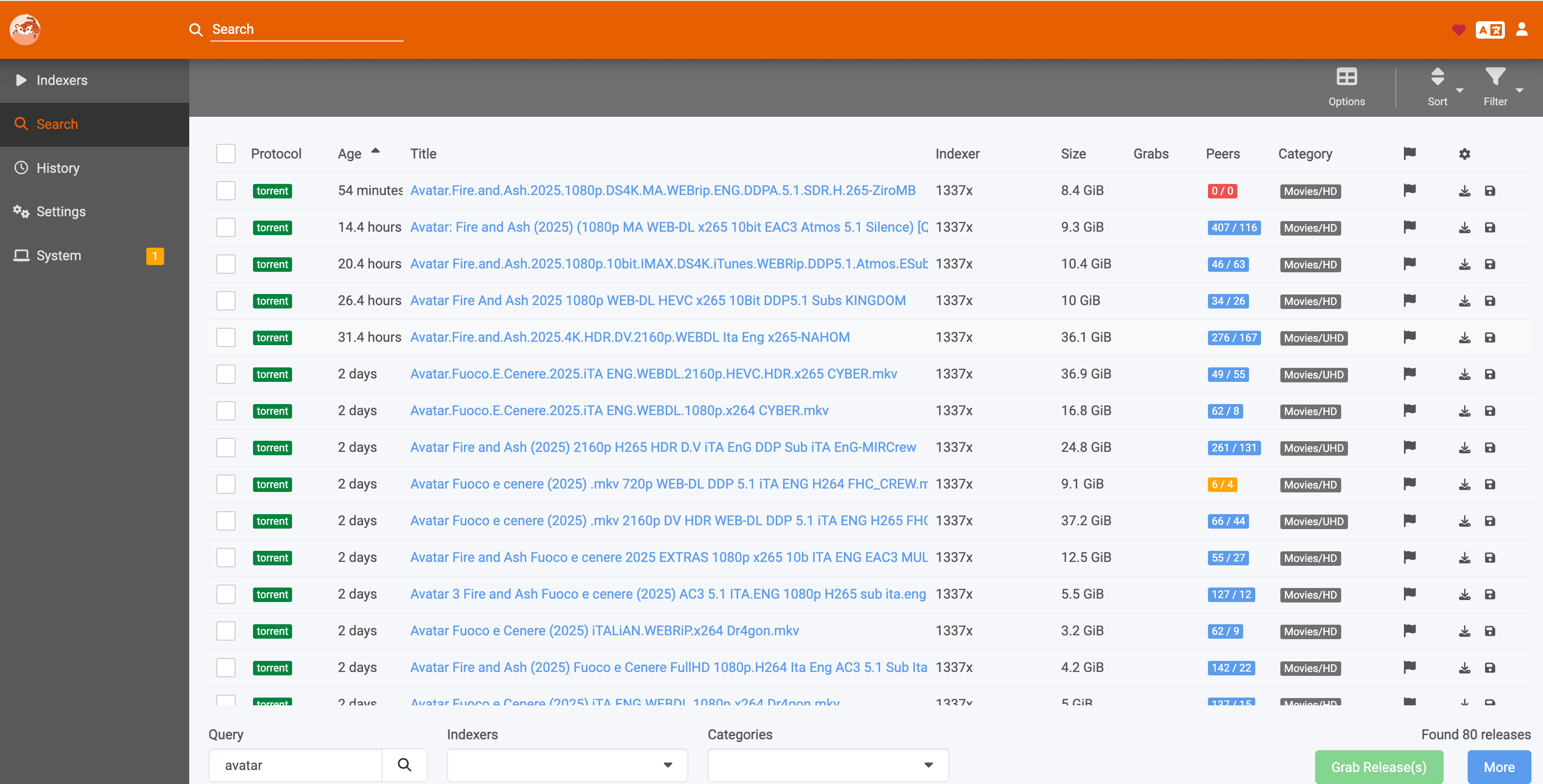
Search for content in Prowlarr's search bar. If results appear, FlareSolverr is working correctly.
Use FlareSolverr with your media stack
FlareSolverr is most commonly used with Prowlarr, but the same proxy setup benefits other parts of a self-hosted media workflow:
- Prowlarr sends indexer queries through FlareSolverr when an indexer tag matches the proxy tag.
- Sonarr, Radarr, and Lidarr rely on Prowlarr's indexers, so they indirectly benefit from FlareSolverr without extra configuration.
- Media centers such as Kodi, Jellyfin, and Plex use the files that Sonarr and Radarr grab, which means a working FlareSolverr setup helps keep your entire media stack fed with new content.
If you run into Cloudflare-protected indexers in other *arr apps, make sure the indexer is managed through Prowlarr and tagged correctly.
FAQ
Prowlarr test fails but FlareSolverr logs show "Challenge solved"
If FlareSolverr successfully solves the Cloudflare challenge but Prowlarr still reports the site as blocked, you can force-save the indexer. In some cases, the indexer returns search results even when the test fails.
To force-save:
In the indexer settings, configure all other parameters as needed.
Uncheck the Enable checkbox, then click Save. The indexer is now added to the list in a disabled state.
On the Indexers page, locate the indexer in the list and click the wrench icon on the far right to edit it.
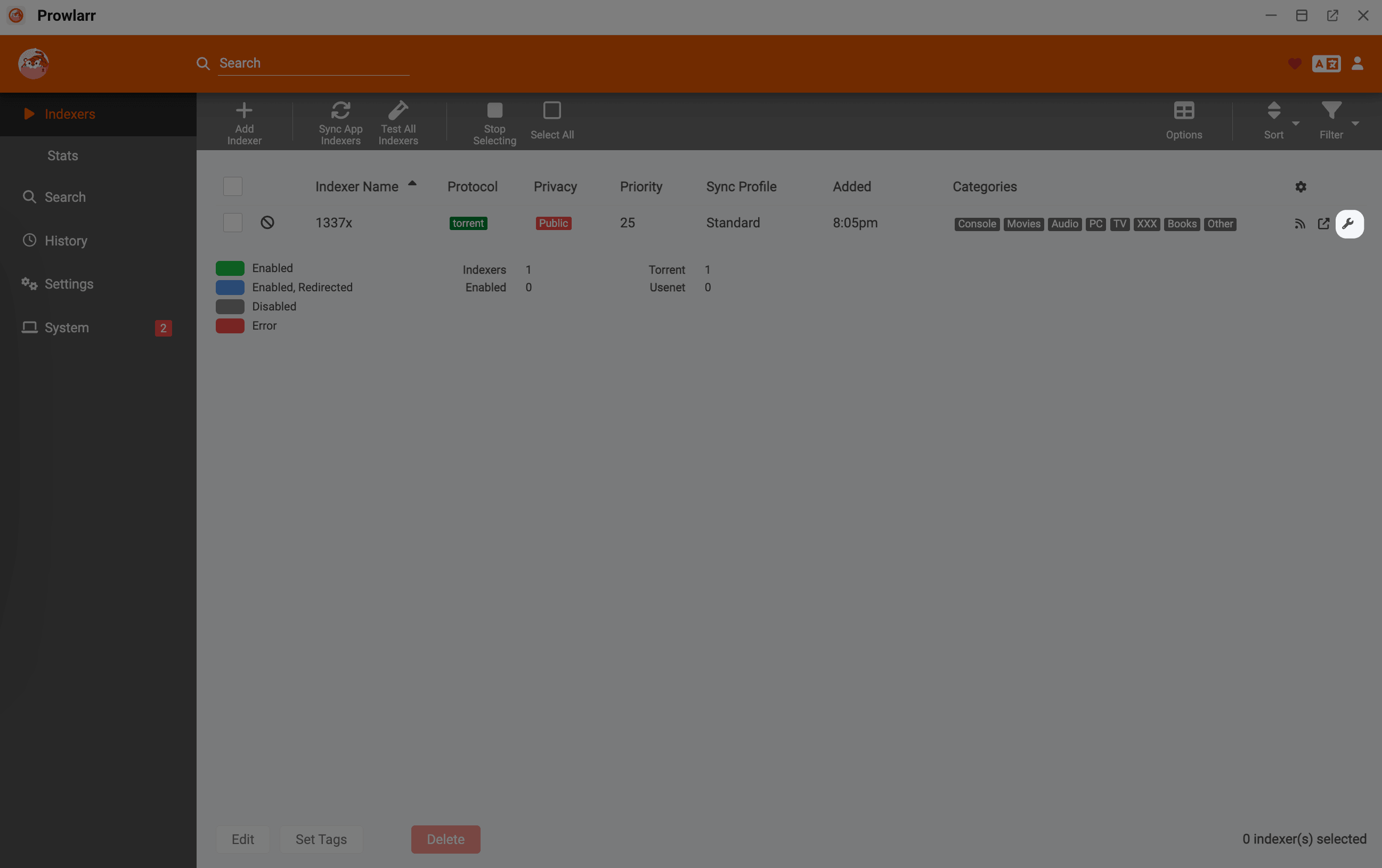
Select the Enable checkbox.
Click Save.
If Prowlarr keeps the edit page open and displays a warning (e.g.,
Unable to access 1337x.to, blocked by CloudFlare Protection), the Save button will change to a red warning icon. Click this icon again to save the indexer despite the failed connection check.
After re-enabling, try searching in Prowlarr. If results appear, the indexer is working despite the failed test.
FlareSolverr is not receiving requests from Prowlarr
Check the following:
- The Host field in Prowlarr's FlareSolverr proxy settings matches the API endpoint you copied from Olares Settings.
- The indexer Tags field contains the same tag assigned to the FlareSolverr proxy.
- The FlareSolverr pod is running in Control Hub.
How do I update FlareSolverr
When a new version of FlareSolverr is published to the Olares Market, open Market, go to My Olares, and click Update next to FlareSolverr. Olares pulls the latest ghcr.io/flaresolverr/flaresolverr:latest image automatically.
Learn more
- Stream your media with Jellyfin: Host and stream movies, shows, and music from your Olares device.