Access Olares services locally
Olares services normally use standard olares.com URLs that work from both local and remote networks. When your computer or another device is on the same LAN as Olares, you can use a local route instead of sending the connection through the public reverse proxy.
Keeping traffic on the LAN can reduce latency, improve transfer speeds, and preserve access when the internet is unavailable. The right method depends on whether you move between networks, want to keep using the standard URL, need the setting to cover multiple devices, or need an app to have its own LAN IP.
Choose a local access method
| Requirement | Recommended method | URL | Applies to |
|---|---|---|---|
| Move between local and remote networks | LarePass VPN | Standard olares.com URL | Current device |
| Use direct LAN access on Windows or macOS | LarePass host mappings | olares.com or olares.local | Current computer |
| Use local access without LarePass Desktop | A .local URL | olares.local | Current device |
| Configure local resolution for multiple devices | Local DNS | Standard olares.com URL | Local network |
| Give a supported app a dedicated LAN IP | Overlay gateway | App-specific IP address | Local network |
Avoid a public-network detour
On the same LAN, opening a standard olares.com URL without VPN, a matching hosts entry, or local DNS may send the connection through the public reverse proxy. The service can still load, but this route is slower and is not recommended for local access.
Use LarePass VPN
Use this option if you frequently move between networks. LarePass automatically selects a connection type. When you are on the same LAN as Olares, it switches to Intranet for a direct local connection.
Always enable VPN for remote access
Keep LarePass VPN enabled. It automatically prioritizes the fastest available route to ensure you always get the best speed possible without manual switching.
iOS and macOS setup
On iOS or macOS, you may be prompted to add a VPN Configuration to your system settings the first time you enable the feature. Allow this to complete the setup.
Once enabled, check the status indicator in LarePass to verify the connection type:
| Status | Description |
|---|---|
| Intranet | Direct connection via your local LAN IP. Fastest speeds. |
| P2P | Direct encrypted tunnel between devices. High speed. |
| DERP | Routed via a secure relay server. Used as a fallback. |
Configure host mappings with LarePass
Use this option for direct LAN access from a Windows or macOS computer without running the LarePass VPN.
When your device is on the same local network as Olares, you can connect directly over the LAN. You can either keep using your standard olares.com URLs or use .local URLs.
A multi-level .local hostname mirrors the standard Olares URL and works with both system and community apps.
TIP
Use https:// with the standard URL and http:// with the .local URL.
Standard URL
https://<entrance_id>.<username>.olares.com.local URL
http://<entrance_id>.<username>.olares.localUse Host mappings in LarePass Desktop to manage the hosts entries for your Olares. LarePass maps both olares.com and olares.local hostnames to the Olares LAN IP, so requests from this computer stay on the LAN.
This mode applies only to the current computer and is available only while the computer and Olares are on the same LAN.
Turn off VPN first
LarePass VPN and host mappings are mutually exclusive. Turn off VPN connection before adding or updating the hosts entries.
- Make sure the computer and Olares are on the same LAN.
- Turn off VPN connection in LarePass Desktop.
- Start the update from either location:
- Click Map hosts in the lower-left corner.
- Click your avatar, go to Settings > Host mappings, and click Enable.
- In Update host mappings, review and edit the entries as needed. Do not edit lines beginning with
#. LarePass uses these markers to manage the entries. When you finish, click Update. - When the password prompt appears, enter the administrator password for your computer and confirm the change.
- Wait for the Success message.
You can now open either URL format shown above.
LarePass prompts you to update the hosts entries when the Olares LAN IP changes or when installing or uninstalling apps changes the required hostnames. Apply the update before using the affected URLs.
TIP
You do not need to edit the hosts file manually. LarePass manages the entries on both Windows and macOS.
Disable host mappings
- Click your avatar and go to Settings.
- Find Host mappings and click Disable.
- In the Disable host mappings confirmation window, click Disable again.
LarePass removes all hosts entries it previously added to the computer. Standard olares.com URLs then use their normal network route. Multi-level .local URLs may no longer resolve on systems without native support.
Use a .local URL without LarePass
Use this option when the client device and Olares are on the same LAN and you do not want to configure LarePass Desktop.
Multi-level domain
A multi-level .local hostname mirrors the standard Olares URL and works with both system and community apps.
TIP
Use https:// with the standard URL and http:// with the .local URL.
Standard URL
https://<entrance_id>.<username>.olares.com.local URL
http://<entrance_id>.<username>.olares.localOn macOS and iOS, local service discovery can resolve multi-level .local hostnames without additional configuration. On Windows, use LarePass host mappings.
Single-level domain
Single-level .local hostnames work across operating systems, but support community apps only. Olares system apps such as Desktop and Files do not support this format.
http://<entrance_id>-<username>-olares.localConfigure local DNS
Use local DNS if you want standard olares.com URLs to resolve to the Olares LAN IP for multiple devices. This configuration typically applies to the entire network and does not require LarePass on each client.
INFO
Skip this method if you use .local URLs. They use local name resolution and do not depend on the olares.com DNS records.
Find the Olares LAN IP
Configure the DNS server
Configure the DNS server on one computer or on your router.
Once configured, open the standard olares.com URLs as usual. They should resolve to the Olares LAN IP while you are on the same network.
TIP
You can install AdGuard Home from the Olares Market to monitor traffic and manage DNS mappings graphically.
Verify hostname resolution
After configuring LarePass host mappings or local DNS, resolve a standard service hostname from the client computer:
ping desktop.<username>.olares.comThe returned address should match the LAN IP of your Olares. Private LAN addresses commonly begin with 192.168, 10, or 172.16–172.31.
Access an app through overlay gateway
Some apps need to appear as independent devices on your LAN for device discovery, casting, multiplayer connections, or other protocols that do not use an Olares web URL. For supported apps, overlay gateway assigns the app a dedicated LAN IP through a virtual network interface.
This method is separate from LarePass VPN, host mappings, and local DNS. Use the IP address shown for the app rather than an olares.com or olares.local URL.
Overlay gateway requires Olares to run on a native Linux host with a wired Ethernet connection. For availability, permissions, and setup steps, see Manage overlay gateway for applications.
Troubleshooting
A LarePass-managed URL no longer opens locally
The LAN IP of Olares may have changed. Make sure the computer and Olares are on the same LAN, turn off VPN connection, then apply the hosts update offered by LarePass.
LarePass cannot add or update the hosts entries
Make sure LarePass has permission to update the system hosts file. If you need to adjust the entries, edit them in Update host mappings in LarePass and leave the management markers beginning with # unchanged.
FAQs
LarePass VPN
Why doesn't LarePass VPN work on my Mac anymore?
macOS may block the VPN tunnel if the network extension or VPN configuration was not fully set up, or if the extension has become stuck or corrupted.
To resolve this issue, follow LarePass VPN not working to reset the extension and restore the VPN.
Why can't I enable LarePass VPN on Windows?
Third-party antivirus or security software may mistakenly flag LarePass as suspicious, preventing the VPN service from starting.
To resolve this issue, see LarePass VPN not working.
Why does the VPN connection turn off after showing Connecting?
If you turn on the VPN connection, but the status stays on Connecting for a while and then turns off automatically, the system time on your LarePass client device may be incorrect.
To resolve this issue, see LarePass VPN not working.
Host mappings
Why can't I find Host mappings in LarePass?
The option appears only when your computer and Olares are on the same LAN. Check the network connection on both devices, then reopen LarePass.
Why can't I enable LarePass VPN?
Host mappings and LarePass VPN cannot be enabled at the same time. Go to Settings > Host mappings and disable host mappings first.
Why is LarePass asking me to update the hosts file again?
The required entries can change when the Olares LAN IP changes or when you install or uninstall apps. Review the entries and click Update so all managed hostnames point to the current LAN IP.
What happens when I disable host mappings?
LarePass removes the hosts entries it manages. Standard olares.com URLs then use their normal network route, and multi-level .local URLs may no longer resolve on systems without native support.
How do I view the hosts file or restore a backup?
In Update host mappings, click Show in folder to open the folder containing the hosts file. If the hosts file has changed since the last update, LarePass backs it up before updating it. You can restore the backup manually.
.local browser issues
Why doesn't the .local domain work in Chrome on macOS?
Chrome may block local URLs if macOS has not granted it local network access.
- Open the Apple menu and go to System Settings.
- Go to Privacy & Security > Local Network.
- Find Google Chrome and Google Chrome Helper and turn their toggles on.
- Restart Chrome and try the
.localURL again.

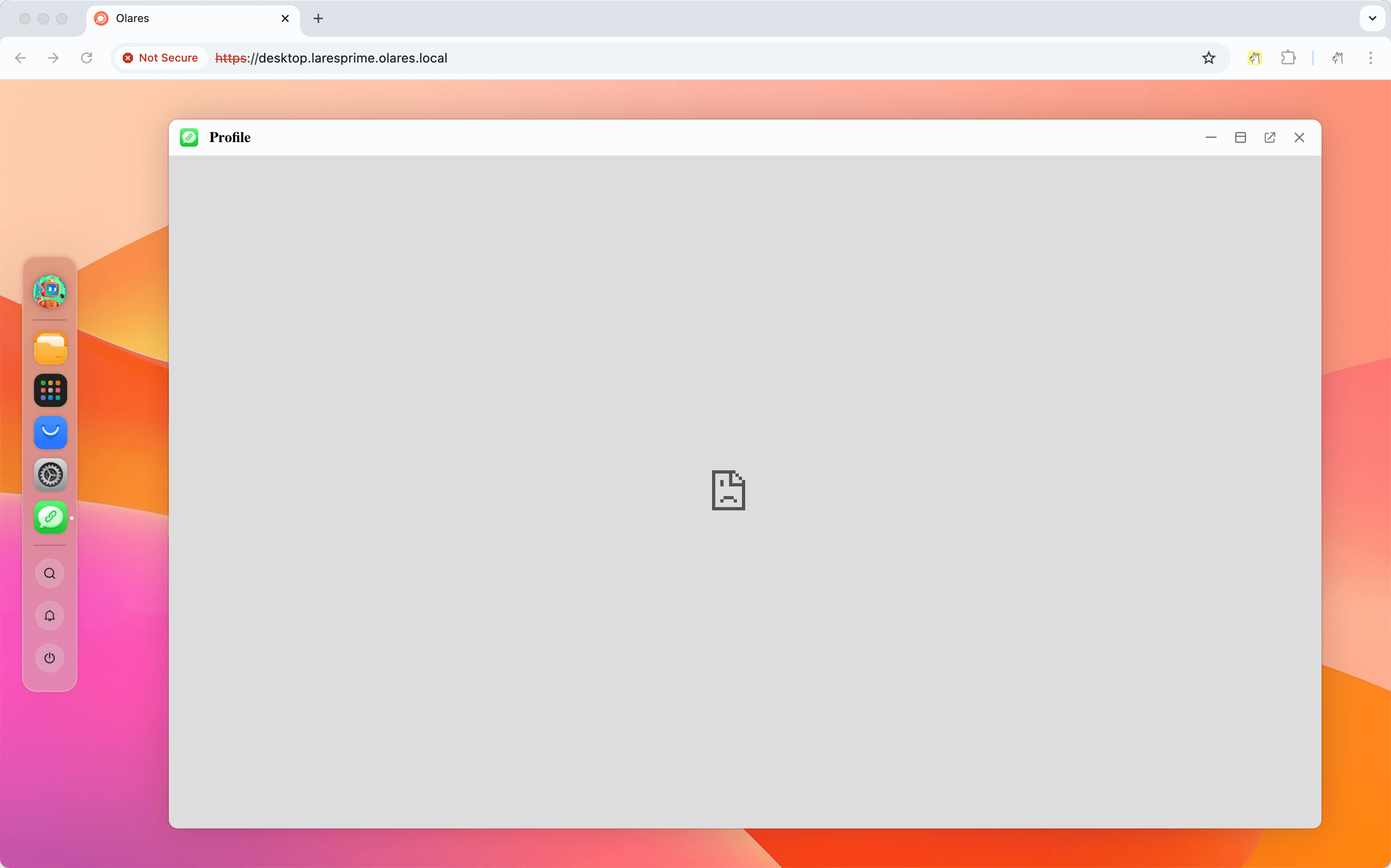
Why does the app show "connection not secure" or fail to load in Chrome?
Chrome sometimes forces HTTPS for .local hostnames, which is not supported.
Enter http:// explicitly at the start of the URL, for example, http://desktop.<username>.olares.local.
Why does the iframe flicker when I open a .local URL in Safari?
Safari applies stricter handling to .local and other non-HTTPS content in iframes, which can make an iframe flicker or reload.
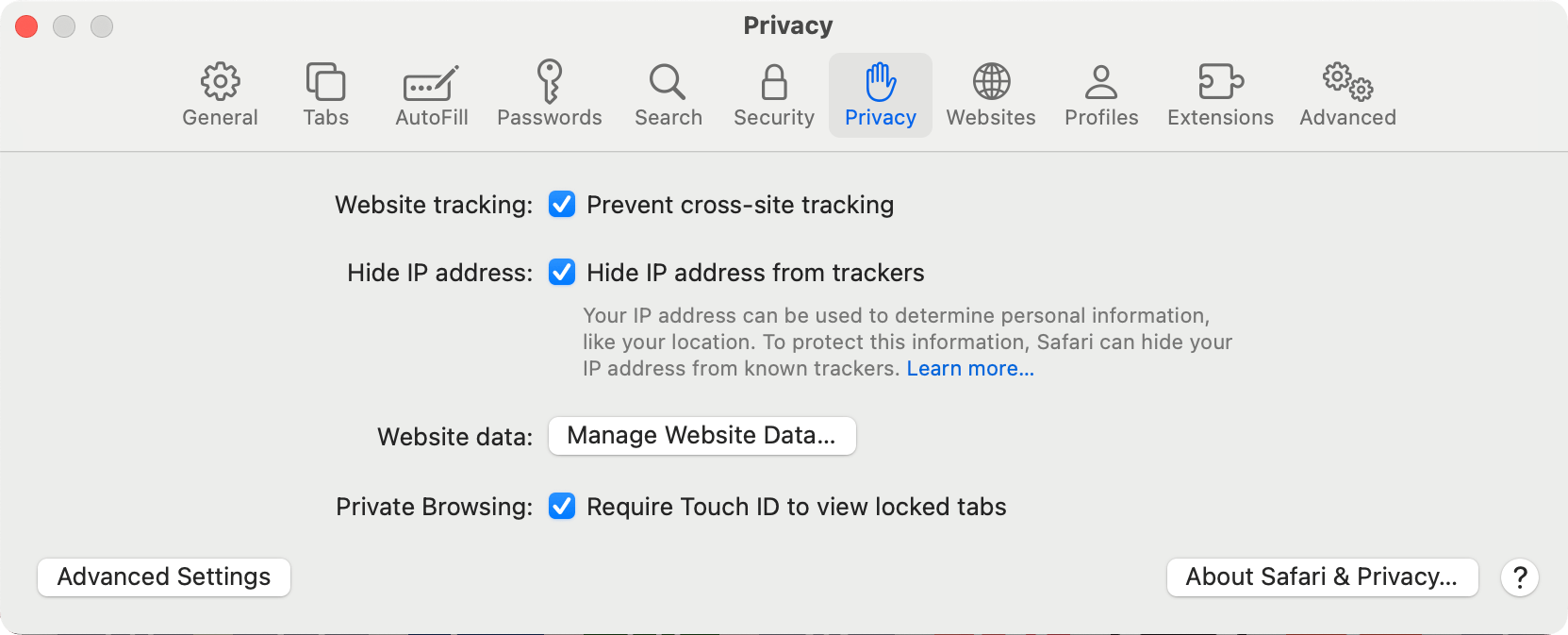
Open Safari and go to Settings.
Open the Privacy tab.
Enable Prevent cross-site tracking and Hide IP address from trackers.
Reload the
.localpage.