Mount NFS shares
Network File System (NFS) is a widely used protocol for accessing files over a network. If you have an NFS server on your local network, you can easily mount NFS shares to Olares and access and manage shared files as if they were local folders.
Before you begin
- Ensure Olares and the NFS server are on the same local network with stable connectivity.
- You have the following information:
- NFS server IP address: For example,
192.168.1.100. - NFS share directory path: For example,
/volume1/shareor/export/data.
- NFS server IP address: For example,
Mount an NFS share
Open the Files app, and then go to Drive > External.
Click Connect to server in the upper-right corner.
In the popup window, click the Protocol list, and then select NFS.
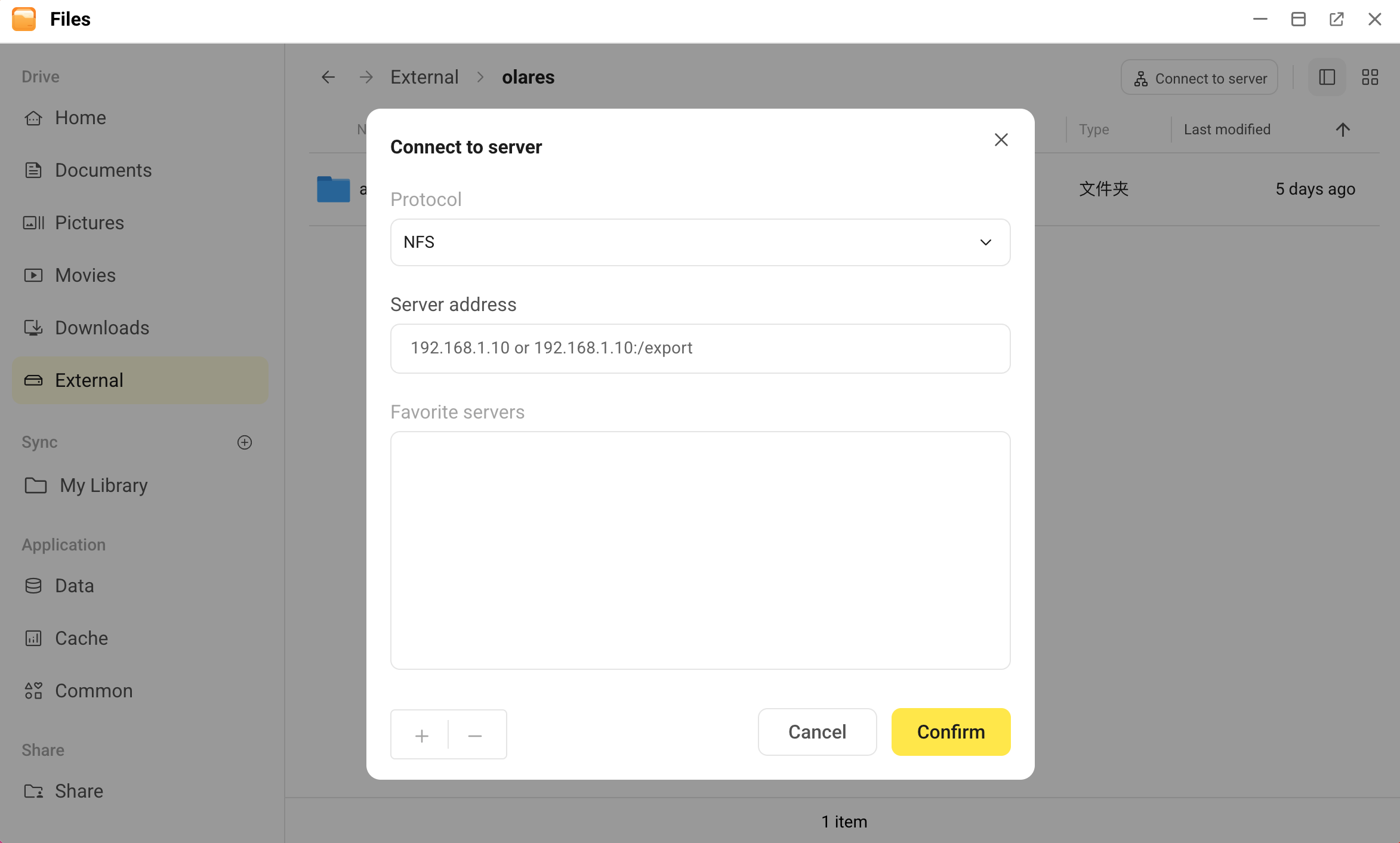
In the Server address field, enter the NFS share address. Two input formats are supported:
- IP address: For example,
192.168.1.100. The system will automatically try to connect to the server and list the available shares for you to select. - IP address with path: For example,
192.168.1.100:/volume1/share. This mounts the specified path directly, skipping the directory selection step.
- IP address: For example,
(Optional) Click add in the lower-left corner to add the current server address to Favorite servers for quick access next time.
Click Confirm.
- If you entered only the IP address, the system will query all available NFS shares on the server. In the popup window, select the share you want to mount from the list, and then click Confirm.
- If you entered the full path, the system will try to mount the directory directly.
After the connection is successful, the NFS share appears in the External directory. You can browse and manage files in it just like a local folder.
Unmount an NFS share
If you no longer need to access the NFS share, you can safely unmount it.
Open the Files app, and then go to Drive > External.
Right-click the NFS share directory you want to unmount, and then select Unmount.
The share is immediately disconnected from Olares and removed from the External directory.