Set system environment variables
Starting from Olares version 1.12.2, you can configure system-level environment variables for applications. This allows you to apply common settings globally without having to configure them for each application individually.
The variables are divided into two main categories:
| Category | Description | Permissions |
|---|---|---|
| System config | Predefined variables required for core system operations. Example: OLARES_SYSTEM_CDN_SERVICE | You cannot delete them. The system locks and grays out some variables to ensure stability, but you can edit the values of others. |
| User information | Custom or predefined user-level variables, such as third-party API keys. Example: OLARES_USER_CUSTOM_OPENAI_APIKEY | You can add, edit, and delete them. The system automatically applies the OLARES_USER_ prefix to any custom keys you create. |
To manage environment variables:
Go to Settings > Advanced > System environment variables.
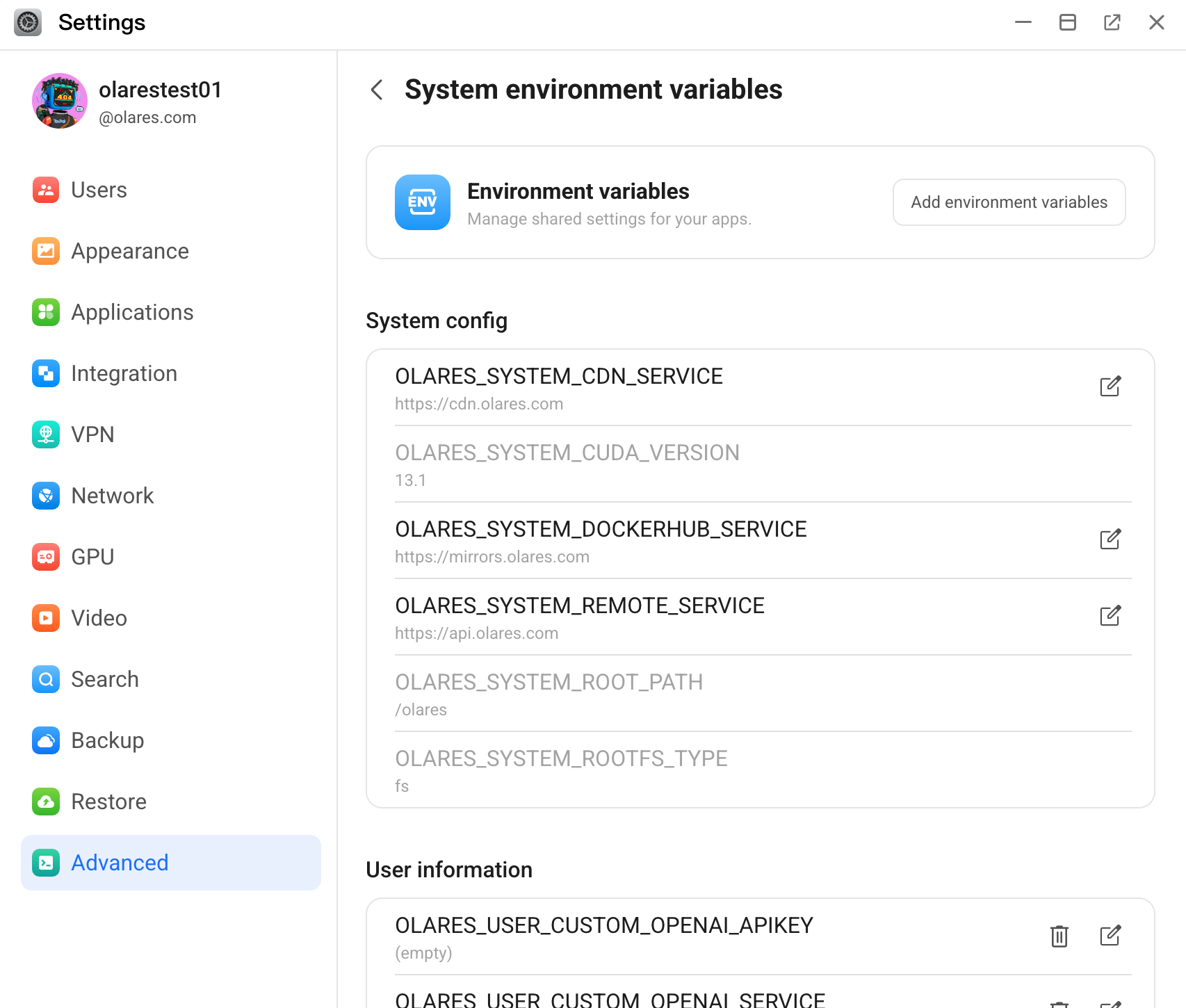
To add a new custom variable:
a. Click Add environment variables.
b. In the Key field, enter your custom key name which is appended to the
OLARES_USER_prefix.c. In the Value field, fill in the value.
d. From the Type list, select the data type.
e. Provide an optional description.
f. Click Save.
g. Click Apply at the bottom of System environment variables.
To modify a variable:
a. Find the target variable from the list, and then click edit_square. Variables without this icon are locked and cannot be changed.
b. In the Edit environment variable window, update the variable's value.
c. Click Confirm to save your changes.
d. Click Apply at the bottom of System environment variables.
To delete a variable:
a. Locate a user-level variable and click delete.
b. Click Confirm.
c. Click Apply at the bottom of System environment variables.