Billing and payments
Olares partners with Stripe for secure payment processing. Your invoices and receipts are sent by email so you can keep records. If you have any questions during the payment process, please contact the Olares team for help.
Billing overview
Olares Space billing includes subscription fees and usage-based charges. Learn what you are billed for and how payments are processed.
What you are billed for
The following services are billed:
| Item | Description |
|---|---|
| Subscription | Monthly subscription fee for the paid plan Basic. The Free plan has no subscription fee. |
| Backup storage | Host data backed up to public storage. The first 50 GB per month is free. Usage beyond the free quota is billed based on actual usage at the end of the billing cycle. |
| Olares Tunnel traffic (FRP) | Traffic between Olares Space and your self-hosted Olares, forwarded through Olares Tunnel (reverse proxy). The first 50 GB per month is free. Usage beyond the free quota is billed based on actual usage. To avoid traffic charges, access your Olares via LarePass VPN instead of public links. |
How fees are deducted monthly
Olares operates on a monthly billing cycle. Each month, a single bill is generated that includes the base subscription fee plus any additional charges incurred during the month, such as extra traffic and storage fees.
- Automatic deduction: Your first payment authorizes automatic deductions, and the first payment method is set as default. To stop automatic deductions, go to Usage & billing > Payment methods, and delete your saved payment method.
- Payment validity period: Bills must be paid within 3 hours. Unpaid bills are canceled automatically. Make sure you settle your bills on time to avoid service interruption.
View your plan
Check your current subscription plan and billing cycle.
Click Usage & billing in the left navigation pane.
Select the Plan tab.
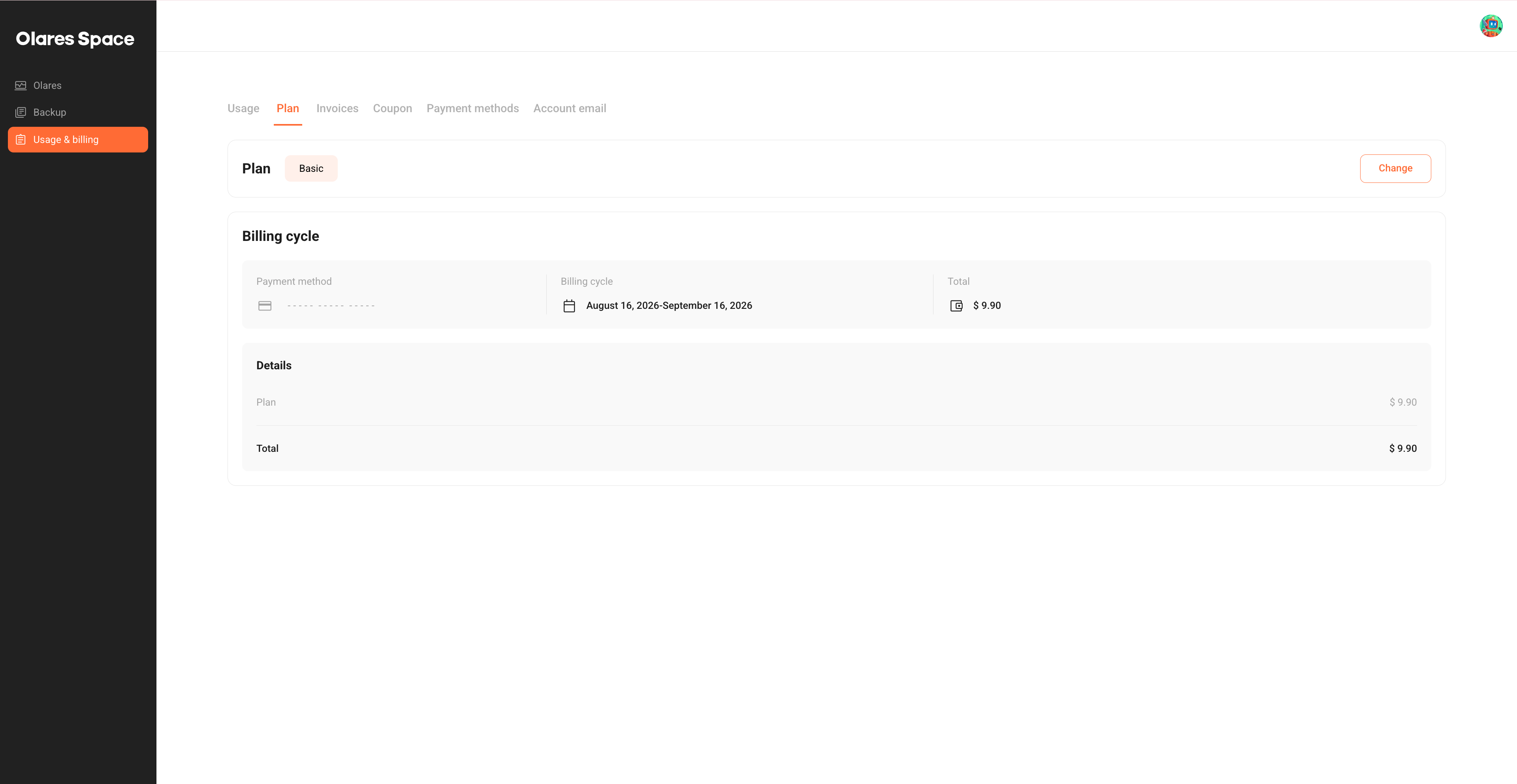
Review the following information:
- Plan: Your current subscription plan, such as Basic or Free. To upgrade from Free to Basic, see Change your plan.
- Billing cycle: The payment method, billing period, and total amount.
- Details: The cost breakdown, including the plan fee.
Change your plan
Upgrade from Free to Basic to get more traffic, bandwidth, and storage.
Click Usage & billing in the left navigation pane.
Select the Plan tab.
Click Change next to your current plan.
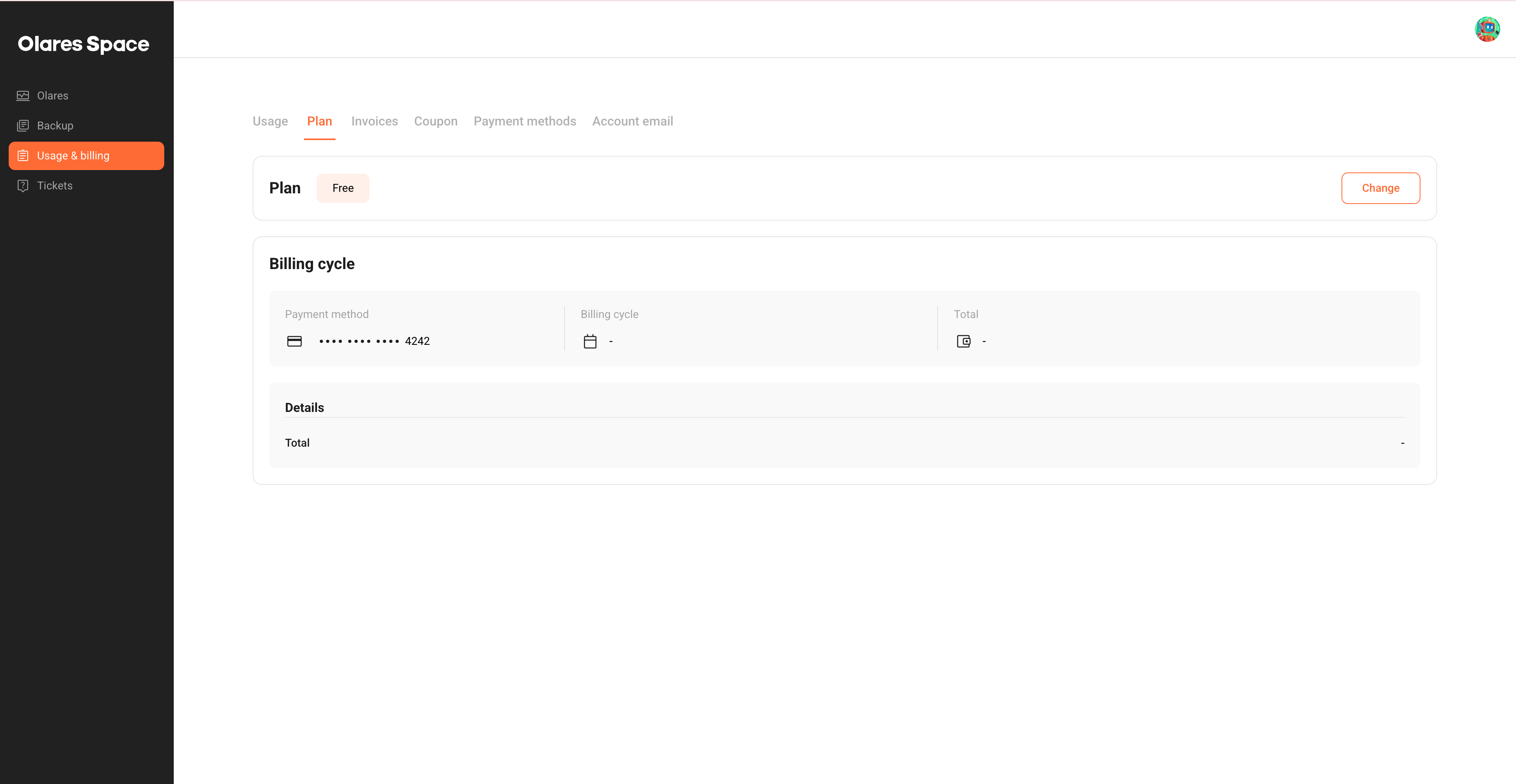
Compare the available plans. For example, Basic includes more monthly traffic, higher bandwidth, regional FRP nodes, Olares Space storage, and priority email support.
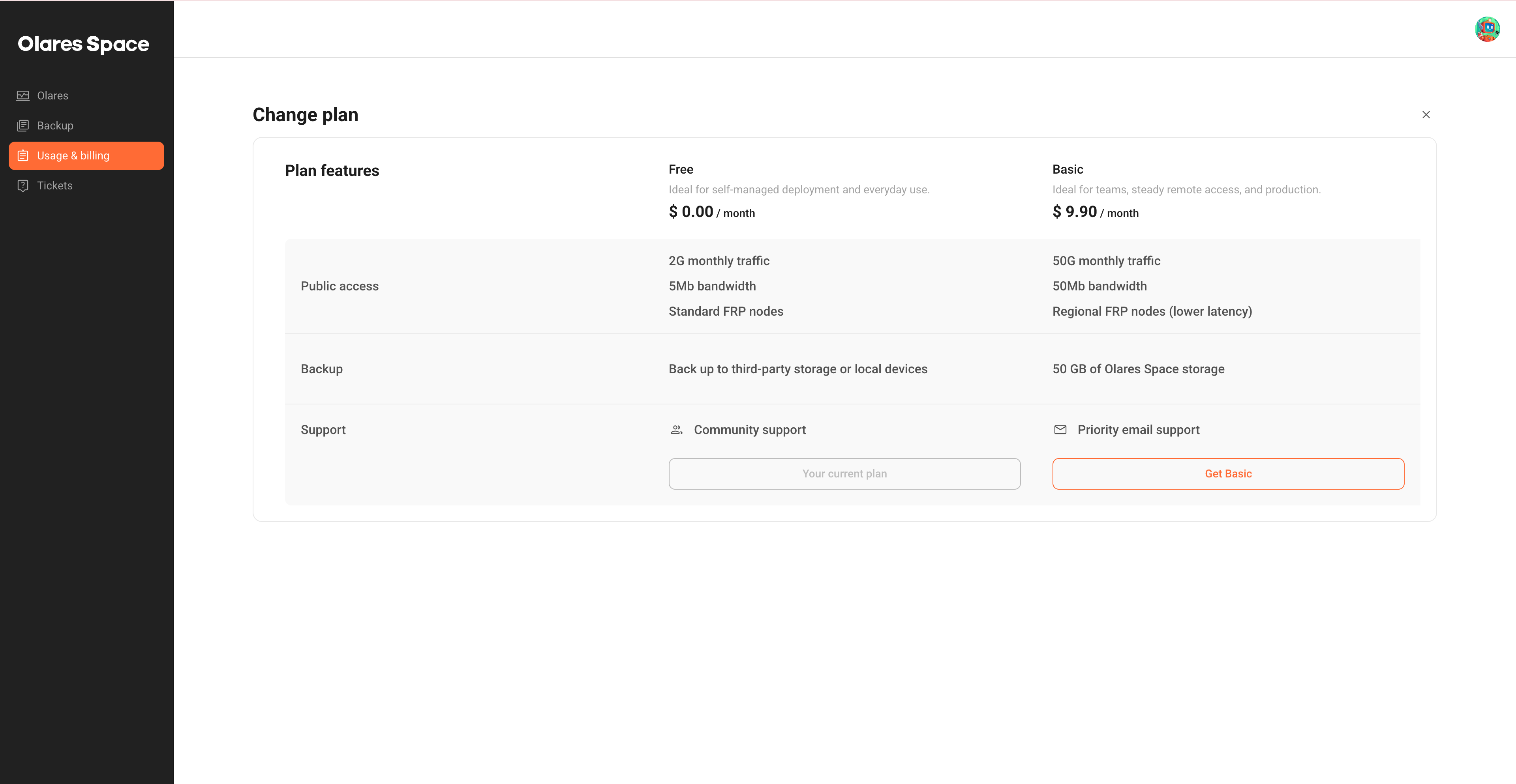
For the latest plan features and pricing, see Olares Space plans.
Hover over Basic, and then click Select.
In the Checkout panel, review your account details, payment method, and amount due.
Click Confirm to complete the upgrade.
INFO
- Your account balance is applied first. Only the remaining amount is charged to your saved card.
- The plan change starts a new billing cycle right away.
- Any unused quota from your current billing period will not be refunded.
View and download invoices
View and download your past invoices.
Click Usage & billing in the left navigation pane.
Select the Invoices tab.
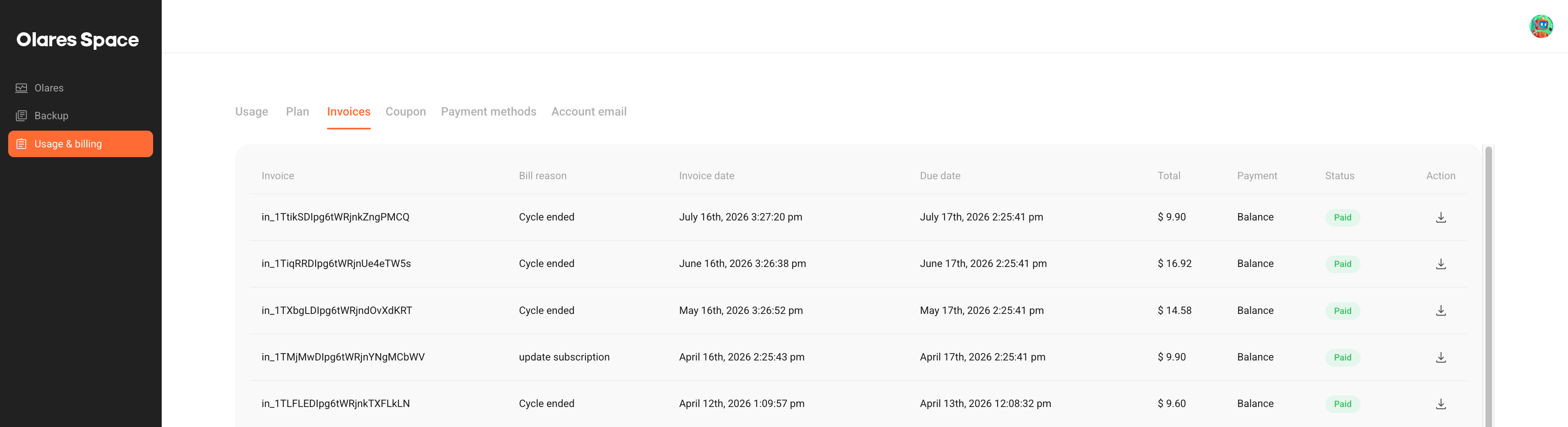
Review the invoice list.
To download an invoice, click download in the Action column.
The downloaded PDF includes the invoice number, issue date, due date, billing details, and a breakdown of charges.
Redeem a coupon
You can redeem most coupon codes on the Coupon tab. If a promotion provides a different redemption method, such as binding your account email, follow the instructions in the campaign material.
Click Usage & billing in the left navigation pane.
Select the Coupon tab.
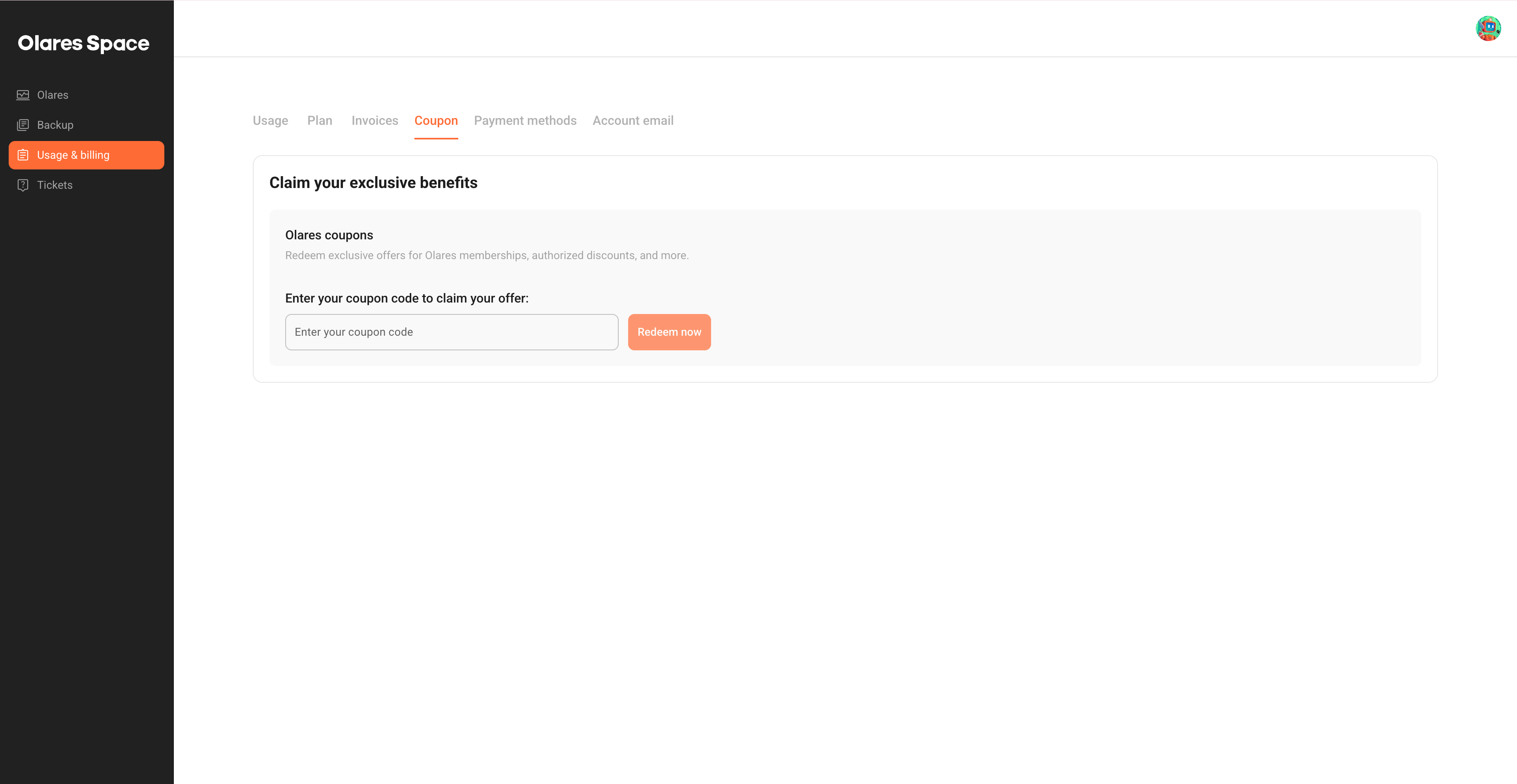
Enter your coupon code in the input field.
Click Redeem now.
INFO
Coupon values are non-refundable.
Manage payment methods
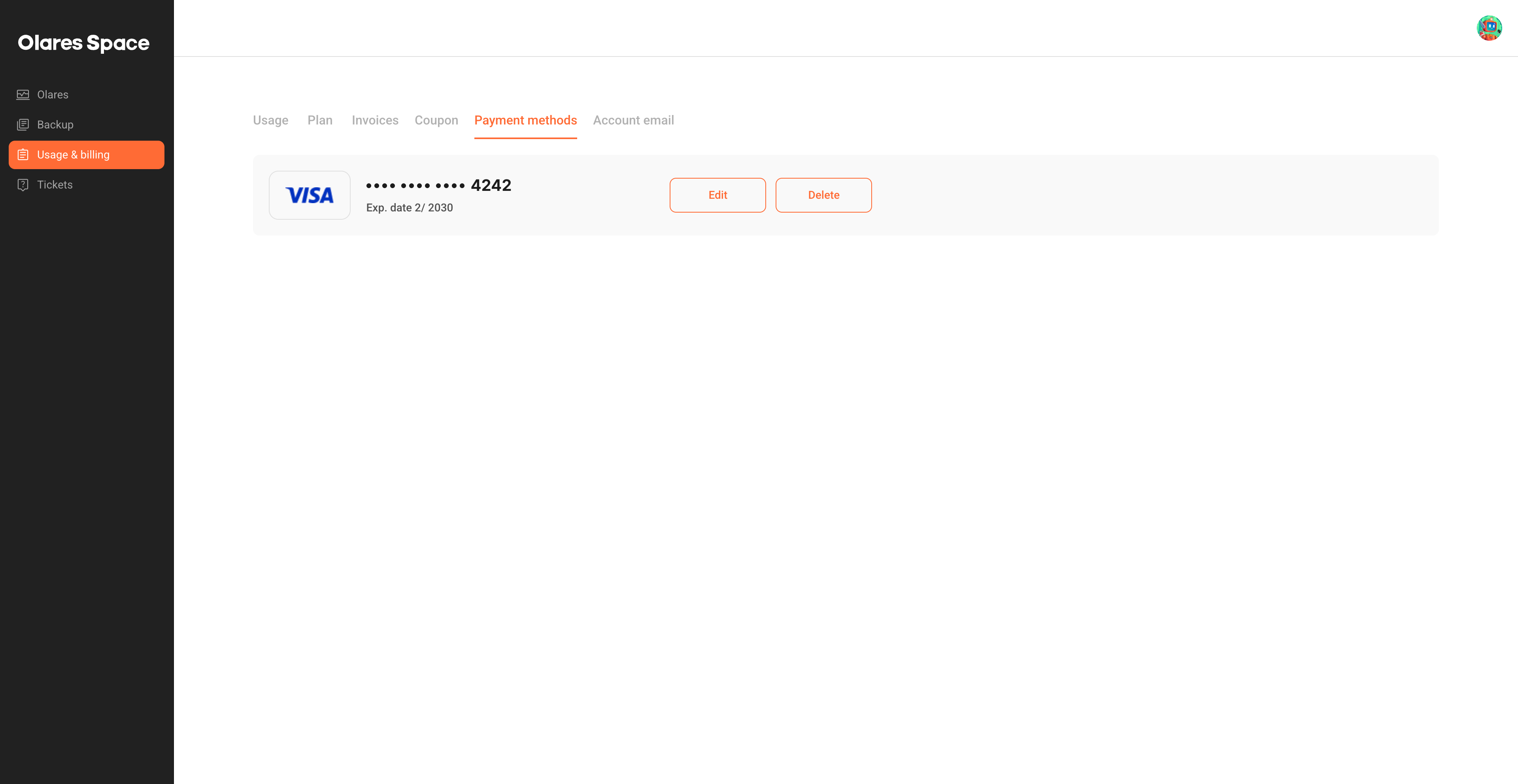
Add, update, or remove your credit card on the Payment methods tab.
Click Usage & billing in the left navigation pane.
Select the Payment methods tab.
To add a card, click Add credit card, enter the card details, and then click Save.
INFO
Olares Space only supports one saved payment method at a time.
To replace the saved card, click Edit, enter the new card details, and then click Save.
To remove the saved card, click Delete.
FAQs
Will I be charged if someone accesses the WordPress site deployed on Olares?
It depends on whether the traffic exceeds the free monthly quota. When someone accesses your Olares services through a public link, Olares Tunnel (FRP) traffic is generated. Usage beyond the free monthly quota is billed based on actual usage. To avoid these charges, access your Olares via LarePass VPN instead of public links.
What happens if my bill is less than $1?
If your total bill is under $1, it won't trigger a card charge. Instead, this amount will be added to your balance and rolled into the next bill.
How do I resolve a negative balance?
A negative balance doesn't always mean you owe money. To check the details, click your profile avatar in the upper-right corner and click Balance. The Balance details page opens, showing the breakdown.
If you owe any money, pay it as soon as possible to avoid service interruptions.