Olares 1.12.6: Agent Skills, a Model Console for Local LLMs, and Steadier Shared Apps

Olares 1.12.6 changes what you can hand off to an agent instead of doing yourself. Olares CLI gets Agent Skills so an agent can operate Olares directly, and Model Console gives local LLMs a real install-and-run lifecycle instead of a folder of GGUF files. Shared apps get a steadier foundation too. See At a glance below for the rundown, or the release notes for over 700 pull requests behind it.
A few AI apps need a fresh install after you update. See How to update to 1.12.6 before you start.
Olares also spent time at #1 on GitHub’s trending page during this release cycle, thanks to everyone who starred the repo, filed issues, and told other people about it.🎉
At a glance
- Olares CLI adds Agent Skills, so an agent can install apps, move files, read dashboard metrics, or manage app charts through structured commands instead of a raw shell session.
- Model Console splits the inference engine from the model instance: install an engine once, deploy any number of model instances on top of it, each with GPU residency checks and one-click TTFT and cold-start numbers.
- The GPU section in Settings is now Accelerator, with a CPU-or-GPU choice at install time and accelerator settings that survive updates.
- Shared apps get a steadier foundation: entrances, permissions, install-state handling, and GPU binding are now handled consistently for every app connected to a shared service.
- Files can compress and extract archives, mount NFS shares, and use a new Common directory for model weights shared between apps.
- Overlay Gateway gives select apps, like Home Assistant and Jellyfin, a real presence on your LAN.
- Desktop layout and widgets now sync across every device signed in under the same Olares ID.
- Olares One gets a CPU frequency cap and automatic startup under My Hardware.
- Plus a broad round of reliability fixes across app install and update flows, networking, and GPU handling.
Manage Olares in plain language
Handing an AI agent a raw shell is powerful and also a little reckless: it has to parse unstructured text output and guess at flags, with no guardrail against deleting the wrong thing. Olares CLI gives agents a narrower, safer surface instead. Commands are scoped, output comes back as structured JSON, and common failures have a documented recovery path.
Agent Skills are the bundles that teach an agent how to use that surface. Each one covers one area of Olares:
olares-shared: profile login, tokens, and auth-error recovery. Every other skill depends on it.olares-files: files, drive, SMB and NFS mounts, and compressing or extracting archives.olares-market: install, update, clone, and otherwise manage an app’s lifecycle.olares-settings: everything the Settings app exposes: network, backup, integrations, accelerators.olares-dashboard: CPU, memory, disk, GPU, and per-app resource usage as JSON.olares-cluster: the ControlHub view: pods, workloads, jobs, and middleware.olares-chart: turn a repo or Docker Compose file into an Olares app and deploy it.olares-doctor: routes an app that won’t install, start, or stay reachable to its root cause.olares-search: Desktop’s global search over files and installed apps.
Please note that the olares-chart skill also takes over what Studio used to do: Studio is retired from Market, and packaging or porting an app into Olares now runs through this skill.
There are two ways to access Olares CLI. If you run an agent app on Olares, several of them now ship with the latest Olares CLI preinstalled after you update, so the skills are ready the moment the app starts, no setup required. The onboarding guide walks through using them from there.
To drive Olares from an agent on your own machine instead, such as Claude Code or Codex in your local terminal, install the CLI yourself and log in:
npx @olares/cli@latest install
olares-cli profile login --olares-id <your-olares-id>
Either way, you then hand your agent a task instead of a command, something like “install Immich from Market and tell me when it’s ready” or “check my memory and CPU usage and flag anything over 1 GB.” The agent picks the right skill and runs it.
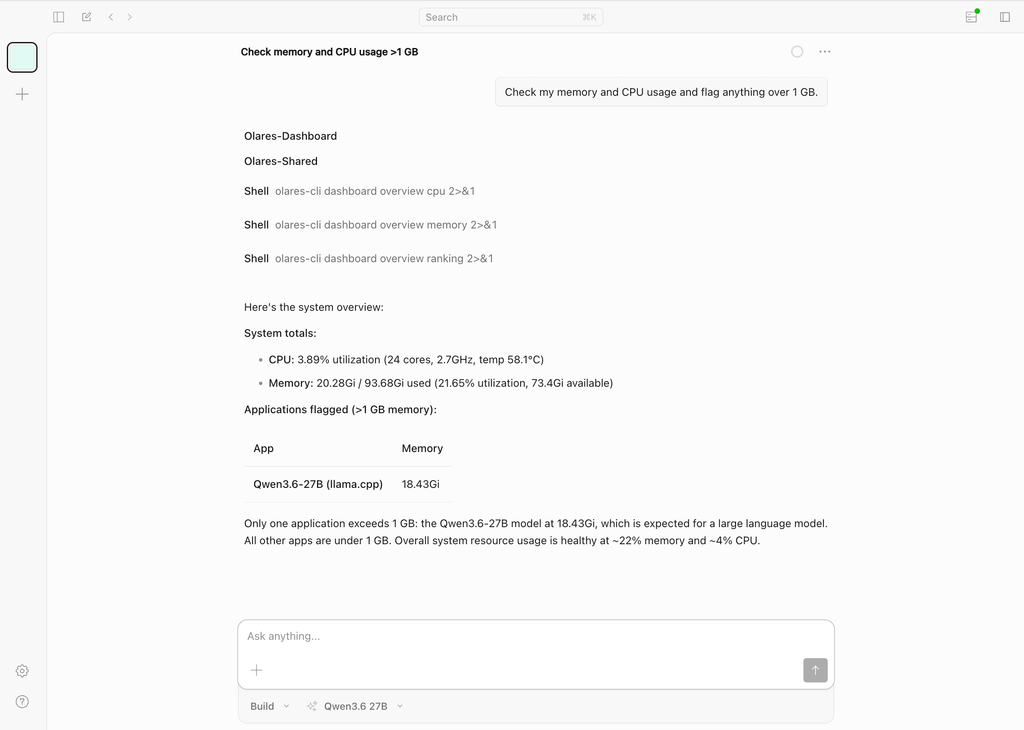
Agent Skills are the first part of Olares built to turn intent straight into action. More of the system will work this way over time, and more use-case walkthroughs are on the way as we see what people actually ask agents to do with them.
Local AI gets real infrastructure
Running a model locally used to mean two things: install a pre-packaged app from Market and take whatever model it shipped with, or install the standalone Ollama app and pull models by hand from the command line. The first limited you to what someone had already packaged. The second worked, but you lost visibility into metrics and never got a dedicated API endpoint.
Model Console splits the engine from the model
Model Console decouples that into two pieces: an inference engine you install once, and any number of model instances you deploy on top of it.
Four Engine Base apps are available in Market, one per inference engine:
| Engine | Choose it when |
|---|---|
| llama.cpp | You are running lightweight GGUF models or have limited GPU memory. Recommended on Olares One. |
| Ollama | You want to get started quickly with broad model compatibility and automatic tag-based pulls. |
| SGLang | You need structured generation or advanced reasoning optimizations. |
| vLLM | You need high-throughput serving of Hugging Face models under heavy concurrent load. |
Create an instance from the Engine Base app for the engine you want. Each instance gets its own entry on Launchpad with a dedicated console. You can pull the model from a Hugging Face repo, a single GGUF file, the Ollama Library, or a direct HTTPS URL, as long as it fits your hardware.
If you used the old standalone Ollama app, note that the Ollama Engine Base app replaces it. The standalone app is retired: existing installs keep running but won’t get further updates.
Beyond status and download progress, the console runs a GPU residency check (full GPU, split, or CPU fallback) and a one-click performance test that reports Time To First Token and cold start time, so you can compare quantization levels or engine arguments instead of guessing.
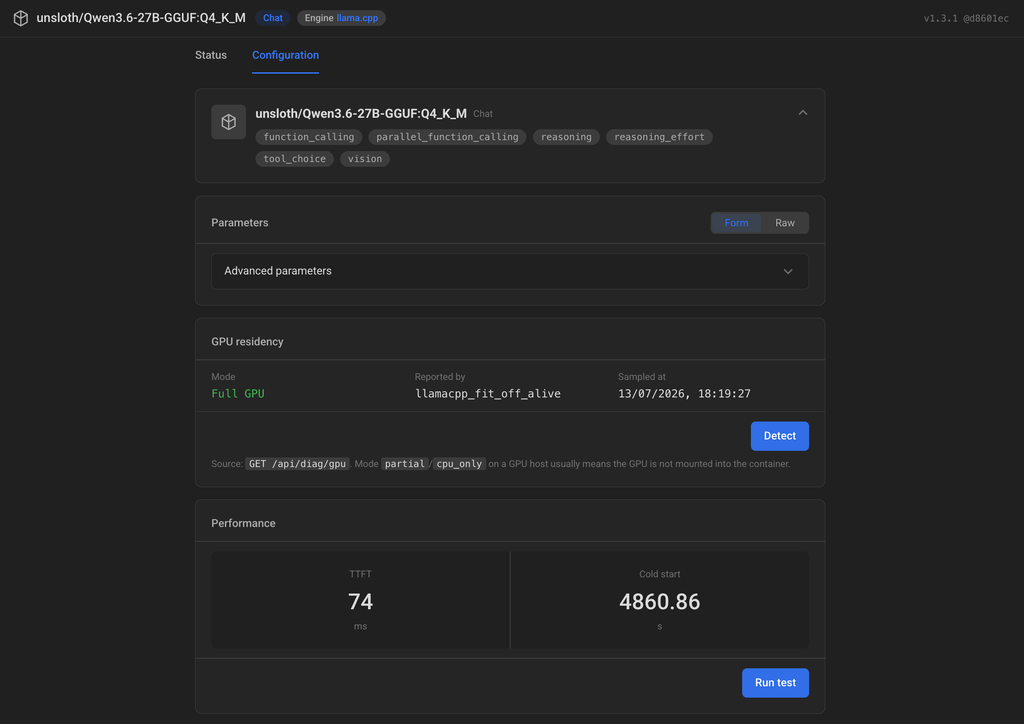
Or skip the console UI and ask an agent to do all of this through olares-cli and the skills above.
See hosting local LLMs with Engine Base apps for the full walkthrough, including tuning arguments per engine.
Accelerator replaces GPU in Settings
The GPU section in Settings is now Accelerator, because modern local AI workloads run on different accelerated computing resources more than NVIDIA GPUs. Olares now presents integrated accelerator chips and CPU fallback the same way it presents a discrete GPU: as cards you can compare at a glance on systems with mixed hardware.
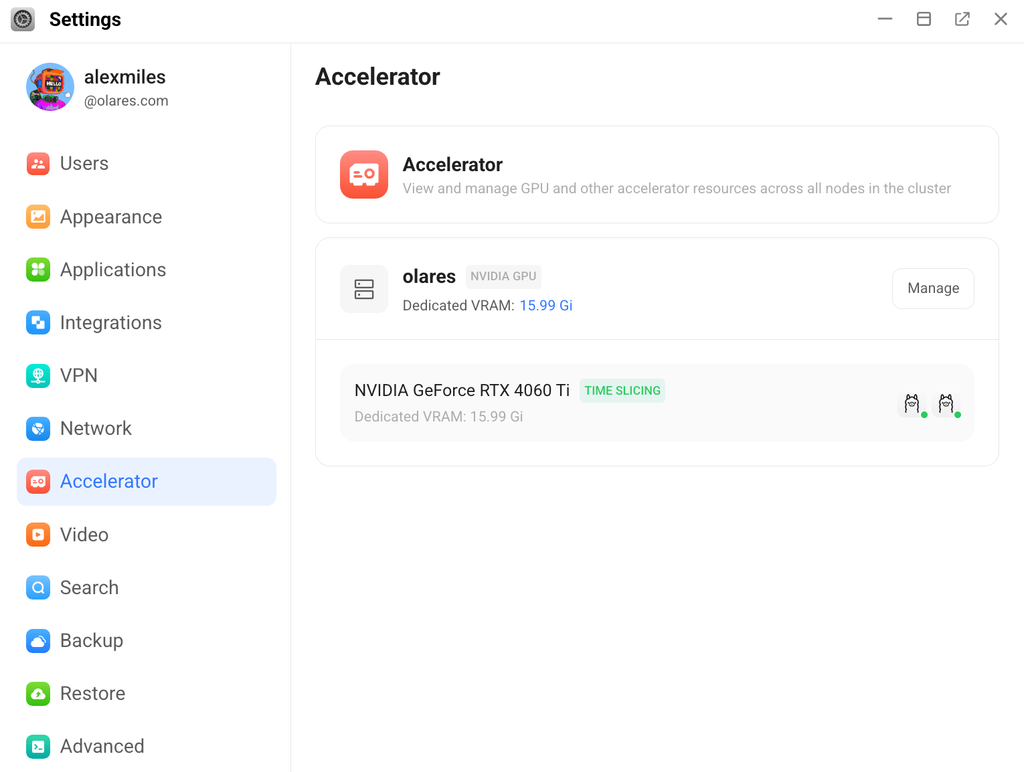
Market installs now ask whether an app should run on CPU or claim GPU memory, so you can push everyday apps to the CPU and keep VRAM free for the workload that actually needs it.
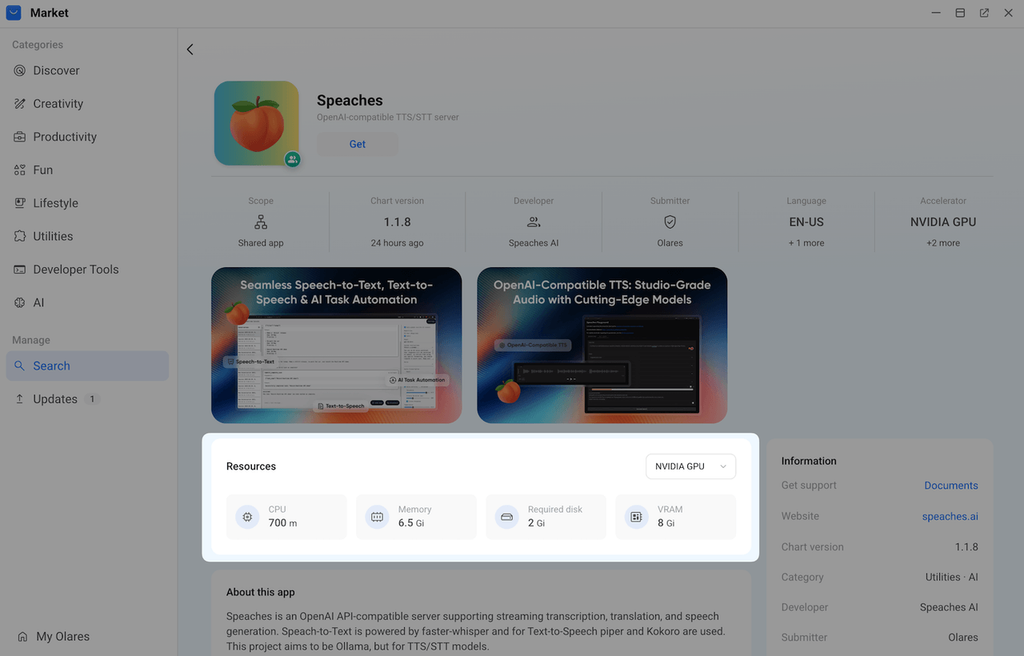
See managing accelerator resources in Settings and choosing CPU or GPU at install time in Market.
Shared apps get a steadier foundation
A shared app is a background service that other apps or users connect to instead of installing their own copy — ComfyUI Shared and the new LLM base engines are common examples. In 1.12.6, the infrastructure connecting shared services to the apps that depend on them has been rebuilt: shared entrances, permissions, install-state handling, ownership, and GPU binding are now handled consistently instead of case by case.
As local AI setups grow, one background service often ends up serving several user-facing apps at once, and a shared service that feels disconnected from its dependents turns into a support problem fast. The rebuilt foundation makes shared apps easier to open, reinstall, and recover, and gives multi-user households a firmer base to build on.
For users, the clearest result of this infrastructure update is a simpler installation flow. Previously, after an admin installed a shared app, each member still had to install a separate Client before using it. In 1.12.6, the admin installs the shared app once, and other members with access can open it directly.
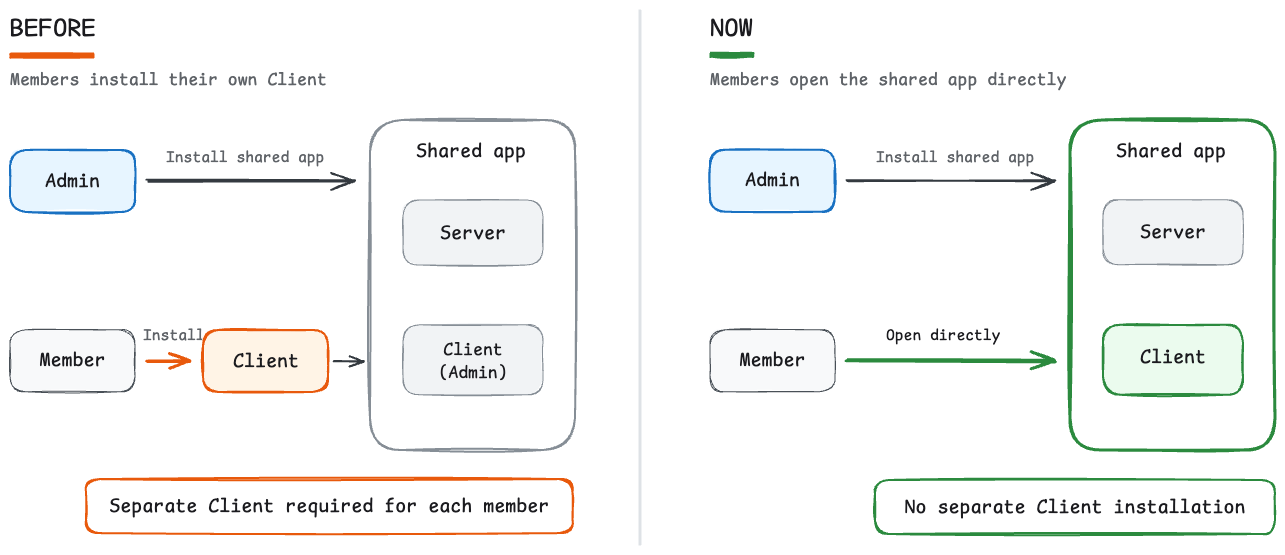
Some AI apps installed before 1.12.6 will need the latest compatible version from Market after you update. See How to update to 1.12.6 below before you do.
See shared apps for details.
Everyday polish
Files handles archives, NFS, and shared model folders
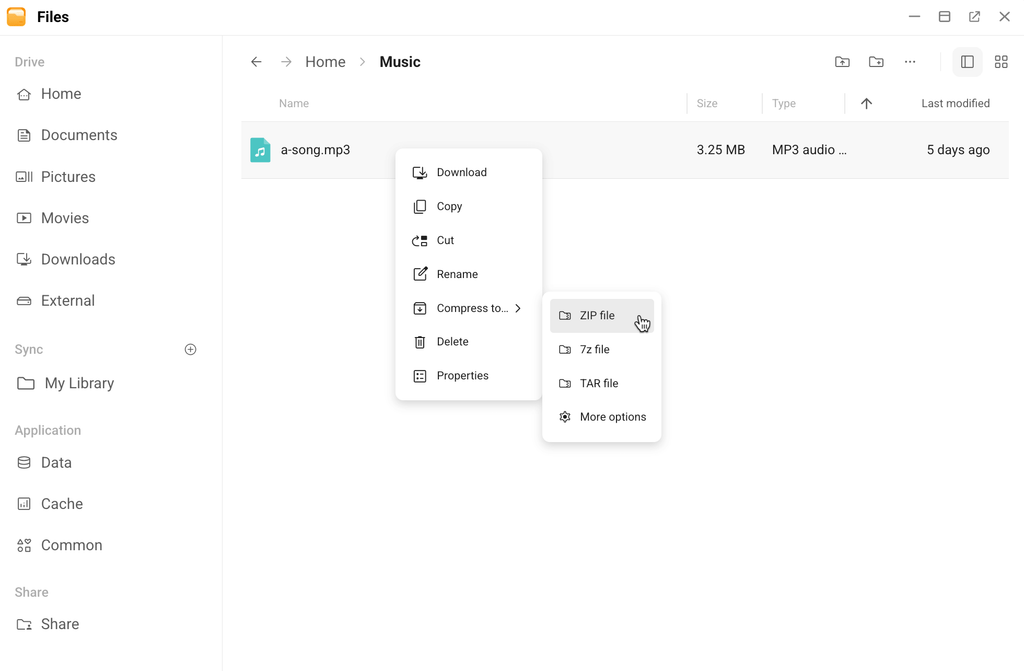
Files can now compress and extract ZIP, 7z, and TAR archives without leaving the app, with options for compression level, password protection, split volumes, conflict handling, and symbolic links.
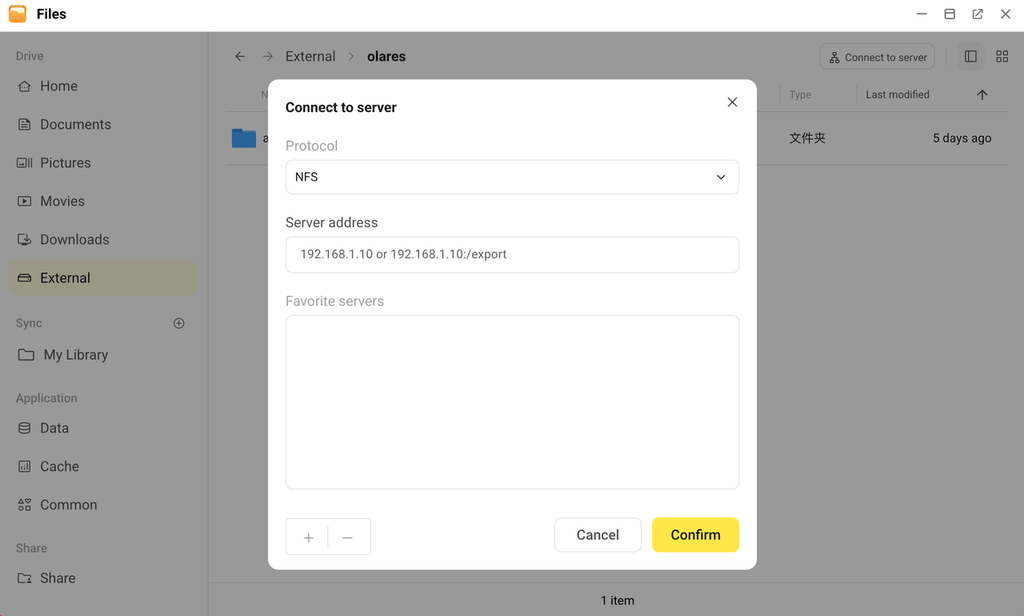
NFS joins SMB and cloud storage as a mount option. Point it at an IP address or an IP:path, save the servers you use often, and unmount when you are done. It is handy if you already run a NAS or a Linux box on your network and would rather not copy files into Olares first.
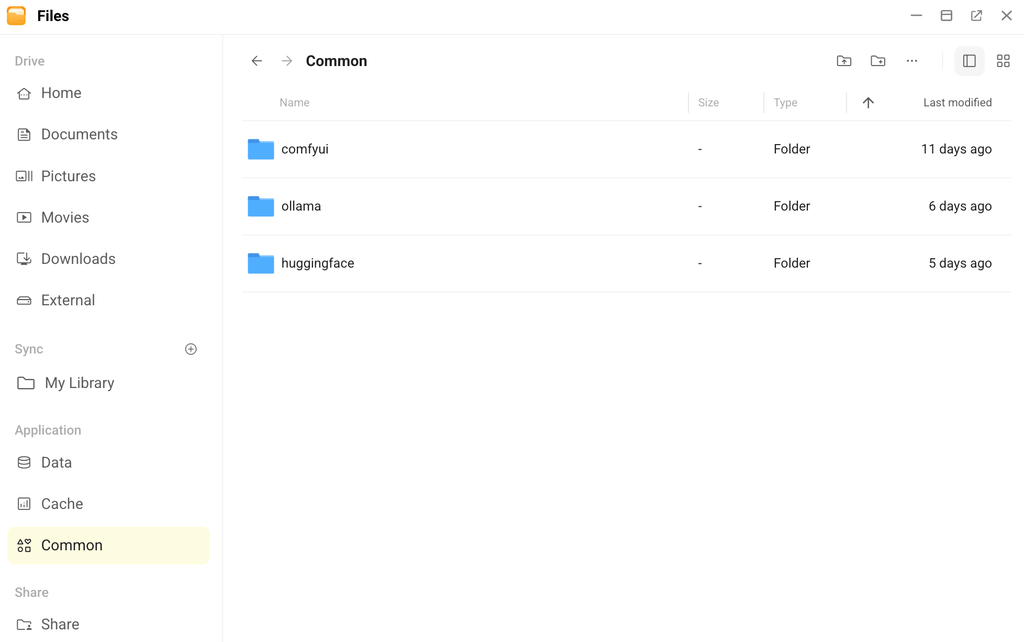
A new Common directory under Application is meant for files more than one app needs, most often AI model weights. It ships with huggingface, comfyui, and ollama subdirectories out of the box, so ComfyUI and your local LLM engines can point at the same downloaded model instead of each pulling their own copy.
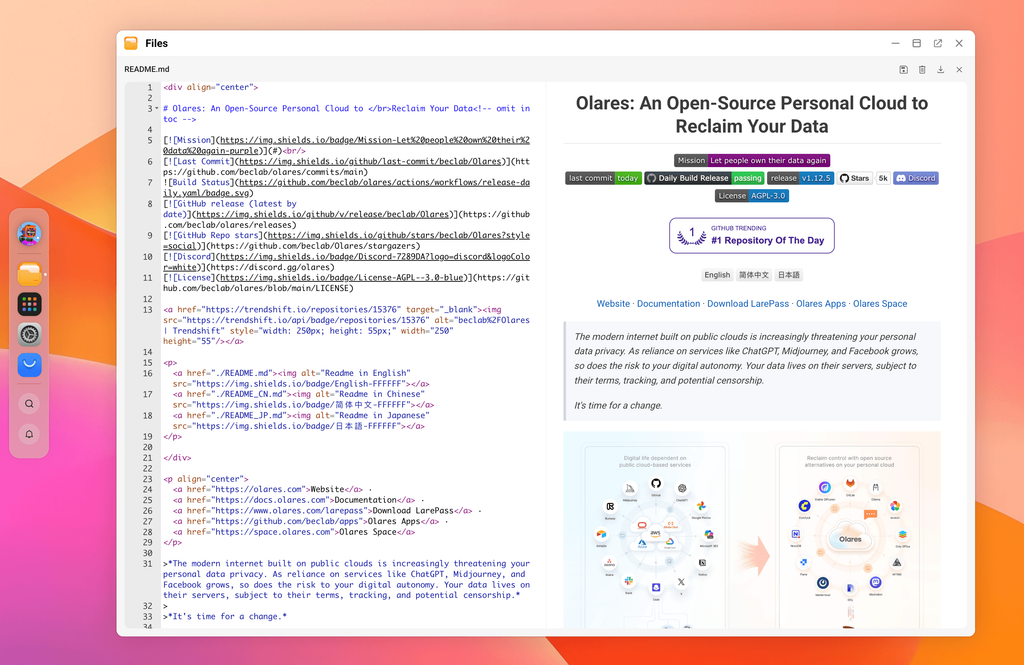
Smaller things worth knowing: sorting preferences now persist across sessions, and previews cover more ground, including Office documents, EPUB, subtitles, and code files. You can edit Markdown, Python, JavaScript, JSON, YAML, and other text files directly in the browser.
Overlay Gateway gives apps a real LAN presence
If you have ever tried to cast video from Olares to a TV, discover a device over DLNA, or let a torrent client find local peers, you have probably hit the same wall: Olares apps live on an internal container network, which is great for talking to each other and useless for being found by a TV.
Overlay Gateway gives selected apps a second network interface that sits directly on your LAN, while they keep the internal network for platform communication and service discovery.
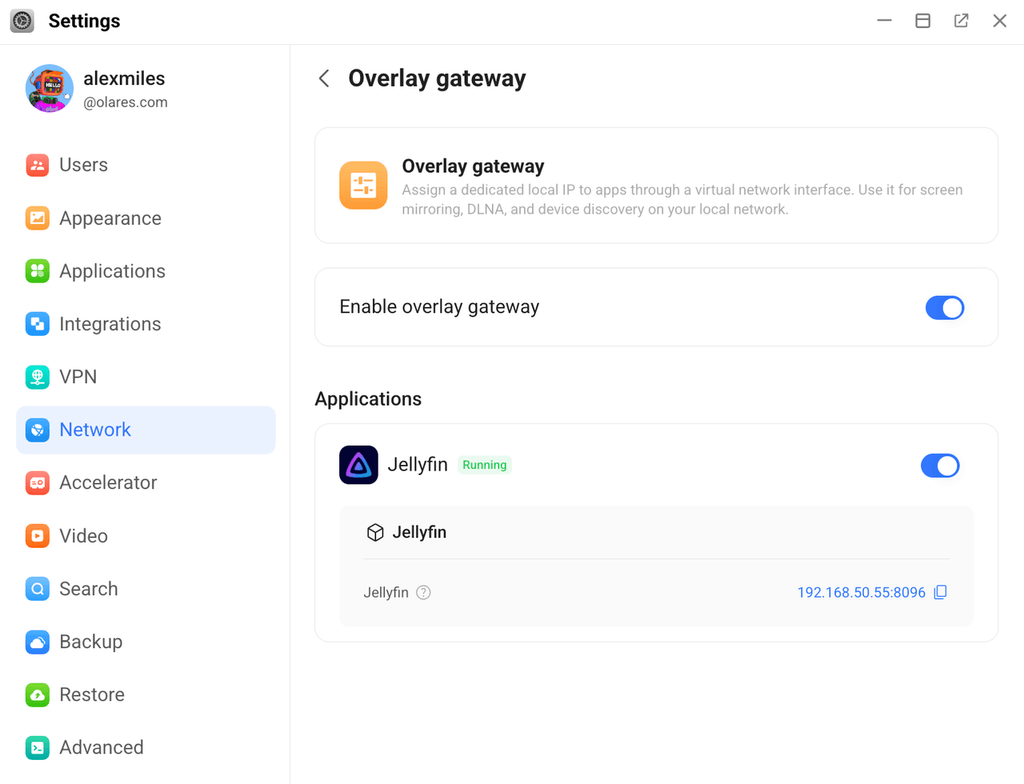
Turn it on system-wide in Settings > Network > Overlay Gateway then enable it per app. For example, enable it for Home Assistant, or Jellyfin.
It has real limits worth knowing before you rely on it: it needs a wired Ethernet connection and a Linux host, and apps using it must run on the master node of your cluster. Switch to Wi-Fi while it is active, and the rest of Olares keeps working, but Overlay Gateway stops until you plug back in.
See managing Overlay gateway for the full setup and permission model.
Desktop follows you across devices
Your desktop icon layout now syncs across every device signed in under the same Olares ID, so switching from a laptop to a tablet to an Olares One does not mean rebuilding your layout from scratch.
You can also drag icons between desktop pages instead of moving them one at a time, and reset the whole layout back to default without touching apps or files. Basic widgets for date, time, and dashboard stats can go straight on the desktop too.
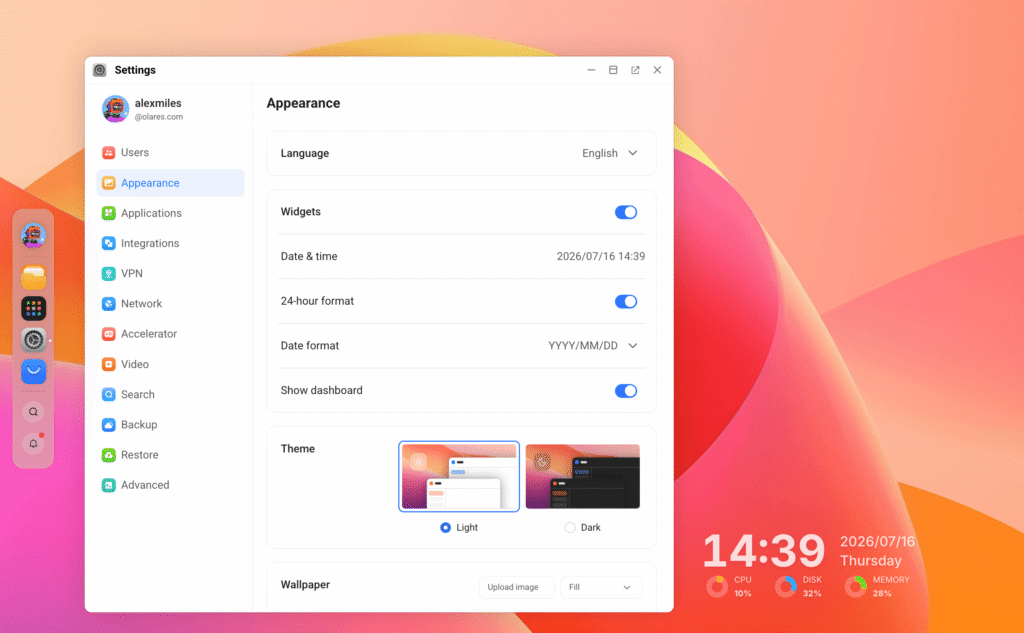
See Desktop widgets for the full widget list and layout options.
Reliability for Olares One
Olares One now exposes two hardware controls under My Hardware:
- Automatic startup, which powers the device back on after a power outage. Make sure you have updated the EC (Embedded Controller) version for Olares One to enable the toggle.
- CPU frequency cap that limits Olares One to 5.0 GHz (down from 5.4 GHz) to keep temperatures in check during sustained AI workloads like ComfyUI, without a noticeable hit to typical performance.
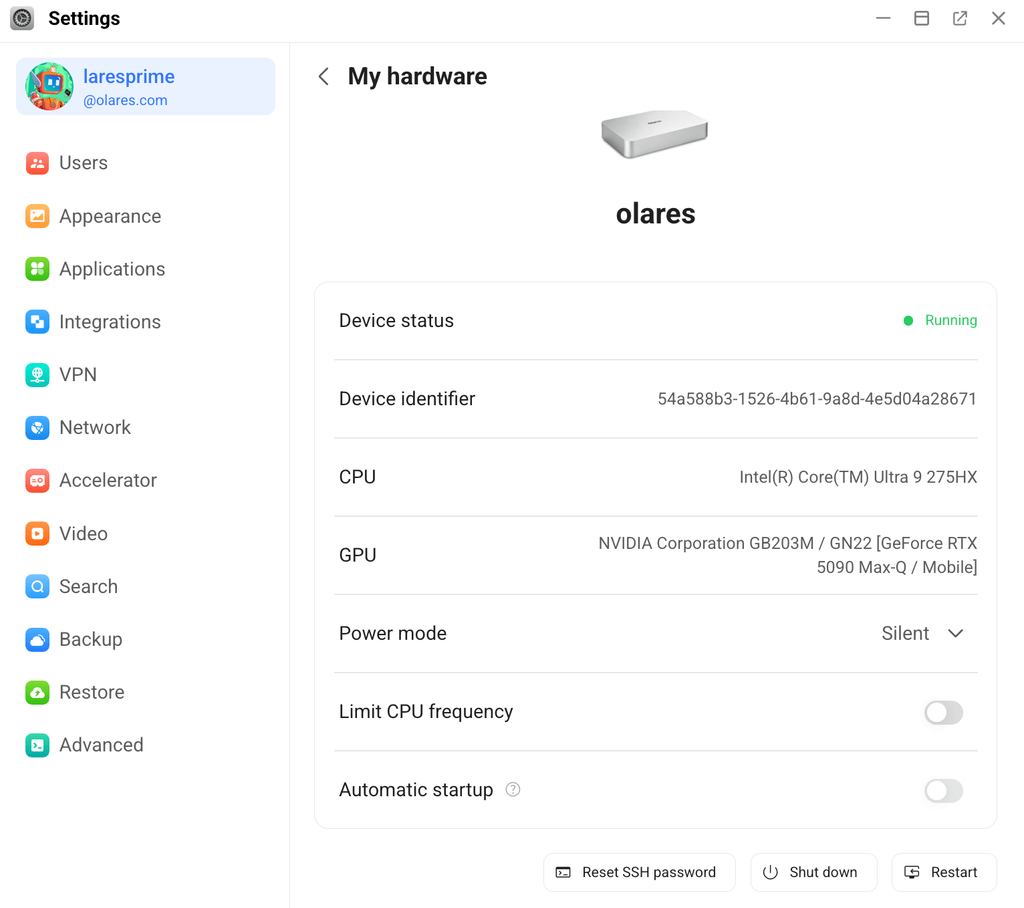
Beyond that, this release carries a long tail of reliability work across app install and update flows, networking, gateway behavior, GPU handling, and monitoring, most of it aimed at Olares reporting its own state more accurately and recovering more cleanly when something interrupts an operation midway.
New in Market
Since the last release, the following applications joined the Market and are ready for one-click installation:
- Hermes Agent: A self-improving AI agent from Nous Research that learns from past interactions and builds reusable skills over time.
- Codex CLI: OpenAI’s lightweight coding agent that runs in your terminal.
- Claude Code: Anthropic’s agentic coding tool for working with your codebase directly from the terminal.
- Open Notebook: An open-source, privacy-focused alternative to NotebookLM for organizing sources, notes, and AI-assisted research.
- Speaches: An OpenAI-compatible speech server for streaming transcription, translation, and text-to-speech.
- LiteLLM: An AI gateway for connecting to 100+ LLM APIs with unified access, logging, routing, and cost tracking.
- TREK: A self-hosted travel planner with collaborative maps, budgets, packing lists, and itineraries, formerly known as Nomad.
- Pool CLI: Poolside’s terminal-based coding agent for reading, editing, and working across your codebase.
- TensorZero: An open-source stack for building LLM applications, with gateway, observability, evaluation, and optimization built in.
- NOFX: An autonomous AI trading assistant for strategy-driven market analysis and execution.
- TradingAgents: A multi-agent trading research framework that coordinates analyst, trader, and risk-management agents.
- Paperclip: An open-source orchestration platform for AI agent companies.
- Bifrost: A high-throughput AI gateway for routing, logging, and observing LLM traffic at scale.
- Karakeep: A self-hostable bookmark-everything app with AI-based automatic tagging and search.
- NemoClaw: NVIDIA’s AI coding agent with sandboxed execution for safer autonomous edits.
- Falco: A cloud-native runtime security tool for detecting abnormal container behavior.
We are also grateful for the apps the community submitted and packaged themselves. To name a few:
- TriliumNext: A personal knowledge base with hierarchically structured notes, rich text editing, and scripting.
- Fast Note Sync: A self-hosted service for real-time synchronization of Obsidian notes.
- Louter: A local LLM gateway with hybrid inference and distillation that routes agents to the right model, cloud or local.
- WealthPilot: An AI-powered personal finance tracker with smart categorization, budgets, and spending predictions.
- Tautulli: A monitoring and statistics dashboard for Plex Media Server.
- Syncthing: A continuous, peer-to-peer file synchronization tool for keeping folders in sync across devices.
- Vaultwarden: A lightweight, Rust-based server compatible with Bitwarden clients for self-hosted password management.
If you want to submit apps to Market, the app submission guide covers the Olares Application Chart format and the PR process against beclab/apps. We always welcome your contributions!
How to update to 1.12.6
Important
Update your LarePass to the latest version (1.10.62) from your app store first.
Reinstall AI apps that fail to start
This release changes how Olares manages resources for AI apps. If an AI app installed before v1.12.6 does not start correctly after the update, uninstall the old version and install the latest compatible version from Market. If you already handled this during the v1.12.6 RC, no additional action is needed.
If you run any of these, check the app-specific notes and data migration guidance before you update:
- ComfyUI
- Dify
- SearXNG
- OnlyOffice
- Xinference
- *Arr apps (Sonarr, Radarr, and similar)
- Open the LarePass app, and navigate to Settings > System > System update.
- Verify that a new version is available and tap Update.
- Choose an update method and tap Confirm.
- When prompted, tap Continue to start installation.
- When the update is complete, Olares will restart automatically. A success message will then appear in LarePass.
- Manually refresh your Olares desktop before continuing.
What’s next?
Planning for the next release is already underway. Find us on the Olares Forum, GitHub, or Discord to weigh in on what we build next or report a bug from this one.