Manage hardware settings
On the My Olares > My hardware page in Settings, you can view hardware details and manage performance options for your Olares One.
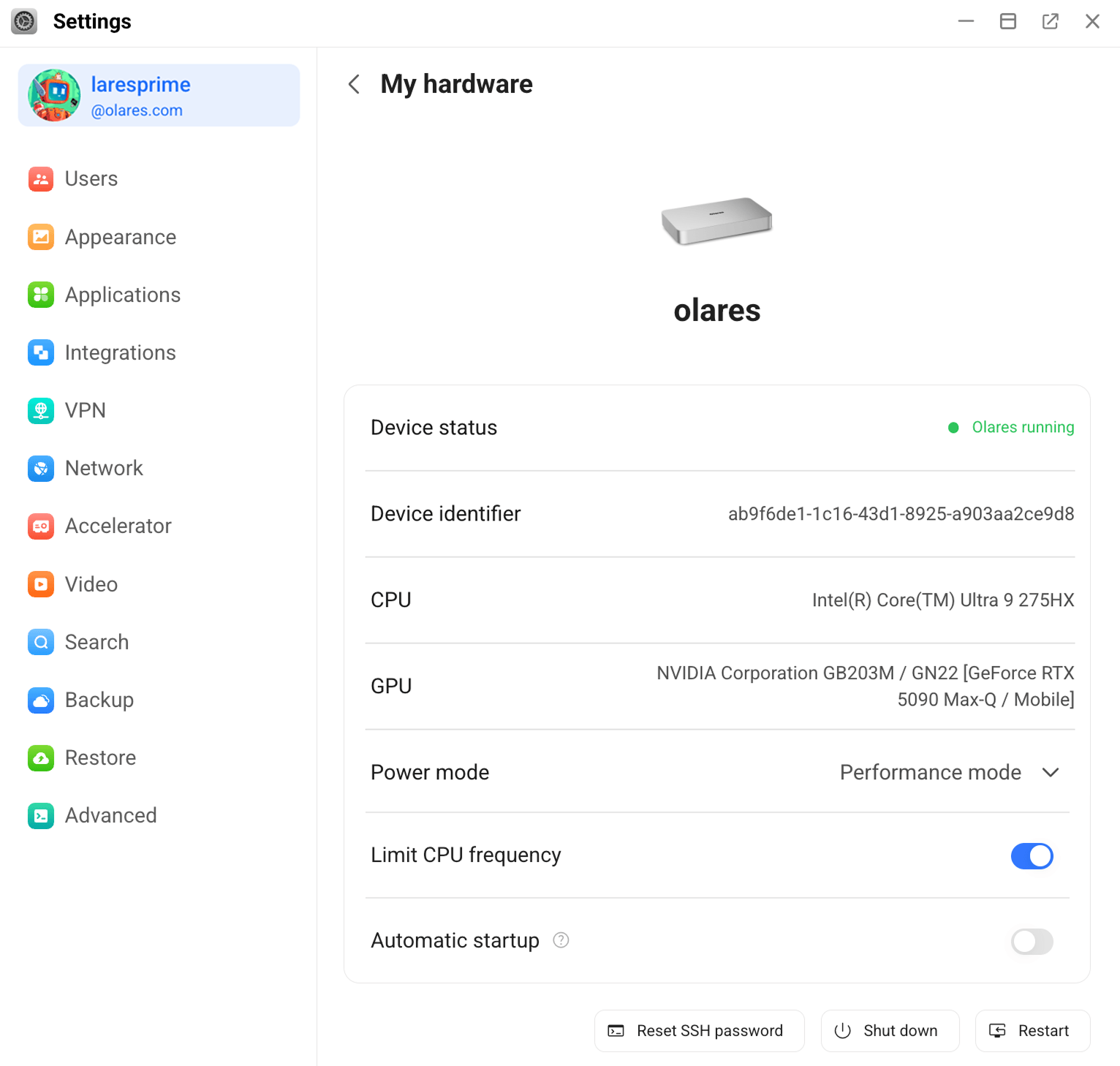
View hardware details
Check information such as Model, Device status, Device Identifier, CPU, and GPU.
Switch power mode
Olares One supports two performance profiles:
- Silent mode: Limits CPU and GPU power for quiet operation, suitable for everyday workloads.
- Performance mode: Enables maximum CPU and GPU performance for demanding tasks such as AI inference or gaming.
Limit CPU frequency
Turn on this switch to limit the CPU frequency from 5.4 GHz to 5.0 GHz. Turn it off to restore the original maximum frequency.
Set automatic startup
Turn on this switch to start the device automatically when power is connected or restored after a power outage.
INFO
Requires Olares OS 1.12.6 or later and EC firmware 1.03 or later. If either prerequisite is not met, the toggle is visible but disabled.
To check your current EC firmware version or update EC firmware, see Manage BIOS and EC.
Reset SSH password
To use your own SSH password instead of the one generated during activation, reset it in Settings:
At the bottom of the My hardware page, click Reset SSH login password.
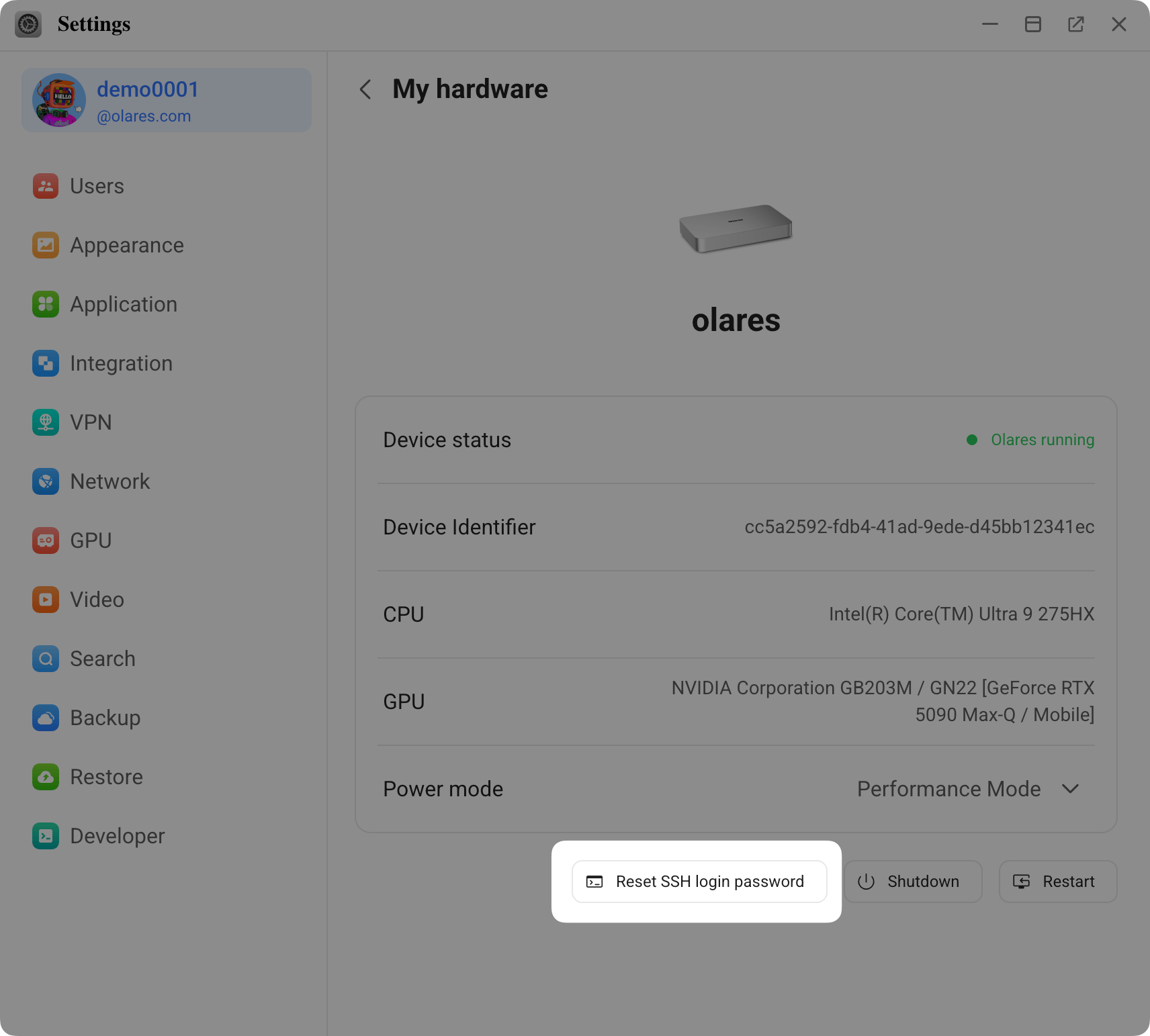
Enter a new SSH password that meets all strength requirements, then click OK.
Open the LarePass app and scan the QR code shown on the screen.
Tap Confirm in LarePass to finish. The new SSH password is saved to Vault.