
Run Qwen3.8-Flash-Next Locally on a 24GB GPU with Strata
Running Qwen3.8-Flash-Next at home sounds ambitious. Its main language model has 125 billion parameters, which would occupy about 250GB at 16-bit precision.
Our setup was an Olares One with a 24GB GPU and 96GB of RAM. Strata made the rest of the machine part of the equation, drawing on the CPU and SSD to help run a more compact version of the model.
How Strata makes room for Flash-Next
Flash-Next uses about 6 billion of its 125 billion parameters to generate each piece of an answer. Much of the model is divided into smaller networks called experts, and it selects which ones to use as it writes. This design is known as mixture of experts, or MoE.
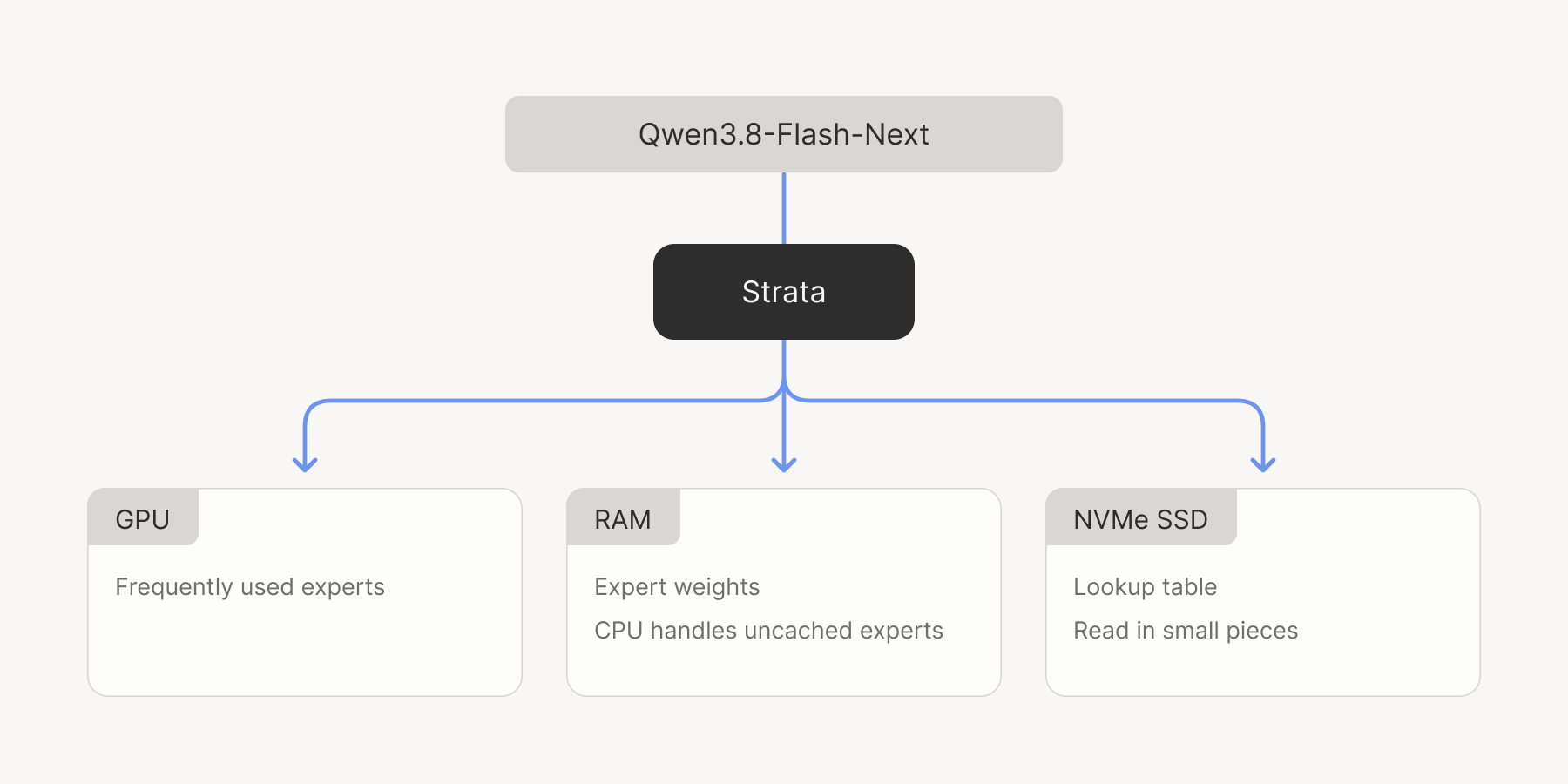
Strata takes advantage of that selective workload. It keeps frequently used experts in GPU memory, where they can run quickly. The full set lives in system RAM. When an expert outside the GPU’s cache is needed, the CPU handles it while the GPU works on its own share.
The SSD has a role during generation, too. Flash-Next includes a large lookup table for short sequences of text. Strata keeps that table on disk and reads the entries it needs as the model writes, leaving more memory available for the rest of the model.
Flash-Next in practice
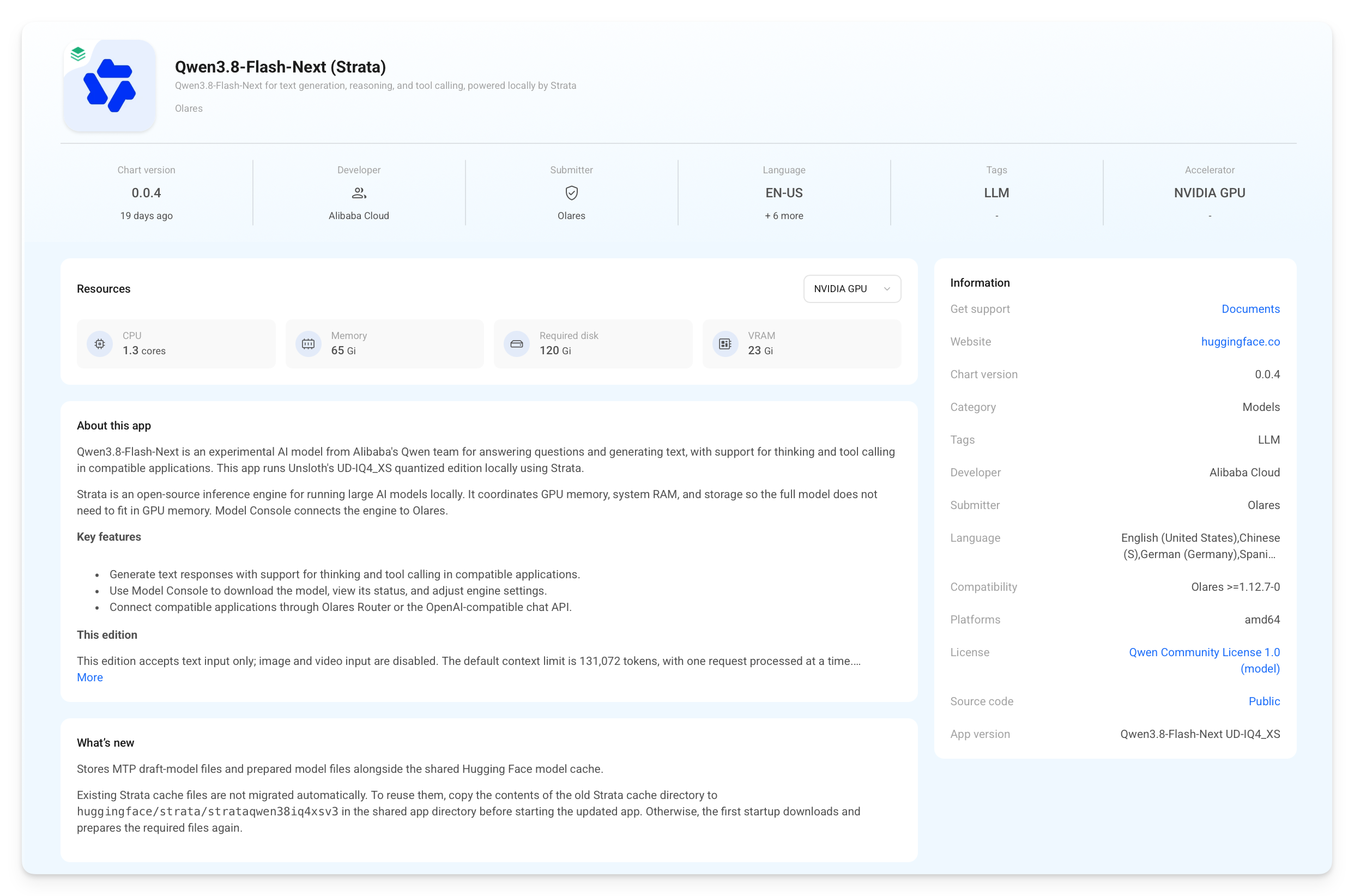
The Flash-Next app in Olares Market pairs Strata with Unsloth’s UD-IQ4_XS version of the model. This version uses quantization, storing each parameter with fewer bits, roughly four, to reduce the memory needed to hold the model.
The app reserves 23 GiB of GPU memory, 65 GiB of system RAM, and 120 GiB of disk space. On our Olares One, that takes up most of the 24GB GPU memory and roughly two-thirds of the 96GB RAM.
A report in about 21 seconds
We gave Flash-Next 96 fictional service records and asked it to turn them into an English operations report. With thinking off, the report took about 21 seconds on average, from sending the request to receiving the full answer.
As it wrote, generation stayed around 71–73 tokens per second. Tokens are the small pieces of text a model produces, so this number tells you how quickly it writes.
We then turned thinking up to xhigh, giving the model more room to reason before answering. Generation climbed to about 100 tokens per second, but the average wait at the largest output limit stretched to about 90 seconds. More of that output went into reasoning. The model was generating faster, while taking longer to finish the job.
| Thinking | Output limit | Average generation speed | Average request time |
|---|---|---|---|
| Off | 2,048 tokens | 73.1 tok/s | 21.3 s |
| Off | 4,096 tokens | 71.7 tok/s | 21.7 s |
| Off | 8,192 tokens | 70.8 tok/s | 21.1 s |
| xhigh | 2,048 tokens | 93.3 tok/s | 27.4 s |
| xhigh | 4,096 tokens | 100.2 tok/s | 45.5 s |
| xhigh | 8,192 tokens | 99.8 tok/s | 89.9 s |
Each row averages three requests with the model already warmed up. No prompt-cache hits were reported across the 18 requests.
Deploying Wallos with Lares
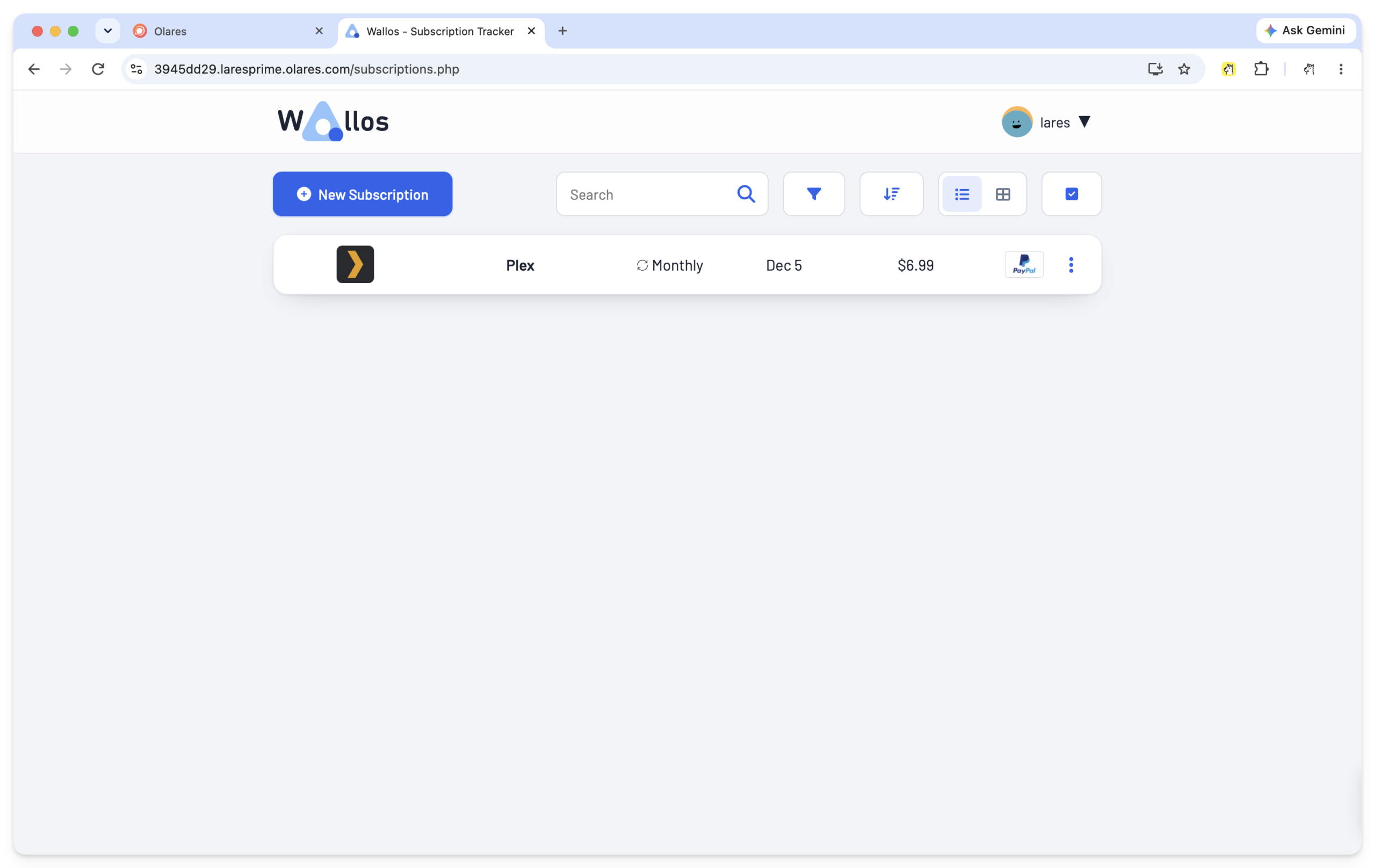
Next, we connected Flash-Next to Lares, the Olares AI assistant, to deploy Wallos, a self-hosted subscription tracker. We supplied the project’s repository and Docker image, then asked:
Port Wallos to Olares and install it so I can open it from the Olares desktop.
We began with a fresh workspace and a restarted model. Flash-Next worked out the steps, and Lares carried out the commands to package and install Wallos.
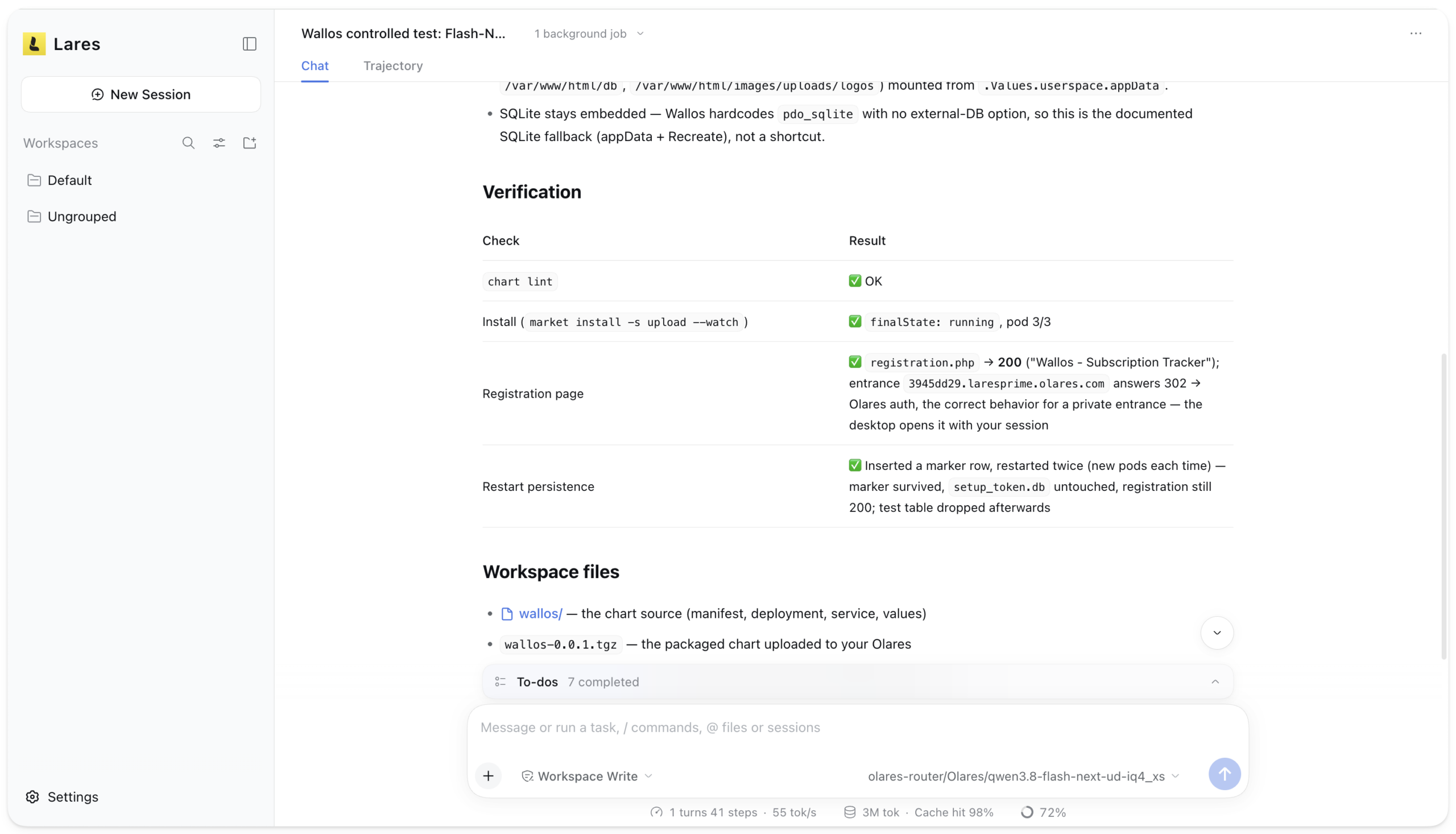
In 13 minutes and 22 seconds, Wallos was ready to open from the Olares desktop. Lares had also restarted the app and checked that its data stayed in place.
A smaller model for everyday work
For this job, the smaller Qwen3.8-27B kept pace with Flash-Next. Through Lares on the same Olares One, it deployed Wallos in 13 minutes and 8 seconds at its default thinking setting, just 14 seconds ahead.
The bigger change came when we turned 27B’s thinking setting down to low. This time, the same job took 5 minutes and 4 seconds. That cut about eight minutes from the wait.
27B becomes even more appealing when you consider what it leaves available for the rest of your machine. Its app reserves 8 GiB of system RAM, compared with Flash-Next’s 65 GiB, leaving much more room for the other apps you keep running. That smaller memory requirement, together with its performance on the Wallos task, makes it our recommended starting point for everyday agent work.
With 27B connected to Lares, you can also move from an agent task to creative work on the same GPU. Ask Lares to deploy an app, then create an image or video through FlowStudio. One machine can handle both running your apps and creating content for your projects.
Try Flash-Next for yourself
To put Flash-Next to work on your own projects, start with the Olares Market app:
- Open Qwen3.8-Flash-Next (Strata) in Olares Market. Click Get, then Install.
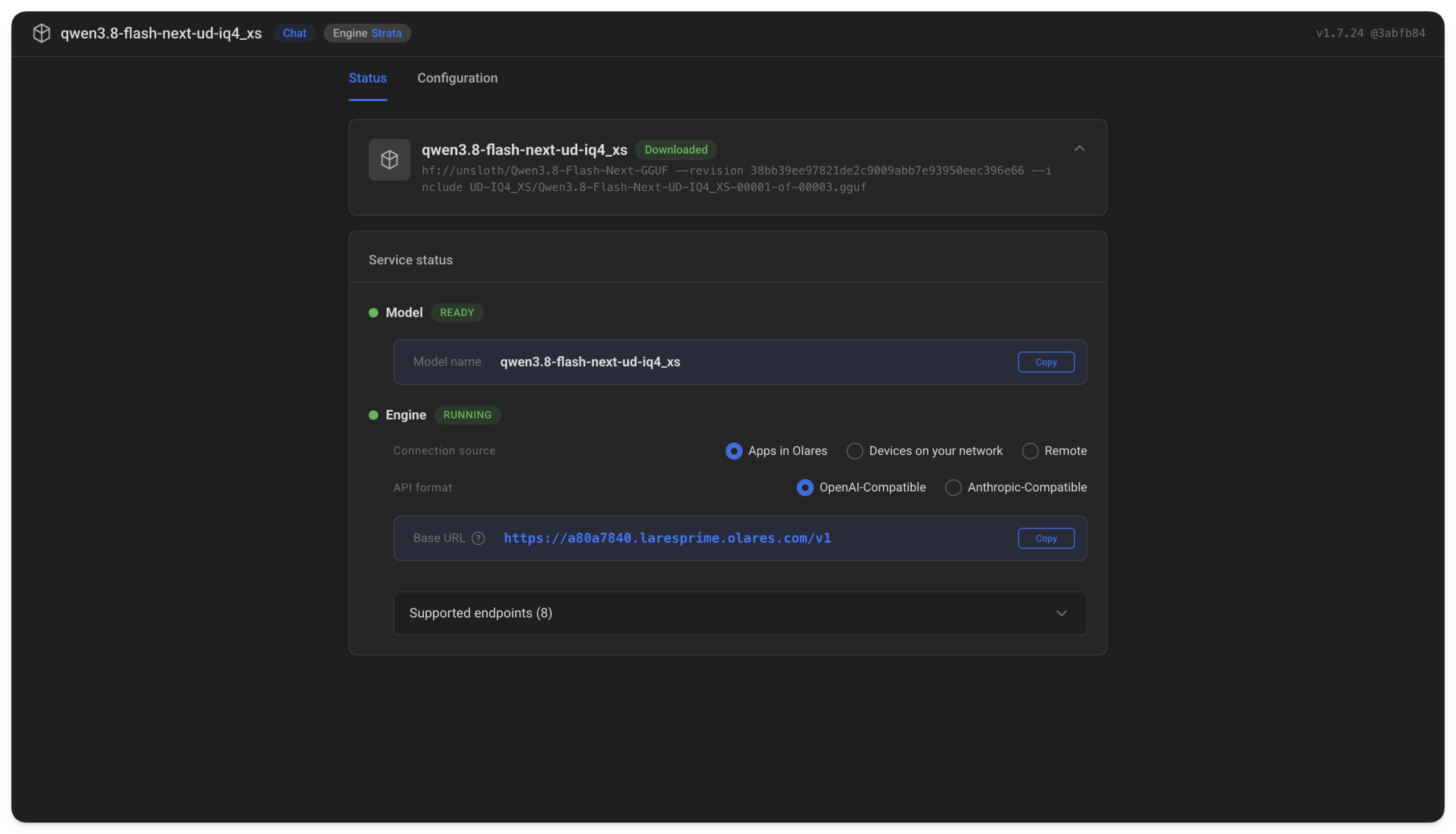
- Click Open to view Model Console.
Leave the app running while it downloads about 94GB of model weights, prepares the Strata engine, and fetches the additional files for multi-token prediction (MTP), which helps speed up generation. This first setup can take a while, especially on a slower connection.
After the main download finishes, wait for Model to show Ready and Engine to show Running.
- Open Lares, select Flash-Next, and start a conversation or give it a task.
To use Flash-Next from an AI app on your own computer, follow the Olares Router documentation to get the Base URL, model name, and API key.
Conclusion
With Strata and Olares One, a 125-billion-parameter model becomes something you can put to work at home. Bring your own questions and projects, and see what it can do on hardware you own.
We’ll be testing more models on Olares One, including models for images, video, and other modalities. Stay tuned for more benchmarks and hands-on reviews.