
Choosing a Local AI Computer for Coding, Documents, Images, or Agents

For coding, first decide where inference runs. If the model runs on the same computer, model quality, memory or accelerator fit, context length, and latency are core constraints. If inference runs elsewhere, client-to-model connectivity and local project storage become more important. One for private document analysis needs storage plus a retrieval pipeline that pairs a language model with an embedding model. One for image generation needs accelerator memory sized to the exact model you plan to run. One built for AI agents needs a wide context window, tool-use support, and enough headroom for several requests at once. Whether you're shopping for an AI computer for home use or a small studio, match the hardware to your main workload first, then check whether your other workloads can share it. The hardware itself is only half the decision: the operating system or deployment layer that runs your applications and models is a separate choice.
Choose by Workload Before You Choose Hardware
Every local AI computer decision splits into two layers: the hardware that supplies compute and storage, and the software that runs your applications and models. Documentation describing the hardware and deployment layers explains that this software layer can install on hardware you already own or run on a dedicated device, so treat those as separate choices before comparing the four workloads below.
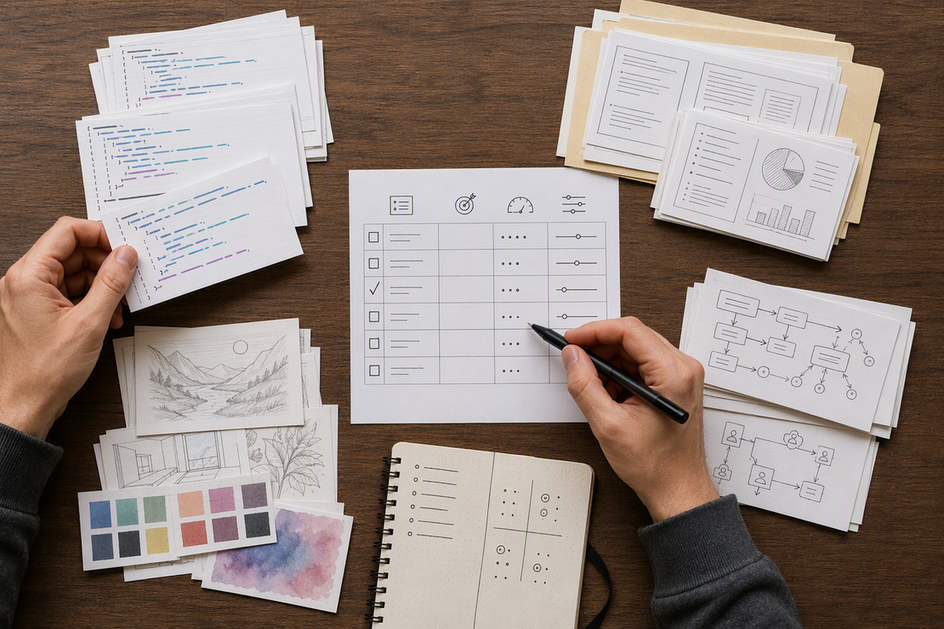
| Workload | Memory & context | GPU / accelerator | Storage | Software & deployment | Concurrency |
|---|---|---|---|---|---|
| Coding | Verify headroom for dev tools plus model context | Supporting check; the model endpoint can run locally or remotely | Primary check for repos, dependencies, and project files | Client and model can live apart; verify the connection path | Usually one session; check disk/memory if building alongside the model |
| Document analysis | Primary check for source text, transformations, and retrieval | Supporting check, mainly for local embedding or language models | Primary check for source files, indexes, and embeddings | Needs an embedding model for semantic search plus a language model | Verify for exact model when processing several sources at once |
| Image generation | Supporting check; context matters less than accelerator memory | Primary check; sized to the exact image model and settings | Primary check for model files and generated outputs | Software choice depends on the exact image model | Verify for exact model whether generation is sequential or shared |
| AI agents | Primary check; wider context supports multi-step reasoning | Primary check for persistent local models | Supporting check for logs, tool outputs, and state | Needs tool-use, structured-output, and orchestration support | Primary check for concurrent agent and subagent requests |
Local AI Computers for Coding
Coding-first buyers should evaluate the whole path: model quality and latency, context requirements, the client-to-model connection, and enough memory and storage for development tools and project files. If inference runs on the same computer, model and accelerator fit may be decisive; if it runs elsewhere, the connection path matters more.
The Coding Client and Model Do Not Have to Live In the Same Place
You can run a coding client in the browser or connect a local command-line tool to a model hosted elsewhere. The documented OpenCode workflow supports both patterns: install the app on Olares, or install a local CLI and point it at a model running on Olares. Treat the connection between your client and your model as its own requirement, not an assumption, and confirm it stays available before committing to a specific client.
Build a Coding-First Hardware Brief
Write down the model format you plan to use, how much context your projects need, how large your repositories and dependencies are, which development tools run alongside the model, and how much free disk space that combination requires. The documented prerequisite for OpenCode is straightforward: sufficient disk space and memory on the device running it. Prioritize that usable headroom over a generic claim about model size, since your editor, containers, and build tools also draw on the same memory and storage. Once you've confirmed the connection path, developer apps on Olares Market can host that model endpoint or support your development tools.
Local AI Computers for Document Analysis
Document analysis needs a full pipeline, not just a chat model. Prioritize storage for source files and a retrieval setup that pairs a language model with an embedding model.
Plan the Document Pipeline, Not Just the Chat Model
A private document workflow moves through several stages: storing your source files, running a language model over them, applying transformations like summaries or extracted notes, and retrieving relevant passages later. The documented Open Notebook workflow organizes this around sources, insights, and notes. Semantic search across your documents needs a configured embedding model, and each source needs embeddings enabled during processing, a separate requirement from your main chat model.
Start With a Representative Ingestion Test
Process one source with one transformation before scaling up. The same documentation warns that processing many large sources or running multiple transformations at once can cause slow processing, timeouts, or failed tasks on local models. If that happens during your test, treat it as a signal to revisit your batch size, available memory, storage, or concurrency, not a reason to assume the whole workflow won't work.
Local AI Computers for Image Generation
Image generation makes accelerator memory the primary hardware decision, and the right amount depends entirely on the model and settings you plan to run. Name your intended software before you size anything else.
Match the Accelerator to the Intended Image Model
Different image models and generation settings need different amounts of accelerator memory, so pick your model and software first and size hardware around it rather than the reverse. Accelerator allocation on Olares depends on total and free VRAM, the minimum VRAM an app needs, and what's already assigned to that GPU, which is the same logic to apply when sizing any local system for image generation.
Decide Whether Image Generation Shares the Machine
Occasional, one-at-a-time image generation is a lighter requirement than running an image model alongside an active text model or chatbot. Track your image model files, generated outputs, and application storage separately in your configuration brief, since each grows independently. If you expect to generate images while a text-based workload is also active, treat that as a concurrency question rather than assuming success in isolation covers it.
Local AI Computers for AI-Agent Workflows
Agent-focused work needs more than a fast reply to a single prompt. It needs enough context, tool support, and request capacity to keep multiple steps running.
Agent Readiness Is More Than Prompt Latency
An agent that plans, calls tools, and produces structured output needs a wider context window than a one-off question, along with orchestration that tracks multi-step state and persistent services that stay running between requests. The documented oh-my-openagent workflow recommends a context window of at least 32,000 tokens, with core agents working better at 64,000 tokens or more, and warns that local models under 7 billion parameters usually can't handle tool use or structured output correctly. Those figures apply to that specific multi-agent setup, but the underlying checks, context, tool support, and concurrent requests, apply to any agent-focused computer.
Choose Local-Only or Hybrid Execution Deliberately
Running an entire multi-agent workflow on local models alone can degrade orchestration quality and multi-agent collaboration speed compared with paid cloud models, according to the same documentation, which recommends a hybrid setup: a cloud model for the main agent and local models for subagents. Decide upfront whether cloud assistance is acceptable for your use case; if it isn't, plan for the local-only tradeoffs instead of discovering them mid-project. You can browse agent apps on Olares Market once you've settled that preference.
Can One Computer Run Text and Image Models?
One computer can handle both when your workloads run one at a time or share verified memory headroom. It cannot when heavy text and image jobs must run simultaneously without enough free accelerator memory.
When One System Is a Practical Fit
A single system is a reasonable fit for occasional or serialized image work: generate images, then return to your text model, rather than running both at once. Confirm this by checking free VRAM after your text model, its context, and its KV cache are already loaded, since that's the memory actually available for an image job. Engine choice affects that memory profile too: lightweight engines suit limited GPU memory, while high-throughput engines are built for heavier concurrent load, so match your serving pattern to the hardware you're testing.
When Concurrency Changes the Purchase
Running text and image models at the same time is a different requirement from running each one successfully by itself. Olares documents three accelerator modes for this tradeoff: time slicing, memory slicing, and exclusive mode, which let several GPU-dependent apps share a device, cap how much VRAM each app can use, or dedicate the GPU to one heavy workload. Switching into exclusive mode stops the other apps from using that GPU, so if your plan requires simultaneous heavy image and text generation, budget for either more headroom or a setup that deliberately isolates one workload. You can browse model apps on Olares Market to check which text and image models fit your plan before you commit to a configuration.
Turn Your Workload Mix Into a Configuration Brief
Score your workloads first, then convert the highest-priority ones into a fill-in brief. That turns "I want local AI" into a specific system you can verify before buying.
Score the Workload Mix
- Assign 3 points to your primary workload, 2 points to a workload you use regularly, and 1 point to one you use occasionally. This is a prioritization heuristic, not a performance score, so don't calculate hardware requirements directly from it.
- List the memory, accelerator, storage, software, and concurrency needs tied to your highest-scoring workload first, using the checks from the sections above.
- Mark each requirement as a must-have or an optional extra, so a tight budget doesn't force you to compromise your primary workload to accommodate a secondary one.
Fill In the Configuration Brief
With your priorities ranked, write down the specifics: target models and their format or quantization, the context length each one needs, the applications that will run them, where your source files, projects, and outputs will live, how much accelerator use each workload requires, how many tasks run at once, and whether a hybrid local/cloud setup is acceptable for any of them. That brief is not the end of the process. Test or confirm the exact model, engine, and software combination on your intended system, and if simultaneous use of two demanding workloads is unproven, schedule them separately rather than assuming the hardware will handle both at once.