Olares, Olares CLI, and AI Agents: The Relationship Explained

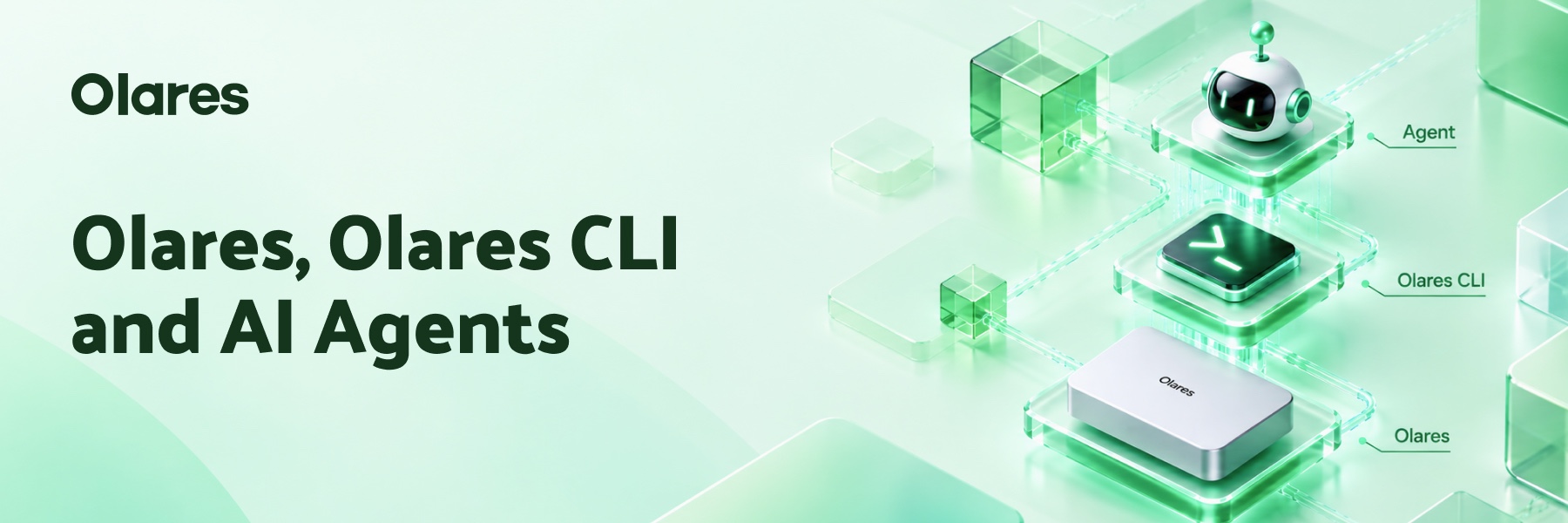
Olares is a personal cloud operating system. It looks after your apps, your files, your models, your compute, and your network. Asking an agent to operate it usually means more than a single function call, because one task can cross several of those systems and run through a chain of operations that depend on each other.
In May we published the npm package for Olares CLI along with its Skills, which let agents such as Codex and Claude Code work with a running Olares. As we keep adding commands and refining the Skills, more and more of the work that used to happen in the Olares interface can be handed to an agent instead.
Along the way we also learned where people actually get stuck. Where is the agent supposed to run? Do I have to use Olares CLI inside one particular agent, the way we showed with OpenCode? These are the questions this article is here to answer. Simply put, any agent that can run a command can manage your Olares. The agent itself can run on Olares, or on your own computer, and either way it reaches the same Olares through the Olares CLI in whatever environment it happens to be in.
Where an agent can run
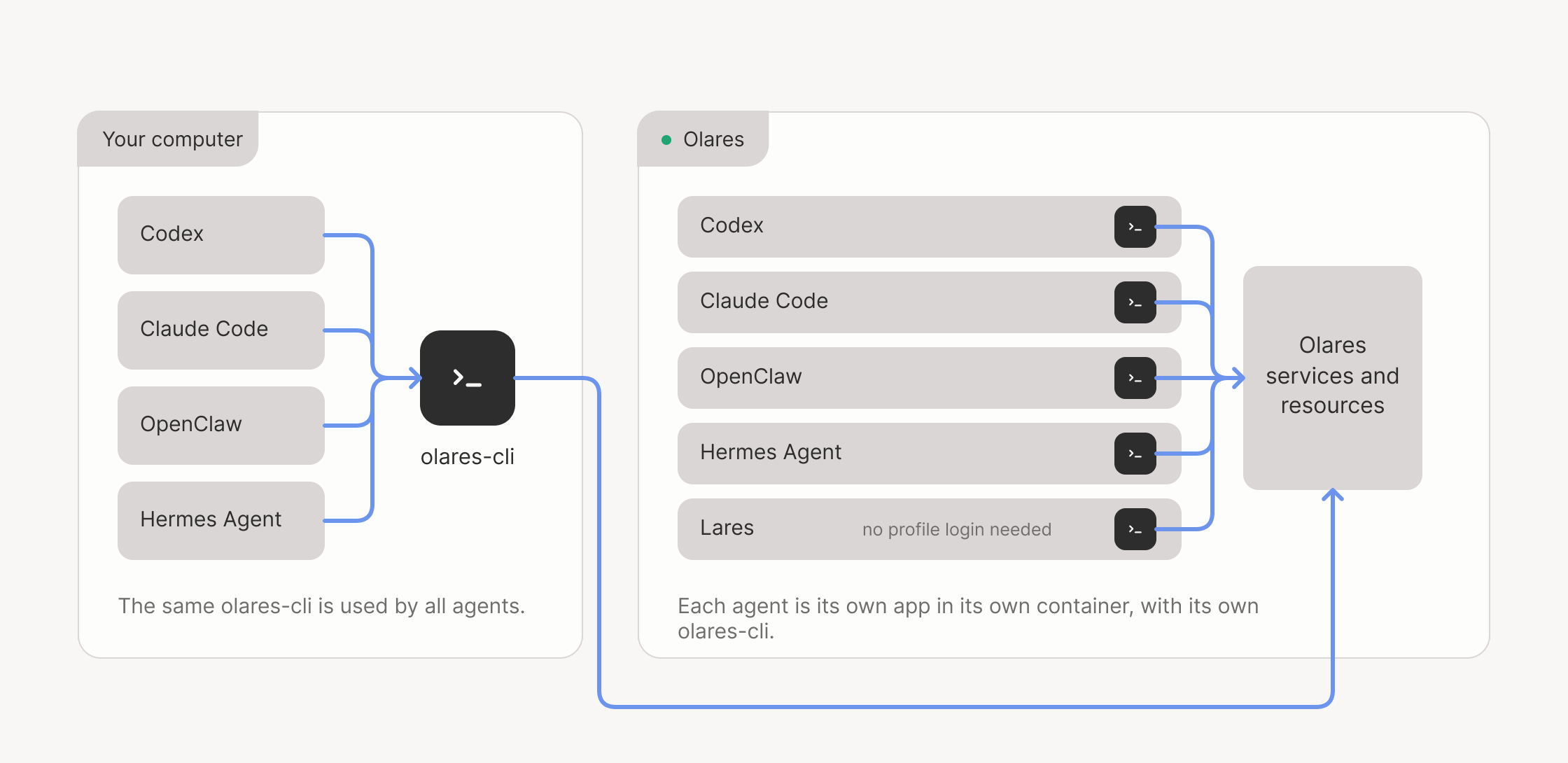
When Codex, Claude Code, and the rest run in the same macOS, Windows, or Linux user environment, they can share whichever Olares CLI is installed on that system.
So if you already have an agent and a model you like on your own computer, there is no need to set up a second agent on Olares first. Install Olares CLI locally and it will connect over the network and operate your Olares from there.
An agent can also run as an app on Olares itself. Codex and Claude Code installed on Olares, along with Lares, the native agent we are releasing soon, each run in their own container. Because those containers are isolated from one another, every agent app that needs to operate Olares carries its own copy of Olares CLI and its Skills. Agent apps already adapted for Olares, like the ones in the diagram, bring those pieces with them, so there is nothing for you to install.
Which means one person’s agents can end up spread across a few computers and a few containers on Olares, each calling the Olares CLI in its own environment. That raises the obvious question. How does any of those CLIs know which Olares to connect to, and which user it is acting for? That is what a profile settles.
A profile points every agent at the same Olares
A profile holds the Olares to connect to and the Olares ID to connect as. A single installation of Olares CLI can keep several of them, for different machines or different identities.
Agents sharing a local user environment share more than the CLI itself. They share the profiles stored in it and the login state that goes with them, so the CLI only has to be installed and logged in once. A CLI on another computer, or inside another container on Olares, keeps its own profile. As long as those profiles point at the same Olares with the same Olares ID, all of those agents are working on the same system.
The profile also settles whose authority the agent is using. Log in with an Olares ID that has admin privileges and the agent can do what an admin can do. Log in with a regular Olares ID and it is held to whatever that ID is allowed to do. Either way, Olares checks each request against that user’s permissions as it arrives.
Lares is the exception to the setup. When you install it, Olares passes the installing user’s CLI credentials into its runtime, so Lares can act as that user from the moment it starts. There is no profile to create and no profile login to run. Install a model and it is ready to use.
Starting from your own computer
If you are already using Codex, Claude Code, or something similar locally, start here. The installer sets up Olares CLI and puts the Skills where agents will find them.
npx @olares/cli@latest installThen log in, replacing <your-olares-id> with your own.
olares-cli profile login --olares-id <your-olares-id>Enter your Olares password when prompted. If you have two-step verification turned on, you will also need the six-digit code from LarePass. The CLI creates the profile once you are through, and olares-cli profile list will show it as logged-in.
From there an agent can check system state, manage your files and apps, or help move an existing app onto Olares.
Summary
Olares CLI means where an agent runs stops being a constraint. You keep the agent and the model you already know, and Olares supplies the part that has to stay up: the apps, the data, the compute, and the permissions around them.
More tutorials and examples of agents working with Olares CLI are on the way. We would like to see yours as well. If you get an agent doing something useful on your Olares, or hit a place where a command or a Skill does not fit the job, share it on Discord or in the forum.