
Introducing Ticket: Get Support Right from Your Olares Device

We take helping you seriously. And most of the time, the fastest help comes from the community.
The Olares Forum, GitHub, and our Discord community are where most questions should start. Someone has probably run into the same thing before you, and when the answer is public, it helps the next person too. How-to questions, setup advice, show and tell: post them in the open, and the community, including our team, will jump in.
But sometimes your question involves things you shouldn’t post publicly: system logs, device details, account information, or the shipping status of your Olares One order. Or the issue is specific to your machine and needs a one-on-one diagnosis from our team.
For those, today we’re introducing Ticket, an official, private channel for reaching the Olares team. Every submission is trackable, with a clear status and a complete conversation history from start to resolution.
How to create a ticket from Olares
Create a ticket from the UI
Install Ticket directly from Olares Market. Open the app, then scan the QR code with LarePass to sign in.
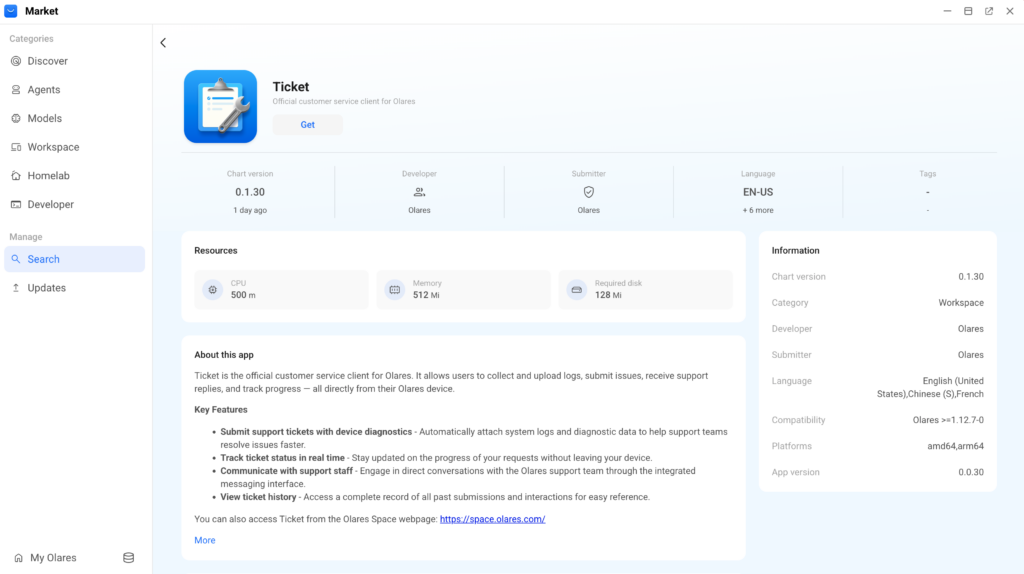
Be sure to use the Olares ID that you used to activate your device so that your ticket is associated with the correct machine.
Describe what’s happening in your own words. For technical issues, you can attach system logs right in the app to save a round trip.
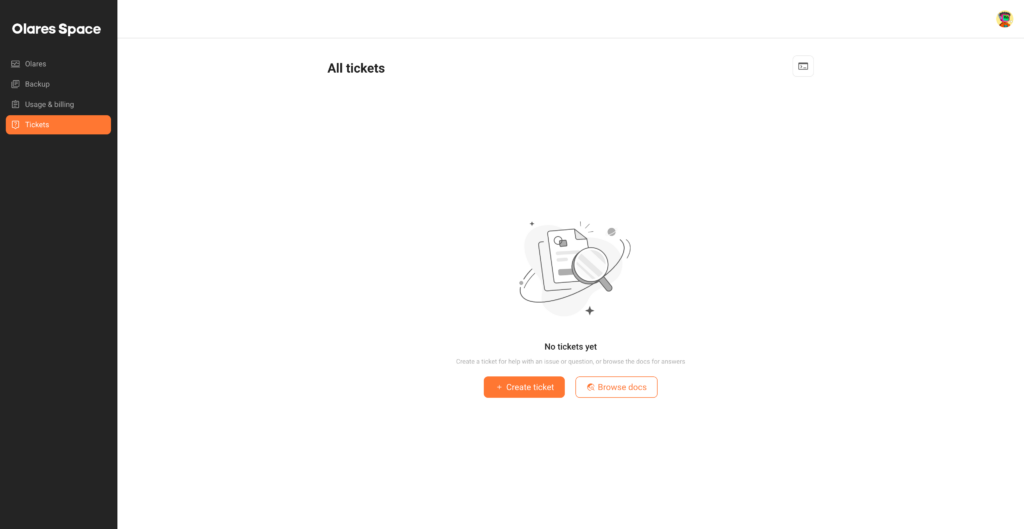
And if your device is temporarily unavailable, open Olares Space in any browser and select Tickets in the sidebar. From there, you can create a new ticket or continue an existing conversation.
Create a ticket from the CLI
We’ve also upgraded the Olares CLI so you can use it to create a ticket with the system logs automatically collected.
Either in the Ticket app or in Olares Space, click the terminal icon. The Upload logs with Olares CLI window shows a ready-to-use command with a verification code.
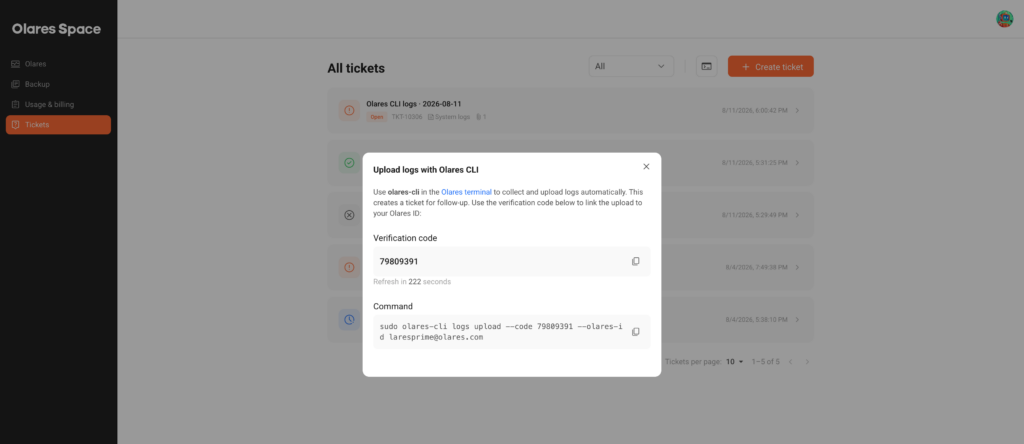
The code is time-limited and refreshes when the countdown ends, so copy the command while it’s still valid. Then run it on your Olares device, either from the local terminal or over SSH.
Which channel should you use?
A quick rule of thumb:
- Start on the Olares Forum for how-to questions, setup advice, and experience sharing. The answer you get stays searchable and helps everyone.
- Open a GitHub Issue for bugs you’d like to report and track publicly.
- Submit a ticket when the issue is specific to your device, involves account or order details, or is simply something you’d rather keep private.
Get started
Ticket is available on Olares OS starting from v1.12.7. If you haven’t upgraded yet, see Update Olares for instructions.
Whenever you need help, Ticket gives you a direct, private line to the Olares team. For a comprehensive guide, see the documentation.
We hope reaching us now feels as smooth as the rest of Olares. The next time something needs our eyes on your device, send us a ticket. For everything else, the community is right there.