Olares 1.11.6 Released: Subnet Routing, Olares Studio, and New Features


The wait is over—Olares 1.11.6 is here! Packed with features like subnet routing, Olares Studio and cross-platform Docker support, this release is built on feedback from our amazing community. Let’s see what’s inside in this release.
What is Olares?
Olares is an open-source sovereign cloud operating system designed to empower users with local AI capabilities and private, self-hosted services. It allows you to transform your hardware into a powerful AI home server for running cutting-edge AI models, managing personal data, automating your home, and hosting decentralized apps.
What‘s new
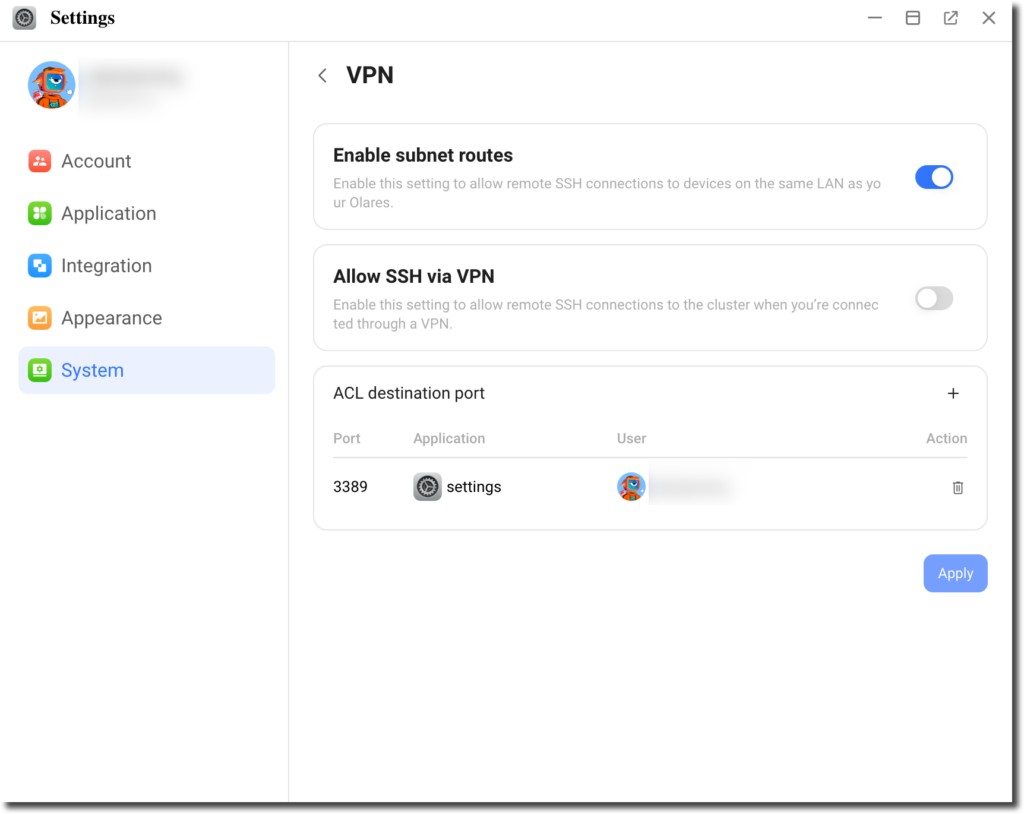
Subnet routing for remote access
With the new subnet routing feature, you can now remotely SSH into other devices on the same local network as Olares. After enabling subnet routing, you can further configure ACL (Access Control List) rules to allow traffic to specific ports based on the services you want to access. This is perfect for managing and debugging connected devices, offering a more powerful network management toolset.
For details, refer to Enable remote access to LAN Devices via LarePass VPN?.
Olares CLI tool enhancements
The Olares CLI now includes new capabilities, such as:
- Backing up and restoring directories
- Starting and stopping clusters
- Collecting logs for troubleshooting
These improvements make system administration faster and more reliable.
For details, refer to Olares CLI.
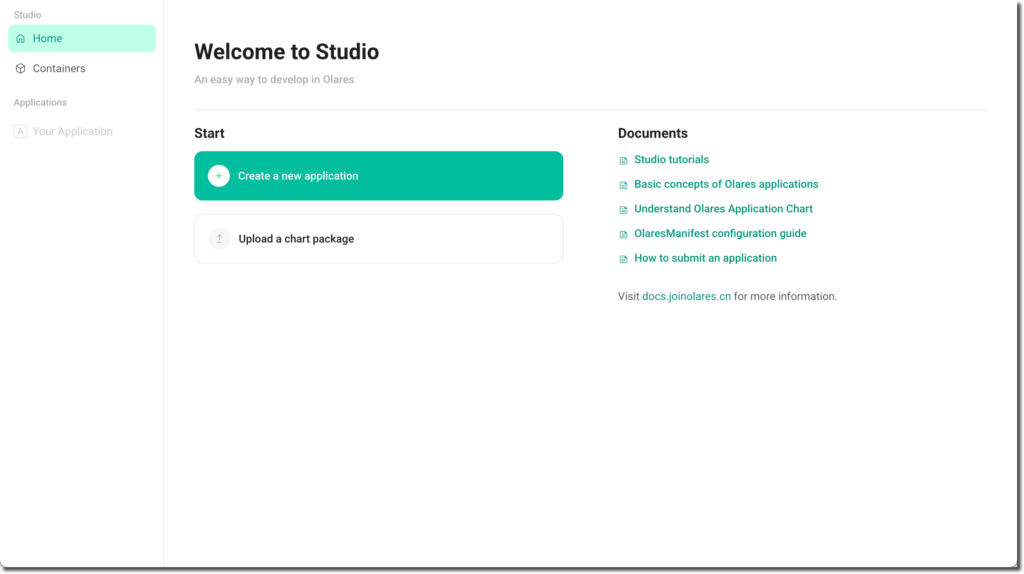
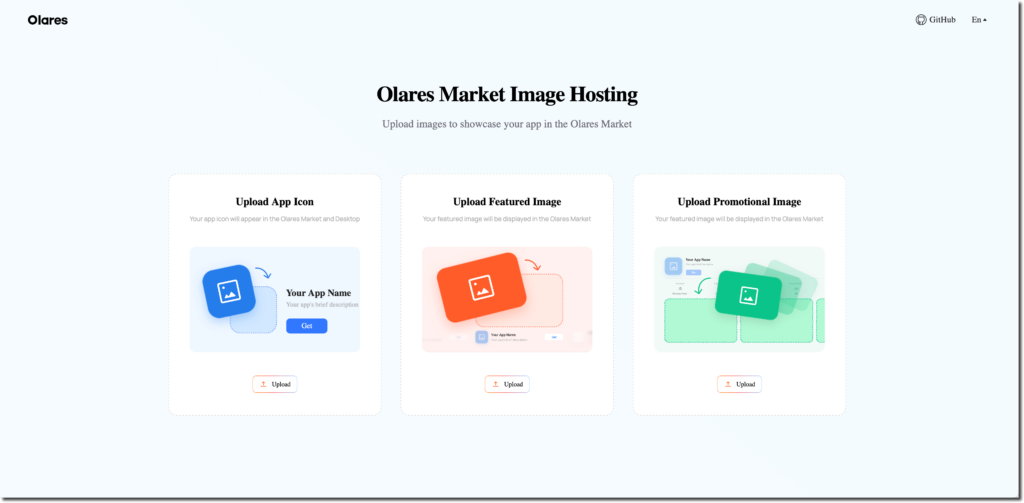
Olares Studio: upgraded developer experience
DevBox has been transformed into Olares Studio, a more robust tool with an integrated image hosting service and streamlined workflows for app migration. This change reflects our commitment to creating a unified and efficient development environment.
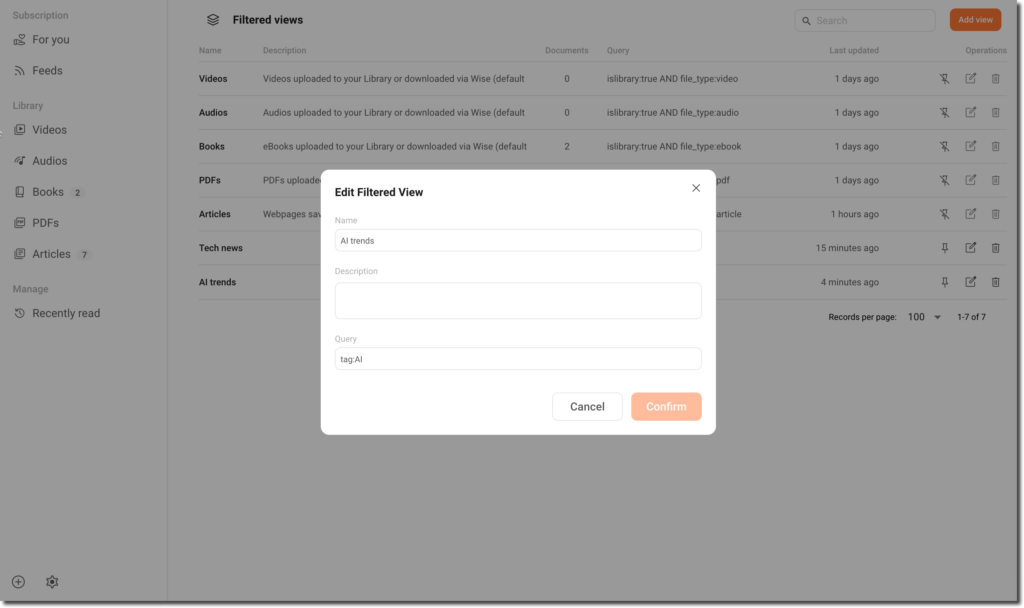
Wise filtered view
The Wise app introduces a filtering view to help you quickly organize and access content. By filtering based on tags, dates, or other parameters, you can focus on specific information with ease. Save filters as reusable views to streamline your workflow and manage even the largest content libraries efficiently. For details, refer to Add filtered view.
Docker installation across all platforms
Olares now supports Docker installation across Linux, macOS, and Windows platforms. This method supports activating Olares directly using LarePass. This makes deployment faster, easier, and more flexible, especially for users who prefer containerized environments. For details, see Install Olares.
New apps available in Olares Market
We’re excited to announce that several new apps have been added to the Olares Market, expanding the functionality and versatility of your platform. Here are some of the highlights:
- Matabase: A lightweight and user-friendly database management tool for organizing and analyzing data.
- Appsmith: A powerful platform for building internal applications with minimal coding effort.
- AList: A fast and secure file directory listing application for managing and sharing your files.
- MaxKB: A knowledge base application designed to help you centralize and organize your documents.
- AnythingLLM: A local solution for running LLMs with ease.
- FastGPT: A high-performance GPT-based application for quick and efficient AI-powered responses.
- Odoo: An all-in-one open-source business management software suite.
- LocalAI: A self-hosted AI inference platform compatible with major AI models.
- MTranServer: A lightweight offline translation server with high performance and support for major global languages.
- WeChat Markdown Editor: A lightweight tool for creating and editing Markdown files with WeChat integration.
- Cloudreve: A self-hosted cloud storage solution for managing and sharing files.
- WeWe RSS: A simple yet powerful RSS reader that works seamlessly with your WeChat.
- Flowise: A visual interface for building workflows powered by AI models.
- redroid: A virtual Android environment for running apps in a sandboxed container.
- SeaTable: A collaborative spreadsheet platform for organizing and managing structured data.
How to update to v1.11.6
Standard update
Follow these simple steps to update Olares:
- Open the Settings app in Olares.
- Navigate to System > Version.
- Click Upgrade now if a new version is available.
Manually update olaresd
If you’re updating from Olares v1.11.0 to v1.11.5, a manual update of the olaresd service is required after completing the standard update. Here’s how:
- Open the Control Hub app in Olares.
- Select Terminal > Olares in the left column.
- Run the following command in the terminal:
Global users:
curl -SsfL https://dc3p1870nn3cj.cloudfront.net/upgrade_1_11_6.sh | bash -Users in Mainland China:
curl -SsfL https://cdn.joinolares.cn/upgrade_1_11_6.sh | bash -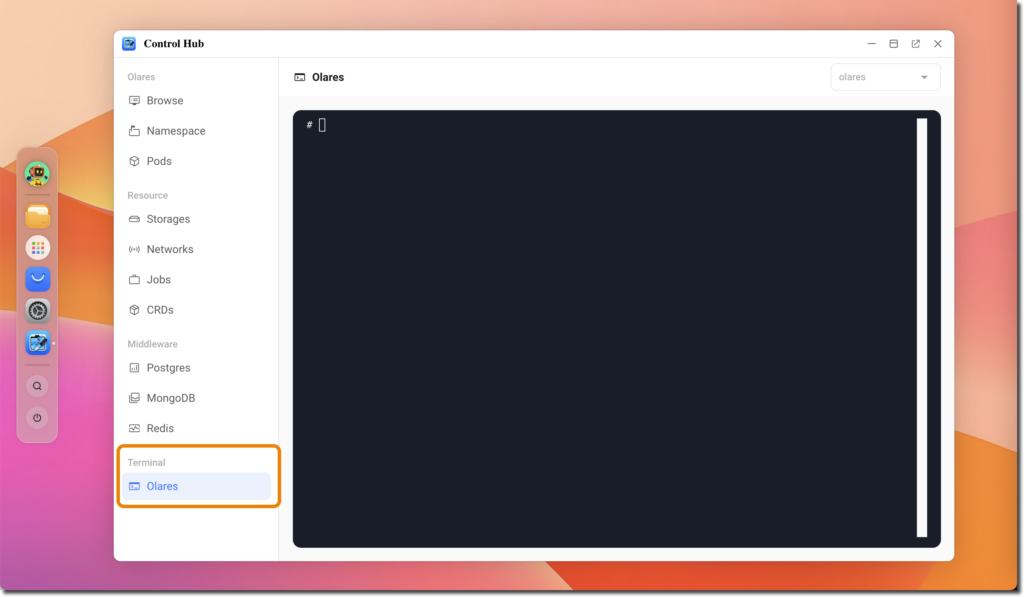
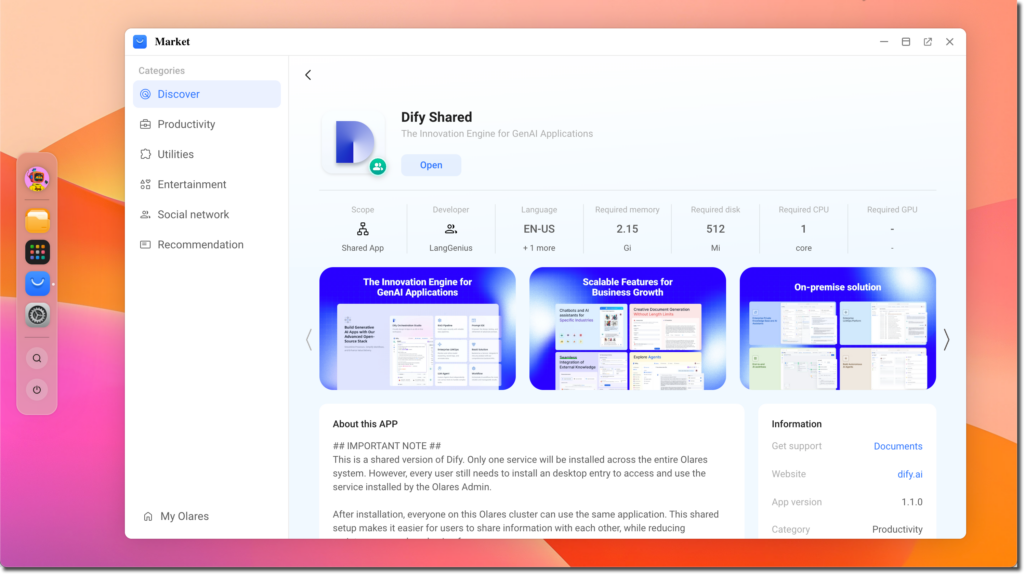
Update for Dify
If you previously installed both “Dify For Cluster” and ”Dify“, please follow these steps after upgrading to v1.11.6:
- Uninstall both ”Dify For Cluster“ and ”Dify“.
- Install the new “Dify Shared” application from the Olares Market.
What’s next?
This is just the beginning! We’re already working on exciting new features and improvements for the next release. Stay tuned for updates, and make sure to follow our journey as we continue to improve Olares.
Have thoughts or feedback? Join us on GitHub Discussion or Discord to help shape the future of the platform!