In Olares 1.12.6, the GPU section in Settings is evolving into Accelerator.
Why the name change? Because modern workloads—like AI inference, image/video generation, and transcoding—rely on accelerated computing. Olares now seamlessly supports a wider range of hardware beyond just NVIDIA GPUs, including integrated accelerator chips and CPU-based fallback resources.
Here is what is new in this update:
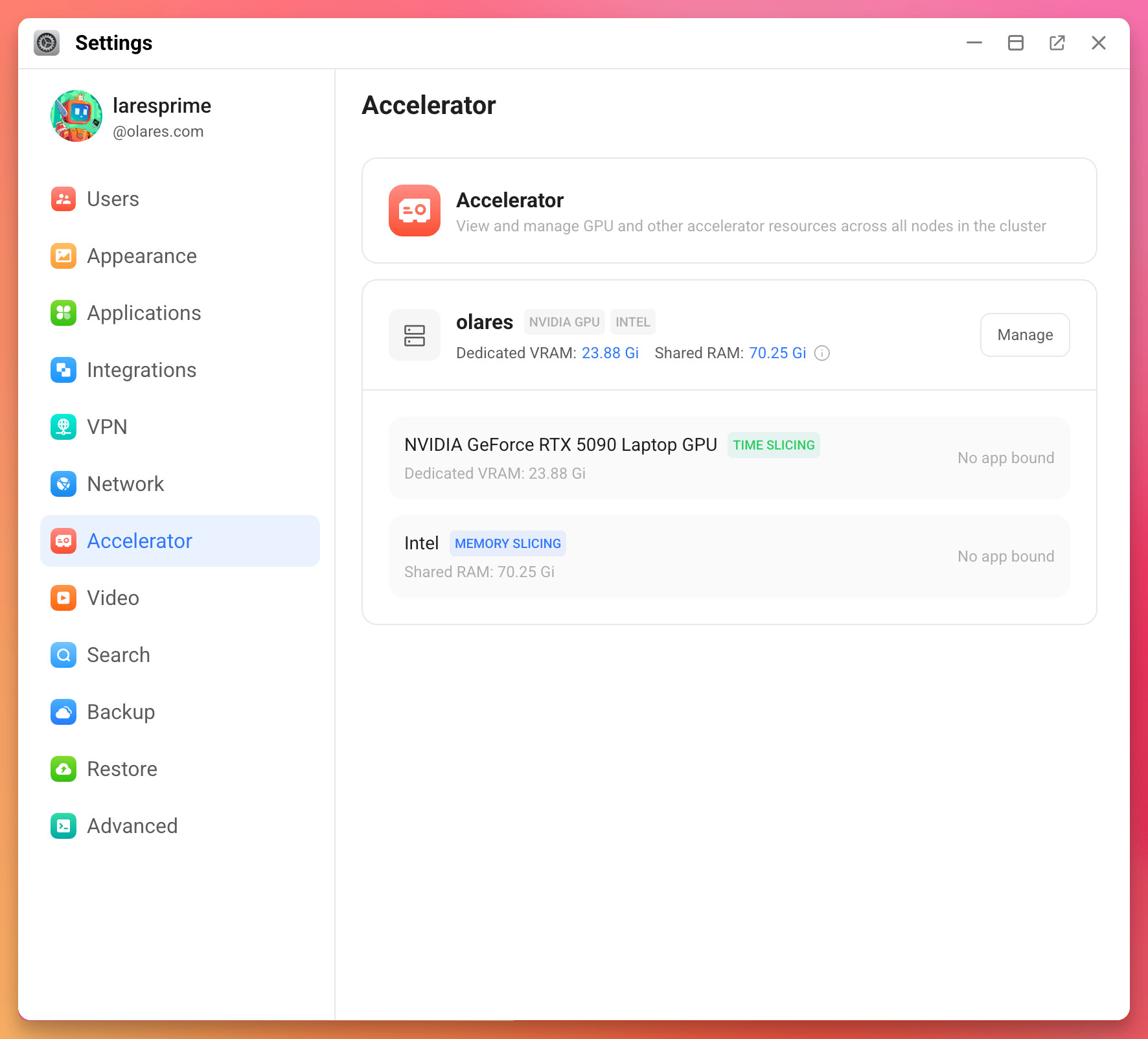
Updated UI
Managing complex compute resources should be intuitive. The new UI displays your accelerators as distinct cards, making it much easier to monitor and manage multi-GPU or mixed-hardware setups at a glance.
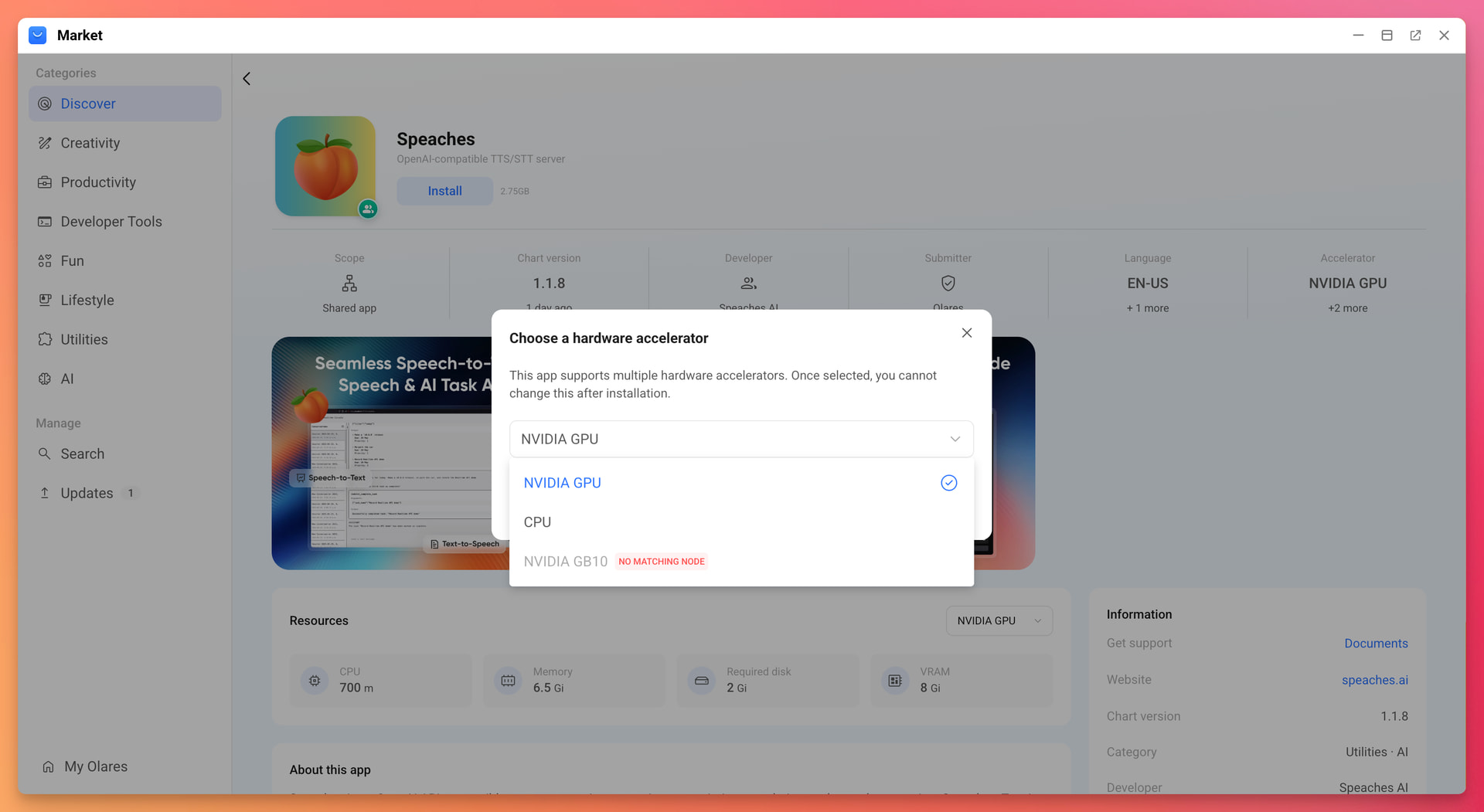
Market-level CPU/GPU selection
When installing an app from the Market, you now have the power to choose whether it runs on the CPU or GPU. This allows you to offload standard applications to the CPU, reserving your high-speed GPU memory strictly for workloads that truly need the acceleration.
Smart hardware controls
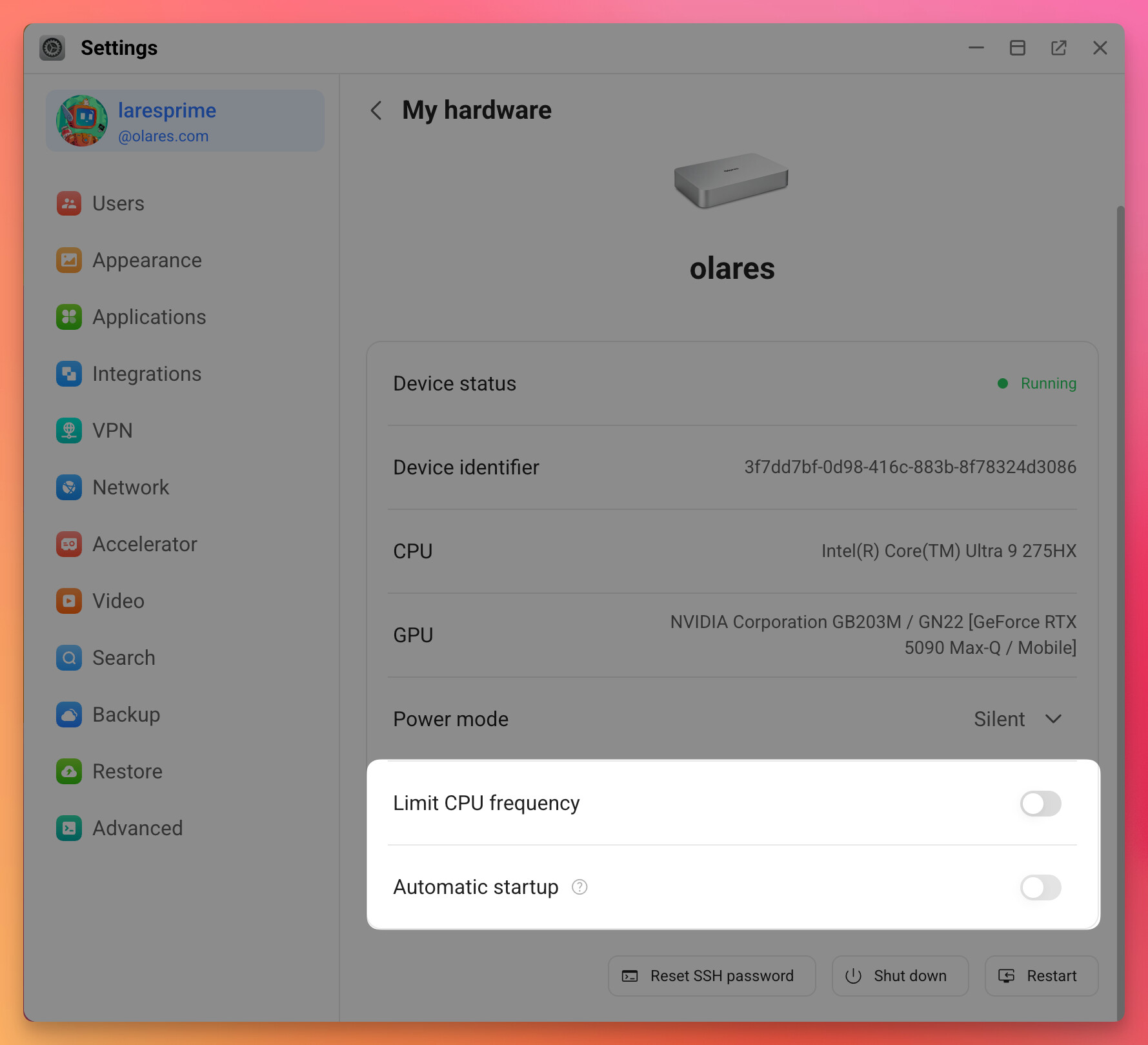
We are introducing two new toggles under My Olares > My Hardware to improve device resilience and thermal management:
- Automatic startup: Ensures your node stays resilient. This setting automatically powers your device back on after a power outage—no manual button-pressing needed.
- Limit CPU frequency (Exclusive to Olares One): Caps the CPU at 5.0 GHz (down from 5.4 GHz). This optimizes thermals and keeps the system cool during sustained, heavy-duty AI workloads like ComfyUI, without noticeably impacting performance.
Feedback welcome
We are constantly working to improve how Olares handles your hardware. Try out the new accelerator settings and let us know your thoughts or performance feedback in the replies below!