Some apps need to live on the same network as your other devices. Media servers need to be discovered by your TV. Smart home hubs need to find local devices. Torrent clients connect faster when they can talk directly to peers.
By default, Olares keeps apps inside a container network. That is good for internal communication, security, and service discovery. But it also means apps that need a real LAN IP can’t always behave the way users expect.
In 1.12.6, Overlay Gateway bridges that gap.
What it does
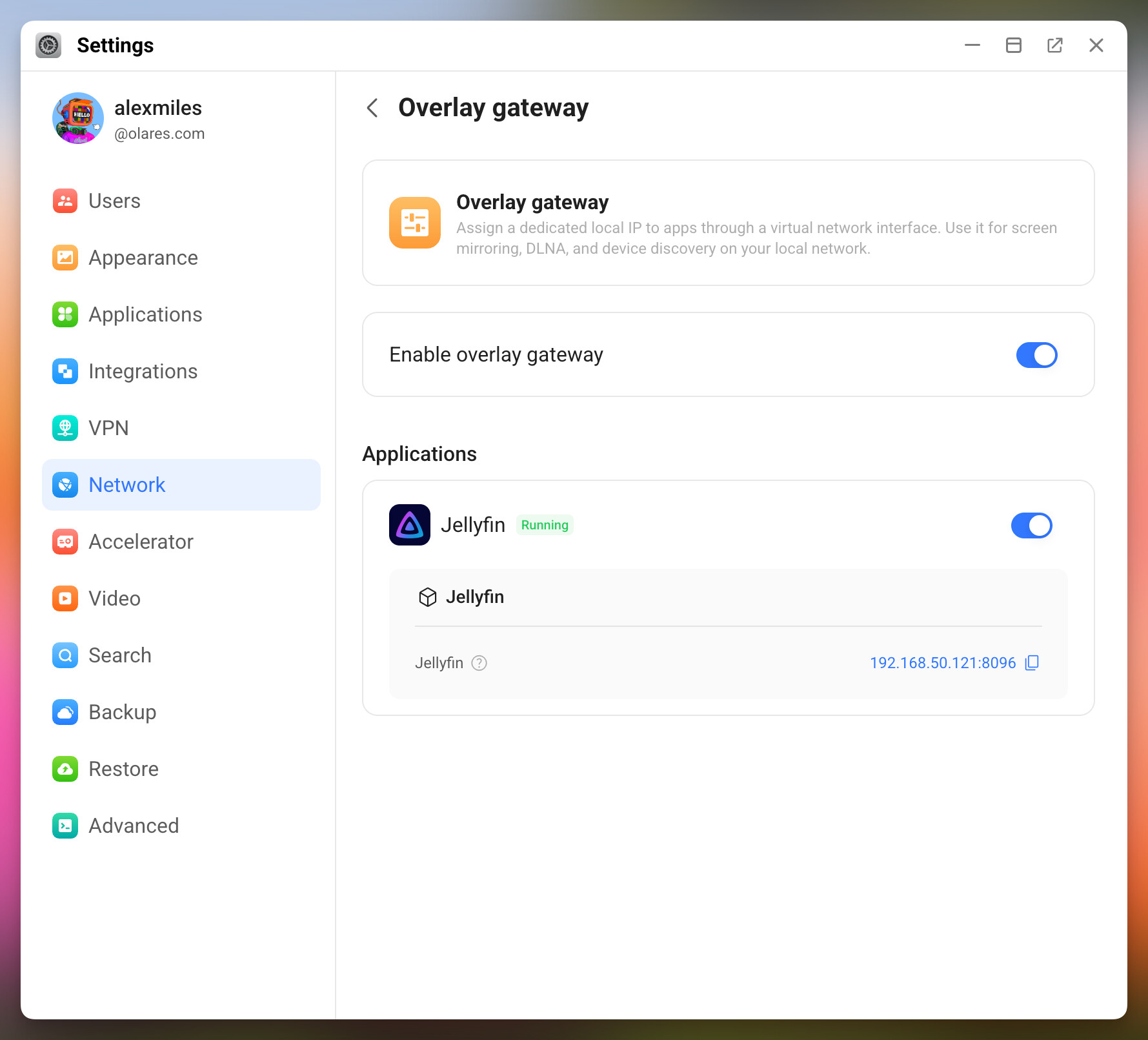
Overlay Gateway gives selected apps a second network interface on your local LAN, alongside the internal Olares network. The app keeps using the internal network for service discovery, DNS, and platform communication. For things that need a real local IP, like casting, it can now participate directly.
How to enable it
In 1.12.6, you’ll find Overlay Gateway under Settings > Network. Turn it on at the system level, then enable it per app.
Current limitations
Overlay Gateway has some requirements. Make sure your setup matches:
- It only works over a wired Ethernet connection. If you switch from wired to wireless while the feature is active, the rest of Olares keeps working, but Overlay Gateway stops until you reconnect to Ethernet.
- The host OS needs to be Linux. Other host platforms are not supported.
- Apps using this feature must run on the master node of your Olares cluster.
Try it and tell us
What local-network use case are you trying to solve? Tell us what you’d like to connect first.