
Build a Research Library From Web Pages, RSS, Files, and Notes

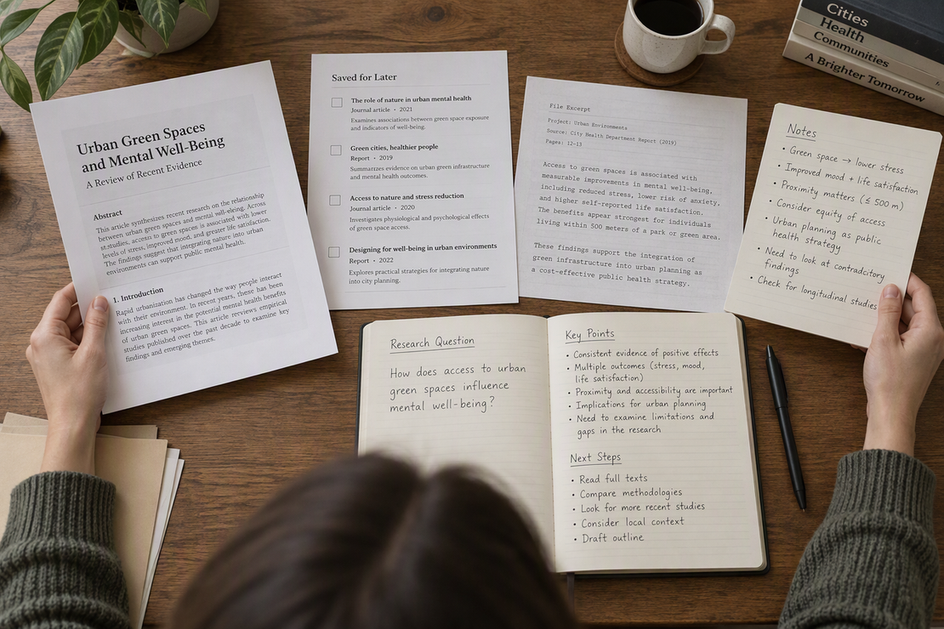
To build a research library you can actually use, organize it around one research question. Keep a short record for every source worth saving, and link each conclusion to the exact passage behind it. Web pages, RSS items, files, and notes all fit this pattern. Only the details you need to find each one again will change.
The fields below are a working pattern, not a required system. You can use them in an app, a folder, a spreadsheet, or a paper notebook you already like.
Start With a Research Question and a Compact Source Record
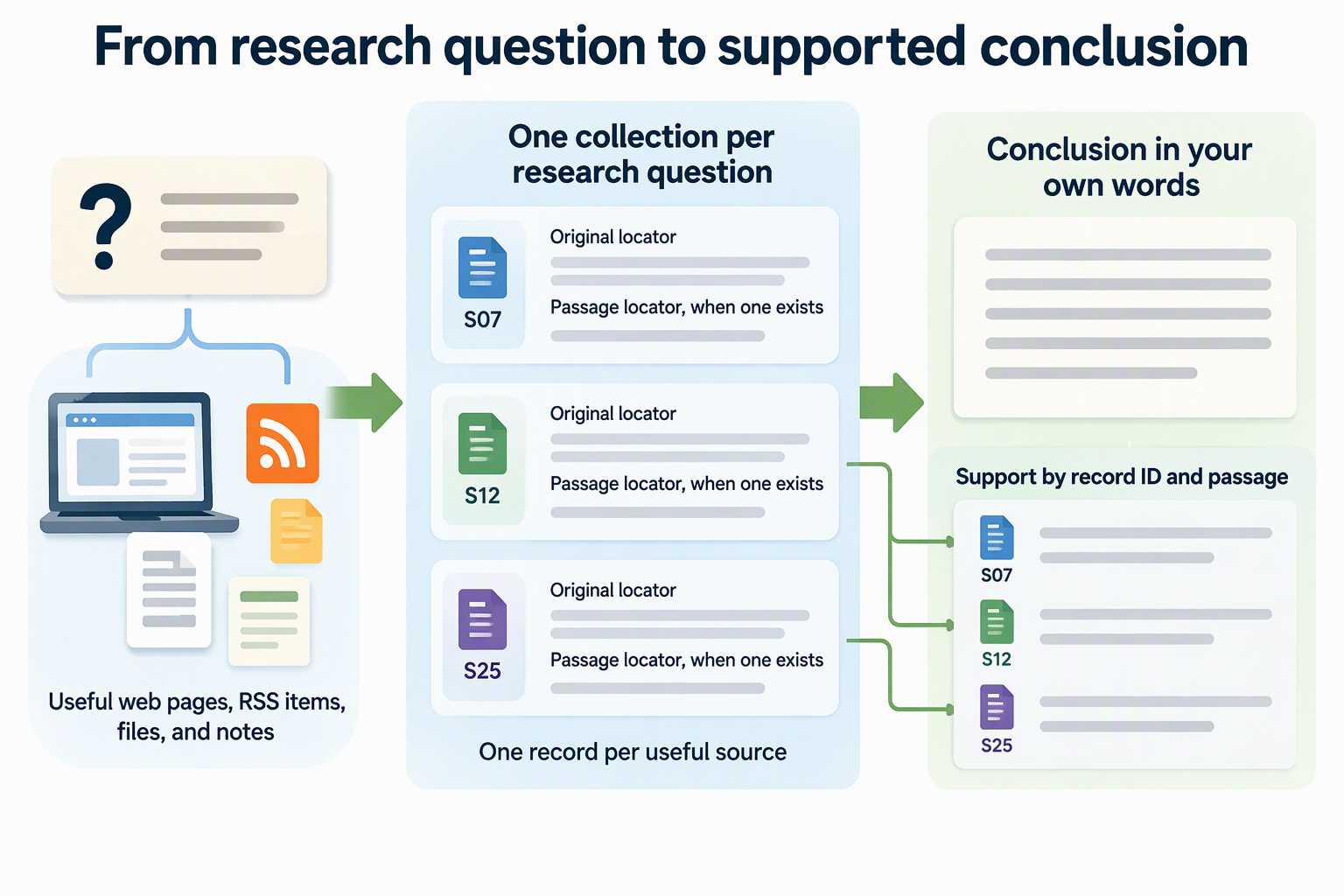
The smallest structure that works has two parts: one collection per research question and one record per useful source. The question tells you what belongs. The record tells you where each item came from and why you kept it.
Write the question at the top of the collection in plain words. Here’s an illustrative example: “Can a five-person agency move to a four-day workweek without missing client deadlines?” Before you save anything, ask whether the item could help answer that question. If it can’t, it belongs in a different collection or nowhere. This one filter does more to keep a library usable than any tagging scheme.
Each saved item then gets a compact record. A practical set of fields is the source type, the original locator (where the item lives), a passage locator (the exact spot that matters, when one exists), a one-line reason you saved it, and your own short note. Give every record a short ID, such as S07, so conclusions can point to it later. Add one last field that links to any synthesis note that relies on the source.
Keep your note clearly separate from anything you copied. A copied sentence in quotation marks and your reaction to it should never blur into one paragraph, because months later you won’t remember which words were yours. If the source excerpt and your thinking live in labeled spots, you can always tell what the source said and what you concluded.
You don’t have to fill every field for every item. The original locator and passage locator are the ones that change most from one type of material to the next, so the next section shows how to adapt them.
Capture Web Pages, RSS Items, Files, and Personal Notes Differently
The locator should match the material. A web page needs its address, an RSS discovery needs the specific item, a file needs its name and location, and a personal note needs a clear label saying you wrote it.
| Source type | Identity and locator to record | Useful capture distinction |
|---|---|---|
| Web page | URL, page title, author or publisher, date if shown, heading or passage | Note the section, not just the page |
| RSS item | Feed name plus item title, original item link, date if shown | Record the item separately from the feed |
| Local file | Original filename, storage location, page or section or excerpt | Store it somewhere stable before noting the path |
| Personal note | “My note” label, date written, links to sources it uses | Mark it as your own thinking |
The RSS row needs the most care. A feed is a discovery stream, while the item is the thing you actually want to keep. Depending on your reader app, an item can change or drop out of view, for example after you unsubscribe. So when an item matters to your question, save the item itself and record its original link, not just the feed it came from.
If you use Olares with the Wise app installed, our LarePass browser extension can collect the page you’re reading so you can save it to your library. Still copy the original URL into your source record, since that’s what lets you return to the page itself.
When a field doesn’t exist, say so instead of guessing. Write “no date shown” or “no author listed” so a blank never looks like something you forgot. For a file that has no page numbers, a short quoted excerpt works as the passage locator because you can search for it later.
Link Each Conclusion Back to Its Evidence
A conclusion stays trustworthy when it lives in its own note and points to the exact records and passages that support it. The source record keeps what the material says. The synthesis note keeps what you concluded from it.
This split mirrors OpenStax’s guidance on keeping a research log. Its log entries identify the source and keep separate notes on the source itself, on how it connects to the research question or main points, and on the writer’s own thinking or questions. The synthesis note simply takes that idea one step further for a personal library.
Write each conclusion as a short statement in your own words. Underneath, list the support by record ID and passage. Here’s an illustrative example: “Conclusion: Shorter weeks need fixed client response windows. Support: S04, ‘Results’ section, third paragraph; S11, page 14.” Anyone reading the note, including you next year, can jump straight to the evidence instead of hunting through a topic folder.
Be honest about how strong each link is. When a point goes beyond what any source states, label it “My inference” and still list the sources that led you there. When a conclusion has no support yet, call it an open question until you find some. Keep direct quotes in quotation marks and summaries clearly marked as summaries. That way you never present your reading of a source as the source’s own claim.
Find and Maintain Useful Material Without Overbuilding the Library
Retrieval should start from the question or conclusion, not from a giant folder tree. Open the collection for your question, find the synthesis note, and follow its record IDs to the source and passage.
When you need a source directly, search by the details you already captured: title, author or publisher, filename, feed and item name, or a phrase from the passage. Add a few descriptive labels only when they help you narrow results, such as “counterargument” or “data.” Resist building a deep category system before your research library actually needs one. A handful of labels you use consistently beats dozens you forget.
Upkeep can stay light. When you revisit a question, look at each record and ask whether it still has a role. If two records point to the same item, merge them and keep the better locator. If a source no longer opens, mark it “Unavailable” with the date you checked rather than leaving a link that only looks valid. Then check which conclusions relied on it alone.
The real test is simple. Pick any conclusion and try to reach the source and the exact passage in a minute or two. Then pick any record and try to reopen the original item. If both work, your library is doing its job. To start, choose one question you’re researching now and build records for three or four useful sources.
FAQs
Do I need to save every RSS item I read?
No. Treat a feed as a way to discover things, not as an archive. Save only the items that could help answer one of your research questions, and record each saved item’s own title and link. Everything else can scroll past.
What should I do when a saved link or file path stops working?
First search for the item using the title, publisher, filename, or a quoted phrase from your record. If you find it, update the locator and add a short note that it moved. If you can’t, mark the record unavailable with the date you checked. Then treat any conclusion that relied only on that source as weaker until you find new support.
Does my own original observation need a source link?
Not if it really is your own, such as something you saw firsthand. Label it as your observation and note when and where it happened. If the observation builds on something you read, link that source too so the two stay connected.
Can one source belong to more than one research question?
Yes. Keep a single record for the source and link to it from each question’s collection instead of making copies. One record means one place to update the locator, so the two questions never end up pointing to different versions of the same item.