
Choose a Remote-Access Path Without Exposing Every Home-Server App


For home server remote access, start with two questions: who needs to connect, and which specific apps do they need? If a small, known group can install a client and join a private network, a VPN-style path whose rules are limited to the needed devices and ports usually fits best. Public routes like a reverse proxy or a port forward make sense only when people need an app without joining that network, and they bring ongoing login and maintenance work.
One rule holds across every option. A domain name or HTTPS address tells a browser where to go. It does not decide who is allowed in.
Choose by Who Needs Access—and to Which Apps
Each path controls reachability differently. The table compares what each one opens and where the access decision has to live.
| Path | What becomes reachable | Who decides access |
|---|---|---|
| Private VPN-style network | Devices and ports allowed by the network’s rules | Membership plus the network’s access rules |
| Reverse-proxy publication | The app routes you configure | A separate access policy and the app’s own login |
| Direct port forwarding | One device and port on your WAN address | The service itself |
A private network is not automatically one-app-only. In Tailscale, for example, ACLs define which users or devices can access ports on other devices in the tailnet. That lets you give a relative access to a photo app’s port without opening your admin tools. Review and narrow the policy before adding guests. Tailscale now recommends grants for new configurations, while existing ACLs remain supported. Joining the network and having narrow access are two separate things. This matters from day one. Tailscale says that when you first create a tailnet, the default policy file enables communication between all devices in it. Narrowing access is a step you take, not where you start.
A reverse proxy is a traffic router, not a gatekeeper by itself. NGINX’s proxy_pass directive maps a configured location to an upstream server, so you choose which app sits behind which path. If proxy_pass includes a URI, NGINX replaces the part of the request path that matched the location with that URI. Without one, it passes the request URI in the same form the client sent it. Either way, the directive describes where a request goes, not who sent it. Whether that route is public depends on how you deploy it. With Cloudflare’s tunnel setup, a published app is public without a separate Access application. This path fits people who need a browser link and will not install a VPN client, as long as you can keep an access policy in front of the app. Once you add an Access application, Cloudflare treats it as deny by default: a user must match an Allow policy before getting in.
Port forwarding is the bluntest option. On the TP-Link routers its guide covers, TP-Link maps an external port to a selected device and port, reachable at the router’s WAN IP and that port. The rule picks a device, not a person. Unless firewall or source-address rules restrict the route, anyone who finds the address can attempt to reach the service. Its authentication and authorization still need to be configured. That guide also says a private WAN address means another NAT device sits upstream and needs its own rule. If your ISP uses carrier-grade NAT (CGNAT), forwarding may not work over the Internet at all.
Public exposure is a commitment, not a one-time setting. CISA advises restricting Internet access for assets that do not need it. For services that stay exposed, it recommends current security patches, MFA where possible, traffic monitoring, and regular review. That guidance targets organizations rather than households, but the duties carry over to any app you publish. For assets that must stay reachable, CISA’s list also includes changing default passwords and replacing software or devices that no longer receive security support. Its first step is to identify which of your assets are reachable from the Internet at all. It also says to routinely check public addresses for unexpected open ports and close or restrict any that have no documented need.
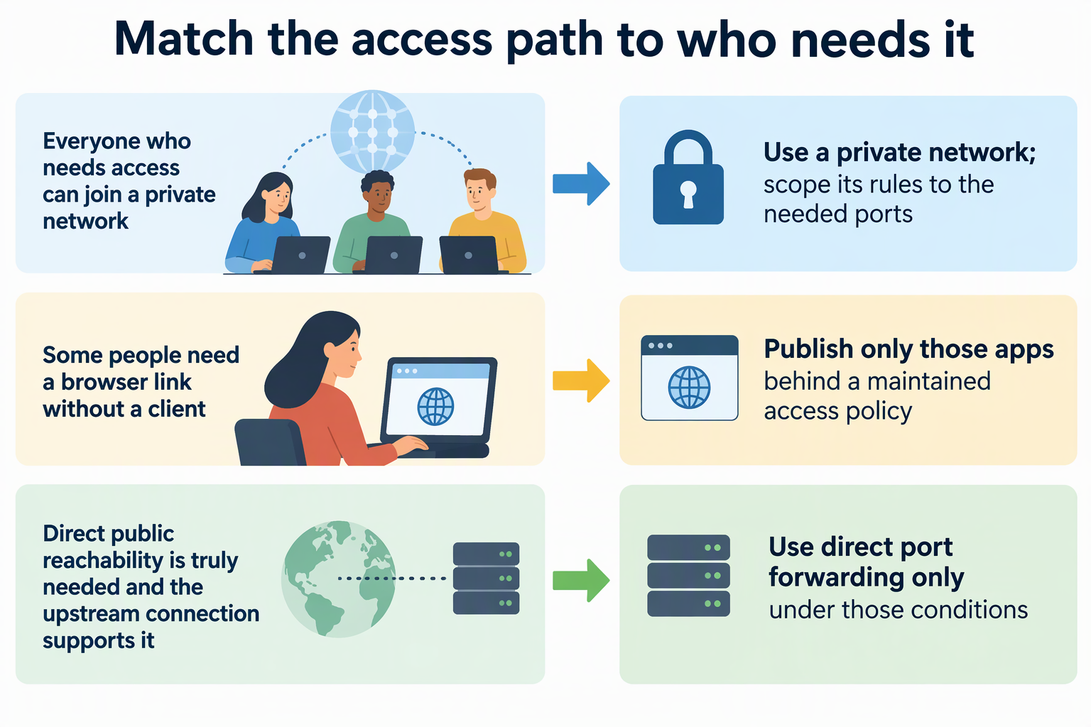
So the choice splits like this. If everyone who needs access can join a private network, use that and scope its rules to the needed ports. If some people need a browser link without a client, publish only those apps behind a maintained access policy. Use direct forwarding only when a service truly needs direct public reachability and your upstream connection supports it.
Treat the Hostname as a Route, Not a Permission
A domain or HTTPS address answers “where,” not “who.” HTTPS protects the connection in transit, but it does not decide which people may use the app. Cloudflare’s own setup shows this: without an Access application in front, the published hostname is open to anyone on the Internet.
Access is decided in two places: the gateway policy, if you use one, and the app itself. OWASP recommends checking authorization on every request for the specific item or function being requested. Being signed in to a media app, for instance, should not let a guest open the admin settings. OWASP also warns that hard-to-guess identifiers are not enough on their own. A user should not be able to reach a resource they lack permission for just by guessing or changing its ID in a URL. Before you share any route, confirm which services it actually reaches, who can reach them, and what login and permission checks each app enforces.
FAQs
How should I check what a Tailscale guest can reach?
Inspect the complete effective policy, including both grants and legacy ACLs. Tailscale documents a permissive initial policy, but the absence of one legacy section alone is not a safe way to judge a configuration that uses grants. Check the intended user, device, and destination port with policy tests before assuming a guest can reach only one app.
Can Cloudflare Access requests be bypassed if the origin is still reachable?
They can if the origin accepts traffic that skips Access, for example after a network misconfiguration. Cloudflare says to validate the Access token at the origin so those bypass requests are rejected. You can turn on Protect with Access in the tunnel settings or configure the origin to check each request for a valid token.
Does an open port mean the service is compromised?
No. CISA states that an open port does not necessarily indicate a vulnerability or compromise. Find out which service is listening, then decide whether it really needs Internet access. If it does not, close or restrict the port.