
One Home Server or Several? Decide by Failure Boundaries

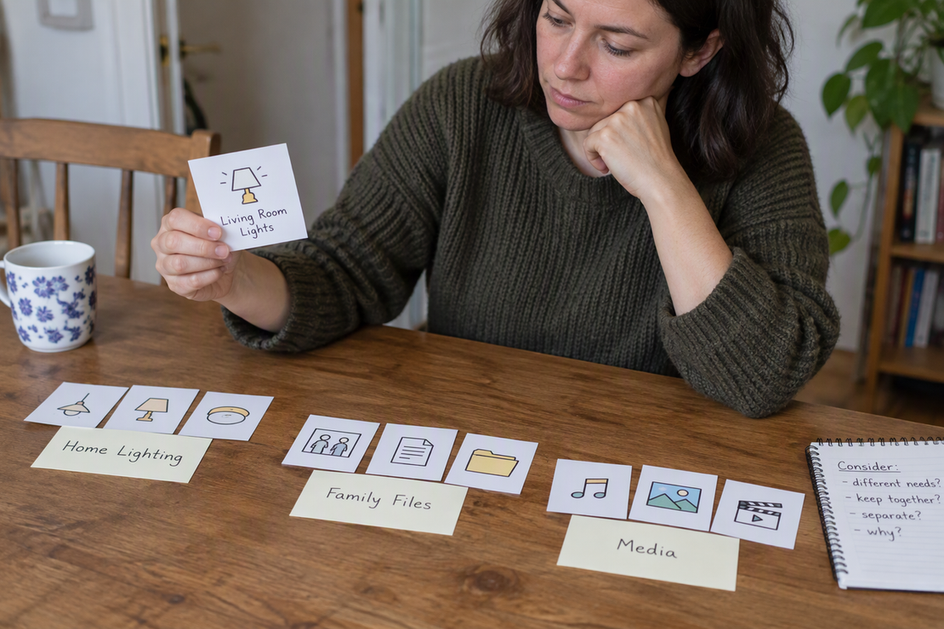
Keep your services on one machine when you can live with all of them going down together, and when one system is easier for you to patch and recover. Move a service to its own device only when doing so changes something you care about: an outage you can’t accept, a real access boundary, or resource contention you can’t fix any other way.
That makes home server architecture a question about failure boundaries, not device count. Before you buy hardware, name the outcome a split would change, then check whether the new device actually changes it.
Start With the Outage You Can Accept
Every service on a host stops when that host stops. That includes a crash, a reboot after updates, or an afternoon you spend swapping a drive. On one machine, your media server, file sync, password manager, and home automation all share that single interruption.
For many homes, that’s fine. If a two-hour maintenance window only means nobody streams a movie, one host keeps things simple. The math changes when one service has different stakes than the rest. Home automation that runs lights or locks may matter more than a photo library. A file share your family uses for work may matter more than a game server.
Start by listing which services would go down together and asking whether that shared outage is acceptable. If yes, stay put. If one service stands out, a second host can remove the first machine as a dependency for that service. Notice the limit: it removes only that one dependency.
A second box still relies on whatever the systems share: power, network equipment, storage, DNS, credentials, or management access. Failure of shared equipment can affect both devices, depending on the path each service uses. If the moved service still reads its data from the first machine, that dependency remains. A second host is not automatic failover; test whether the service can work while the first host is down.
When a Separate Device Creates a Security Boundary
A separate device is a security boundary only when access between systems is actually restricted. Running a service on different hardware doesn’t do that by itself.
CISA describes segmentation as a physical or virtual approach that divides a network into separate segments, limits access, and restricts communications. Its guidance emphasizes configured firewalls, policies, and access controls. A separate device is useful only if the rules around it enforce the boundary you need.
NIST’s zero-trust guidance makes the other half clear: physical or network location alone does not confer trust. A second box on the same flat home network, with the same admin password and open access to everything else, is in a different place but not behind a different boundary.
So ask what you’re trying to keep apart. Maybe it’s an internet-facing service you don’t want reaching your private files. Then check whether your planned setup actually blocks that path. If the new device can still talk freely to everything and shares the same credentials, you’ve added another system to manage without getting the separation you wanted. These sources describe principles for enterprise networks, not a home configuration recipe. Use them to test your plan, not to approve it.
When Resource Needs Justify Separation
Resource contention justifies another device only when it stays serious after you’ve tried controls on the shared host. For containerized services, that check comes first.
Docker documents that Docker containers have no resource constraints by default. A container can use as much CPU or memory as the host’s kernel scheduler allows. Docker does provide runtime options to cap how much memory or CPU a container can use. If one heavy workload slows everything else down, limiting that container is a cheaper first move than buying hardware.
Memory deserves extra attention. The same documentation warns that on Linux hosts, memory exhaustion can affect processes beyond one container. When the kernel runs short of memory for important system functions, it starts killing processes. Any process can be hit, including Docker and other important applications, and the wrong kill can bring the whole system down. That’s a host-wide failure, which ties resource planning back to your outage boundary.
Here’s the decision. If memory or CPU limits stop one service from disrupting the others, stay on one machine. If a workload still needs more than the shared host can give it, or the risk of it starving critical services is still unacceptable, a separate host is justified. Keep these points scoped: the defaults and constraints apply to Docker, and the out-of-memory behavior applies to Linux hosts. Limits don’t guarantee isolation, and no fixed threshold tells you when to split.
Count the Systems You’ll Have to Operate
Every added device is another system to patch, monitor, back up, and recover. That work belongs in the decision from the start, not as an afterthought.
Use a simple stopping rule. Don’t add a device unless you can name the outcome it changes: an outage that now affects fewer critical services, an access path that is now actually blocked, or contention that controls couldn’t solve. Then ask whether that change is worth keeping one more system healthy for years.
The answer usually falls into one of three shapes. Choose one machine when no proposed split changes an outcome you can’t accept. Choose selective separation when one service has a clearly different outage, access, or resource need, and move only that service. Choose several devices when you have multiple distinct needs, and each one justifies its own upkeep. The best arrangement is the smallest one that meets the needs you actually have.
| Independent reason to split | What must actually change |
|---|---|
| Shared outage is unacceptable | The moved service and its dependencies can run while the first host is down. |
| An access boundary is needed | Enforced permissions or network rules block the unwanted path. |
| Resource contention remains | The new host supplies the constrained resource after reasonable shared-host controls have been tried. |
FAQs
Can virtual machines or containers replace a second physical device?
Sometimes. A virtual network with enforced firewall rules can restrict paths between workloads on one host. The result depends on its configuration and on the host’s security; merely creating a VM or container is not enough. It also leaves a shared outage: if the physical host goes down, its workloads stop.
Does a second server give me high availability?
Not by default. It removes one host as a dependency for the services you move. Real availability depends on whether those services can still reach their storage, network, DNS, and credentials while the other machine is down.
Should I set memory limits on every Docker container?
Not necessarily every one, but it helps for workloads that can grow without bound. Docker doesn’t cap containers by default, and on Linux an out-of-memory event can kill processes beyond the container that caused it. Docker also warns against working around its out-of-memory safeguards with extreme settings such as disabling the OOM killer on a container.
Is a separate device safer just because it’s on my home network?
No. Being on your local network doesn’t make a device trustworthy. Security comes from restricting what each system can reach and who can log in, wherever that system runs.