
Estimate Home-Server Electricity Cost From Measured Use

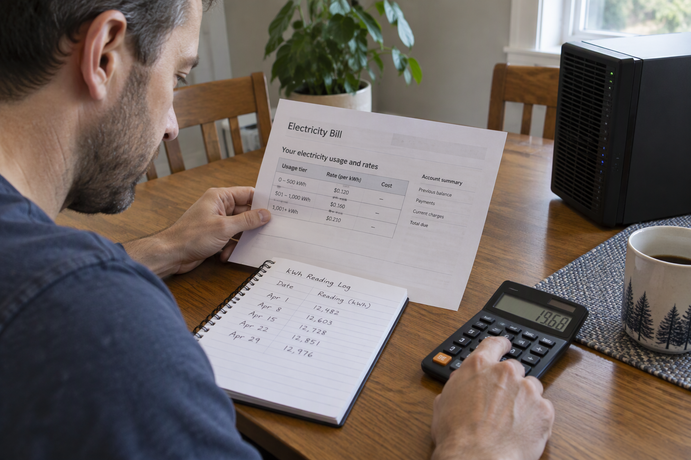
To estimate your home server electricity cost, measure the whole machine’s energy use over a period that reflects its normal workload. Convert that to kilowatt-hours (kWh), then multiply by the usage rate on your own utility bill for the same period. A spec-sheet wattage or a quick meter glance can’t stand in for that measured total.
The result is an estimate of the server’s usage-based energy charge. It is not a forecast of your full electric bill, because fixed and some other charges don’t depend on how much the server uses.
Calculate kWh and cost from measured use
Start by choosing the period, such as one billing cycle. Your energy reading and your rate need to cover the same dates. If they don’t match, the math can look right while the answer is wrong.
If your meter shows cumulative energy, the work is mostly done. Write down the kWh reading at the start of the period, then again at the end. Subtract the first number from the second. That difference is the server’s energy use for the period.
If you only have an average power figure in watts (W), you have to add time yourself. Energy is power multiplied by time, and the kWh and electricity-cost formulas in a DOE-hosted lesson spell out both steps. First, kWh = kW × hours, and watts must be changed to kilowatts first. Then cost = rate ($/kWh) × energy (kWh). In practice, you can fold the watt conversion into one line: kWh = average watts × hours ÷ 1,000.
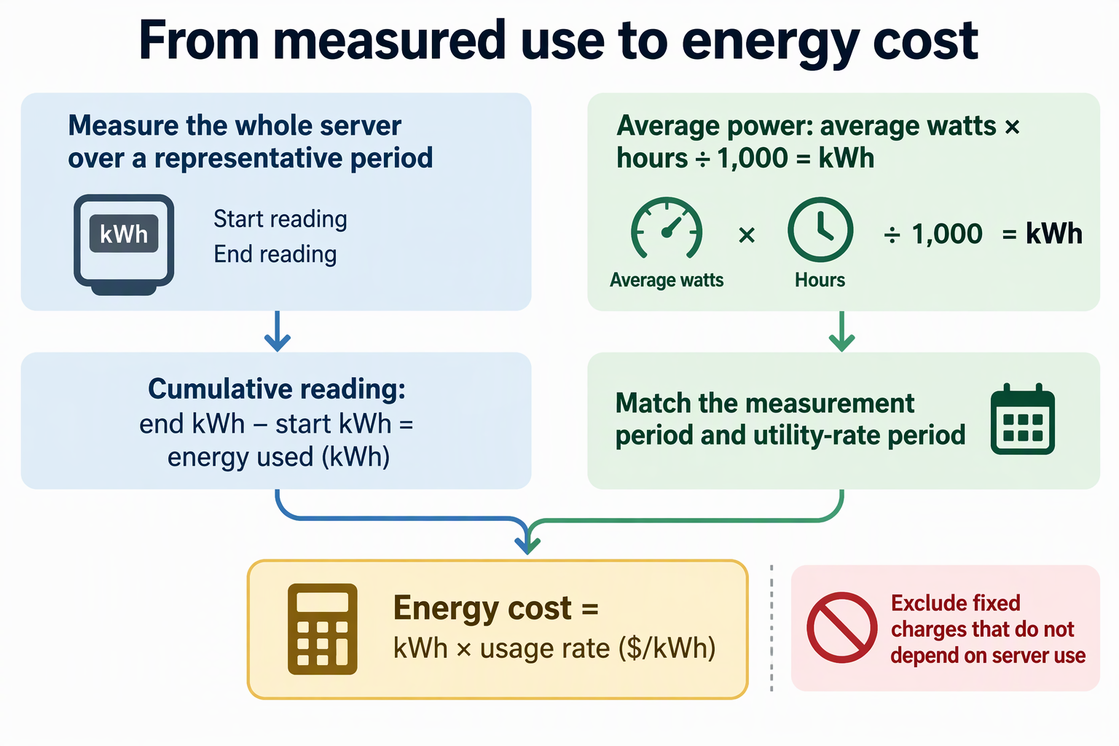
Here is how the units flow if your server averaged 40 W over a 30-day period. The 40 W figure is only an input for showing the math, not a typical or measured server value:
- 40 W × 24 hours × 30 days = 28,800 watt-hours
- 28,800 ÷ 1,000 = 28.8 kWh
- 28.8 kWh × your rate in $/kWh = the period’s energy cost
There’s no dollar amount here on purpose. Rates differ by utility and plan, so the last line only works with the rate printed on your own bill or rate schedule. If your plan charges a single flat usage rate, you’re done once you multiply. If it doesn’t, the next sections explain how to split the kWh first.
Measure the whole server across representative use
The measurement should cover the complete server where it draws AC power from the wall. Use a plug-in meter or smart outlet rated for the device’s voltage and load. Place it between the outlet and the server’s power cord. If you also want UPS losses or external drive enclosures included, measure that defined group at its upstream outlet and avoid counting the same load twice. A single component’s rating, like a CPU, drive, or power-supply label, leaves out everything else in the box and still doesn’t tell you how much it actually draws.
Labels can mislead even for whole devices. The DOE-hosted lesson explains why a rating is not ongoing use: appliance label ratings show the maximum draw, not continuous draw. Actual wattage depends on what the item is doing at the time, and the lesson notes that a wattmeter gives better numbers.
A home server’s load moves around too. It may sit idle for hours, then work hard during a backup, a media transcode, or a scheduled task. A five-second reading taken while it idles misses the busy stretches. A reading taken mid-backup overstates the quiet hours. Neither one is an average.
That’s why a cumulative kWh reading across the whole period is the most direct option. If your meter only shows watts, make sure the average it reports was built over the period you’re estimating, not copied from one instant. DOE’s standby-power averaging procedure uses the same idea for fluctuating loads: measure energy over a period, then divide by the length of that period to get average power. That guidance was written for standby measurements, but the arithmetic is the same one you use here.
Pick a period that includes the jobs you actually run. If backups run weekly, a two-day window may miss them. If you just added a new workload, the old numbers no longer describe the server, so measure again.
Apply the rate that matches your usage
Use the rate on your current bill or published rate schedule rather than an assumed national average. DOE explains how utility energy and fixed charges differ: energy charges are based on kWh and can vary by time of use and by season, while fixed charges are billed monthly and set by the rate schedule rather than consumption.
Leave fixed charges out of the server’s cost calculation because unplugging the server would not change them.
If your plan uses time-of-use pricing, one rate won’t fit all the kWh. Split the server’s energy by rate period, such as peak and off-peak hours. A meter or smart plug that logs usage by hour makes this easier. Multiply each slice by its own rate, then add the results. Seasonal rates work the same way: price summer months at the summer rate and winter months at the winter rate.
Some bills use tiered electricity rates, also called sliding scales, where the price per kWh changes after a usage threshold. Here the server’s cost depends on the rest of your household. Find the tier thresholds on your bill and look at your household’s total kWh for the billing period. If the server’s kWh push the household into a higher tier, those extra kWh cost the higher-tier rate. If all of the server’s incremental kWh fall within one tier, use that tier’s rate. For a tiered tariff, compare the variable charge at total household use with the charge at household use minus the server’s measured kWh. The difference allocates the server’s incremental energy cost across any tiers it crosses.
Whichever structure applies, the answer stays the same kind of number: the usage-based energy cost the server adds for that period.
FAQs
Can I multiply one month’s result by 12 to estimate annual cost?
Only if that month reflects the server’s normal workload and your rates stay the same all year. If your plan has seasonal pricing, or the server does more work at certain times of year, estimate each season or month separately. Then add those period costs together for a yearly total.
What if my supply and delivery charges appear on separate bills?
DOE suggests reviewing separate supply and delivery bills when you get both, because each one can carry its own rate components. Add the per-kWh charges from both bills to get the full usage rate for the server’s kWh. Leave out any fixed monthly charges on either bill.
Does the kWh calculation include demand charges?
No. The kWh method estimates energy charges only. Where a demand charge applies, it is based on your highest power draw in kW during a period, usually each month. Working it out takes a separate calculation using your tariff’s demand terms, not the server’s monthly kWh.