
What to Do When a Research Source Changes or Disappears

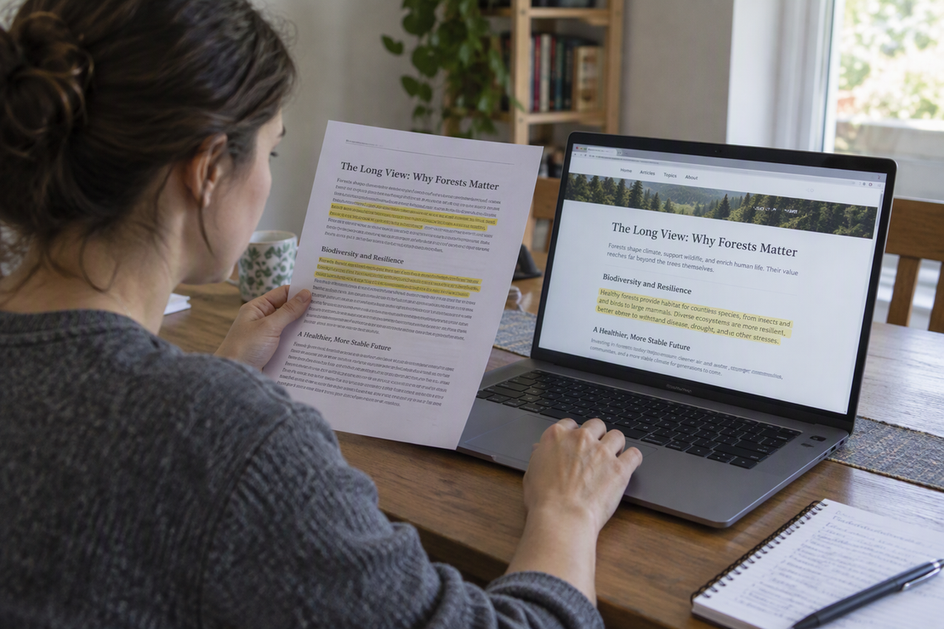
A live URL points to a page. It does not point to the version that supported your earlier conclusion. When a source changes or disappears, the fix is to compare the page against a dated record of the exact passage you used.
If you saved that record, you can check, keep, or revise the claim with confidence. If you didn’t, look for a dated archive copy, inspect it closely, and mark anything you can’t recover as unconfirmed.
Build a dated evidence record for each claim
Good research source tracking starts at the claim, not the bibliography. As you collect materials or save resources, keep each claim and its source record together so you never have to guess which page, or which part of it, backed a sentence in your notes.
A working template for each claim includes the page title, the author or publisher if shown, and the original URL. Add the publication or update date if the page shows one, and the date you viewed it. These are different facts. A page last updated in March but read in June can change again before you return. Then copy the exact passage you relied on and note where it sits, such as the heading, section, or page number. A source name alone tells you where to look. The passage tells you what to check.
Finally, attach a saved copy or archive link when one is available. Western Michigan University Libraries’ snapshot guidance suggests searching the Wayback Machine for the cited URL and picking the snapshot closest to your access date. If no capture exists, it suggests using “Save Page Now” to archive the current version. The same guide also recommends saving a PDF of the page to your research folder, recording the archive date, and citing the archived version when possible.
Keep one limit in mind. A saved copy shows what the page said at that moment. It does not prove the claim is accurate.
When the page changes, compare it with your saved version
If the link still loads but looks different, compare the specific passage tied to your note with your saved copy or a dated archive capture. Don’t just skim the page for the same general idea.
Start with the live page. Find the section where your passage used to be, and record what it says now as a new, dated entry. Don’t overwrite the older note. Keeping “what it said then” and “what it says now” in separate, labeled fields is what lets you see the change.
Next, open your historical evidence. That could be your local PDF or an archive snapshot taken close to your original access date. Read the captured text itself, not just the page layout. Then note whether the passage was removed, reworded, or still says the same thing.
If you never saved an earlier version and no older capture exists, say so plainly. The earlier wording can’t be verified from the current page. Archiving the page now won’t fix that. A capture made after the change records the page at that later time. The Internet Archive’s help page also notes that “Save Page Now” saves one page one time. It doesn’t add the URL to future crawls or bring back older content.
When the source is unavailable, test what you actually recovered
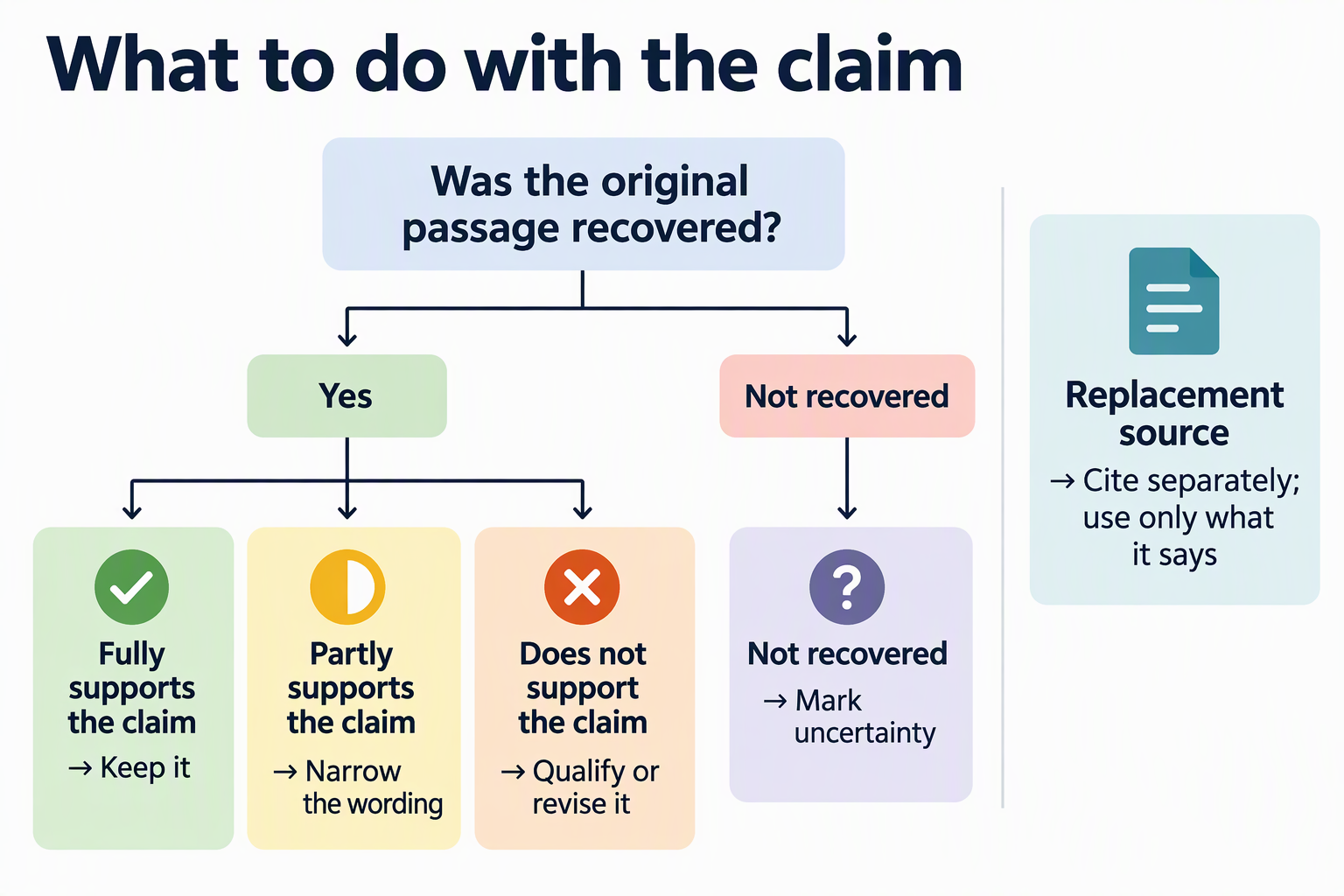
When the original page won’t load, search its original URL in a web archive. Check whether the capture you find really contains the passage your note depends on; finding nothing leaves the original wording unconfirmed.
A missing result tells you very little. The Internet Archive explains that some sites aren’t included because crawlers didn’t know about them, or because they were password protected, blocked by robots.txt, or excluded at the owner’s request. So an empty search doesn’t prove what the page said, or whether it existed.
A capture that does appear still needs a careful look. The Internet Archive’s notes on incomplete captures say not every archived date is complete. Missing links may be filled from the nearest available date or even pulled from the live web. Check the date code in the archived URL. It reads as year, month, day, hour, minute, second (yyyymmddhhmmss). Then confirm that the relevant passage appears on the captured page itself.
You may find a new page that makes the same point. That’s useful, but it’s a replacement, not a recovery. File it under its own title, URL, and date. A replacement can support a current claim to the extent its own text does. It cannot show what the original page said.
Reassess the conclusion and cite the version consulted
Use recovered historical evidence to support a claim about what the source said at that time. For a claim about what is true now, check the current source and any corrections. An archived passage does not make an outdated conclusion current.
If the passage supports a dated historical claim, retain that date and scope. If it supports only part of the claim, narrow the wording. If you cannot recover the original, mark it unconfirmed. For present-day facts, revise the claim to match current evidence and cite the current or replacement source separately.
Your citation should name the version you actually used. Rules differ by style. Under the MLA Style Center’s guidance for defunct sources, you may cite the original version with its defunct URL and add an “Accessed” date if you know when you last reached it. If you later check your work against an archived copy, such as one from the Wayback Machine, MLA recommends citing that archived version and including the original site’s name. For APA, Chicago, or another style, follow that style’s own guide.
FAQs
Which date matters most if a page shows several?
Record each one under a clear label. A publication date and an “updated” date describe the page. Your access date describes when you saw it. An archive capture date describes when that copy was made. Mixing them up makes later comparisons unreliable.
Should I cite the live URL or the archived link?
Western Michigan University Libraries recommends citing the archived version alongside or instead of the live URL when possible. That way, readers can see the content you referenced. Your citation style may set the exact format.
Is a PDF I saved myself as good as an archive capture?
Both record a version of the page. A local PDF is private to you, so note the date you saved it. A public archive link lets reviewers open the same capture. Keeping both gives you a backup if one fails.
Can I archive a page now to protect a future note?
Yes. Saving a copy when you first use a source is the strongest step you can take. The Internet Archive’s “Save Page Now” captures one page one time, so save each page you cite on its own.