
What Still Works in a Smart Home When the Internet Goes Down?

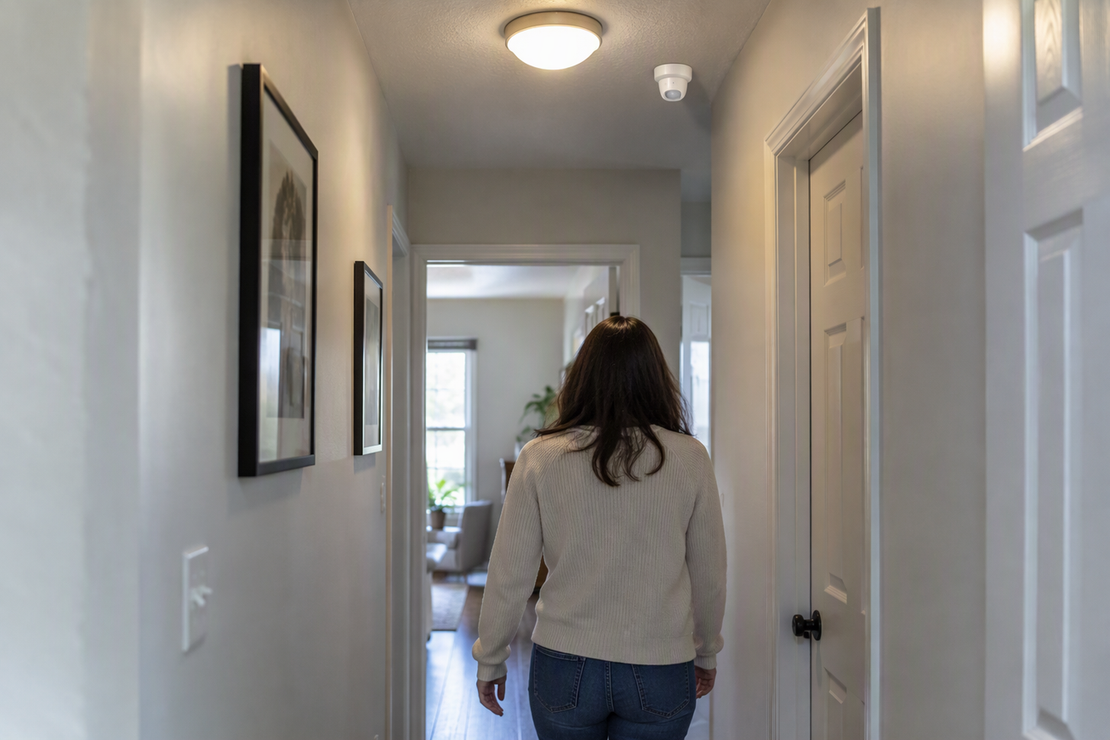
Some of your smart home can keep working when the internet goes down, but there is no single yes or no for every device. The result depends on the whole path. That path includes the device, the controller that runs the routine, and every link between them, and each step either works locally or needs a cloud server.
A local hub or server does not make every device independent of the internet on its own. So before you count on an offline smart home routine, first check what actually failed: only your internet service, or your router, Wi-Fi, or power as well.
What Can Still Work During an Internet-Only Outage?
In an internet-only outage, your router, Wi-Fi, and power stay on, so devices in the house can still talk to each other. Local features have their best chance in this situation.
The Connectivity Standards Alliance, the group behind Matter, says Matter devices keep working within your local network even when your internet connection goes down. That statement depends on one condition: your home network must still be running. It describes device functionality on that network. It does not confirm that a specific routine you built will fire on schedule.
Home Assistant is one example of a platform designed for local control. Its official documentation says it processes data locally and can also use cloud services when a device or integration requires them. An automation can continue through an internet outage only if all of its required triggers, conditions, and actions remain available locally. Check the specific integrations in your setup.
Losing the router, Wi-Fi, or household power is a different kind of outage. Both examples above assume a working local network. They don’t tell you what happens when the network itself is down or a device has no power. Treat those cases separately, and look for each product’s own documentation on that condition before you assume an internet-only result still applies.
Trace an Automation From Trigger to Action
A routine works offline only if every required step works offline. Following the path in order shows where an internet dependency could sneak in.
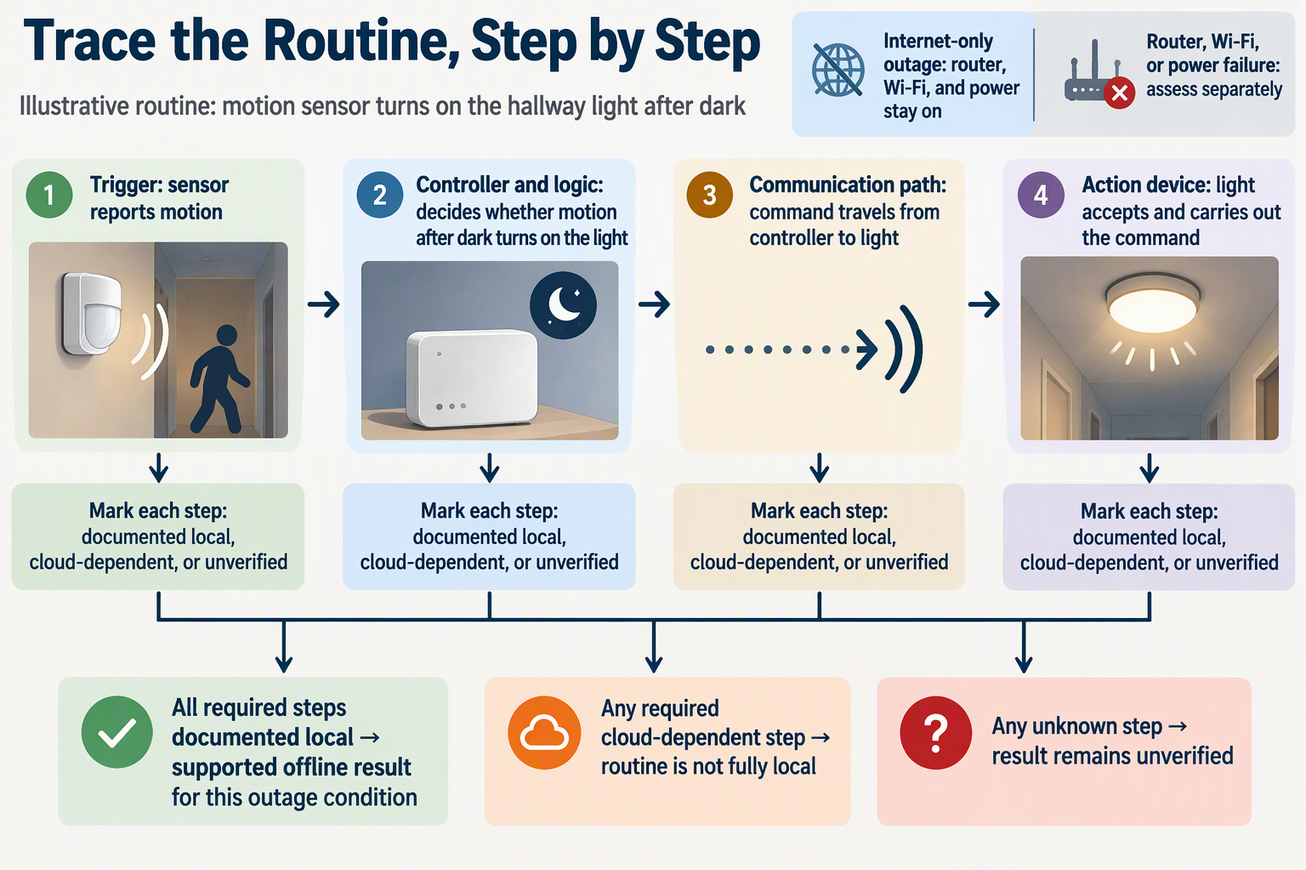
Take an illustrative routine: a motion sensor turns on the hallway light after dark. It has four parts to check.
The trigger. The motion sensor has to report what it saw. Ask where that report goes. If the sensor sends its signal to a hub in your home, this step can stay local. If it sends the event to the maker’s server first, the routine already depends on the internet before anything else happens.
The controller and its logic. Something has to decide “motion plus nighttime means turn on the light.” That logic might run on a hub or server in your home, or it might run in a cloud account. A local hub only helps if this particular rule actually runs on it.
The communication path. The command has to travel from the controller to the light. Some devices take commands directly over the home network. Others accept commands only through a vendor’s online service, even when the controller is local.
The action device. The light itself has to accept the command and act on it without first checking in with a remote server.
Here is the rule that falls out of this chain. If any required step needs the cloud, you can’t call the routine fully local, no matter how many other steps run in your home. If one step is unknown, the honest answer is “unverified,” not “probably fine.” This framework helps you reason about your own setup. It is not a tested result for any particular brand, and none of the sources here document a complete named routine from trigger to action.
Local Control, Automation, and Remote Access Are Different
Controlling a device from inside your home does not prove that its routines or away-from-home features still work. Check local control, automation, voice features, notifications, and remote access separately; an outage can affect each one differently.
Remote access is the clearest example. For Matter-only devices, the Alliance’s FAQ says that Matter control from away requires an internet-connected controller in the home, such as one built into a smart speaker or hub. The same FAQ notes that some Matter devices also connect directly to the internet, so their maker’s app can reach them from outside the home. Either way, controlling a device from away needs a working internet link. An internet-only outage removes that link even while local control keeps going.
Local device control has its own limits, too. Napoleon Home support describes Napoleon’s same-network local control: when the Napoleon device and your smartphone are on the same network and connectivity drops, the device can still be controlled locally. Its support page also says a working router without internet runs in a limited “Local Control” mode, and some functions that need the cloud will be lost. That guidance covers Napoleon’s own devices under that same-network condition, and only for direct control from your phone.
Neither source says whether a scheduled or sensor-triggered routine keeps running. Voice commands and notifications are separate functions as well. A device that answers your phone locally may still lose a feature that relies on an online service, so check each function you care about on its own.
How to Assess Your Own Routine
Pick one routine you depend on and work through it step by step. Avoid judging your whole home at once. A routine counts as offline-capable only when every step in its path is supported for your exact setup.
- Name the outage. Decide whether you’re asking about internet-only loss, a router or Wi-Fi failure, or a power outage. An answer for one condition does not carry over to the others.
- List the exact parts. Write down the trigger device, the controller and where its logic runs, the action device, the software or firmware version of each, and how the routine is configured. A general platform report won’t cover settings you changed yourself.
- Map the full path. Trace the signal from trigger to controller to action device, including any app, account, or online service it passes through.
- Mark each step. Label it “documented local” when the maker’s documentation for your model says that step works without the internet. Label it “cloud-dependent” when the documentation says it needs an online service. Label it “unverified” when you can’t find either answer.
- State only the supported result. If every step is documented local for your outage condition, you have a supported offline result. A single cloud-dependent step means the routine will likely stop with the internet. Any unverified step means the answer is still open, so look for that model’s local-control documentation next.
The Matter and Napoleon examples can tell you whether one device step has documented local behavior. They can’t mark the whole path for you.
After checking the documentation, test a non-critical routine with the WAN connection disconnected while keeping local power and networking on. Check the trigger and action, then reconnect and review any missed events. Do not use a safety-critical alarm, lock, or medical function as an experimental test case.
FAQs
Does Home Assistant need the internet for anything?
Home Assistant can run local automations, but some devices, integrations, voice services, and notifications depend on online services. Check the requirements for each feature you use. A local controller does not remove a cloud dependency in another part of the routine.
Why can some Matter devices be reached from away without a hub?
The Alliance’s FAQ notes that some Matter devices have a direct internet connection, so their maker’s app can control them from outside the home. Matter-only devices need an internet-connected controller in the home for away access. In both cases, reaching a device from outside your home needs internet service.
Will I still get phone alerts during an internet outage?
Treat alerts as their own step in the path. If an alert has to reach your phone while you’re away, it needs a route out of your house, and an internet-only outage cuts off the usual one. Whether a given app holds alerts and sends them later is up to that app, so check its documentation for outage behavior.
Is an offline smart home the same as a private one?
Not automatically. “Local” describes where a step runs during an outage. It doesn’t tell you on its own what data a device or app sends elsewhere when the internet is working. Judge privacy from each product’s actual configuration and data path, separately from its outage behavior.