
Move RSS Subscriptions Without Mistaking Them for an Archive

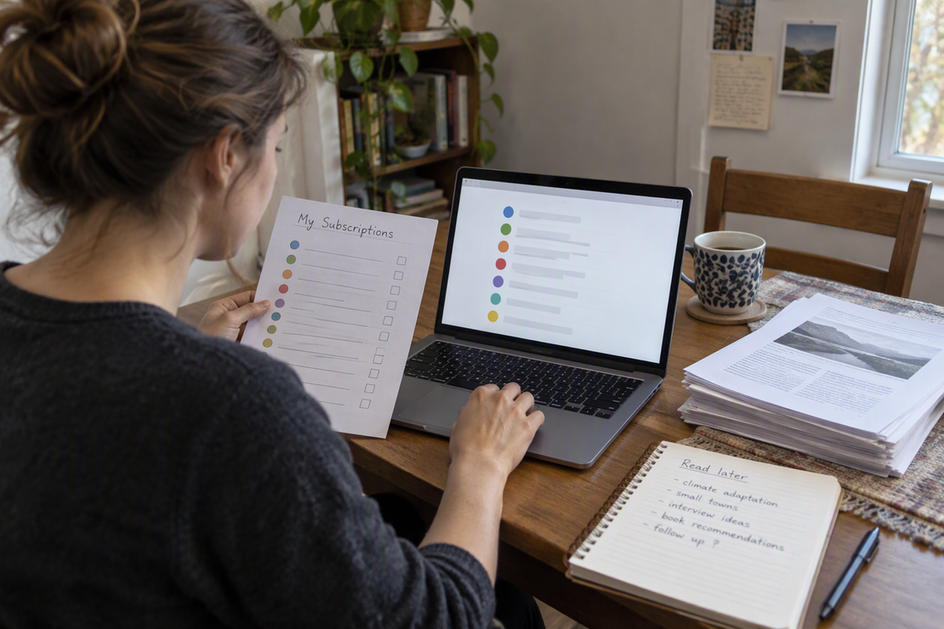
An RSS migration through OPML moves your list of feeds to follow. It does not, by itself, move the articles, notes, or research you saved inside your old reader. Treat the move as two jobs: transfer the subscription list, then preserve your saved material through a route your apps actually document.
Keep the old reader running until both jobs check out in the new one. The sections below explain what an OPML file really carries, how to handle saved items on their own track, and how to confirm both before you leave.
What an OPML Migration Moves—and What It Does Not Prove
An OPML file contains a subscription list you can transfer. It does not prove that your saved articles, reading history, or notes moved with it, nor does holding the file guarantee that your new reader has successfully imported those feeds.
Exchanging feed lists is one of the format’s most common roles. The OPML 2.0 specification notes that the format is popular for OPML subscription-list exchange between feed readers and aggregators. In that spec, a subscription list is a list of feeds, which can have more than one level. Each RSS entry needs a type, a text label, and an xmlUrl, which is the web address of the feed. The Library of Congress describes the same role: OPML is an XML-based outline format used to exchange subscription lists between feed readers and aggregators, especially for RSS feeds.
In plain terms, standard subscription entries supply names plus addresses. When your new reader imports that list, it typically receives feed locations to fetch rather than a preserved archive of previously stored articles, though exact import behavior depends on the app.
There is one important nuance. The spec also describes OPML’s extension support, so some apps may add extra data to their exports. That means you cannot assume every OPML file holds only feeds. You also cannot assume your new reader will read any extra data your old reader added. Both questions depend on the exact apps and versions involved.
So separate three things before you start:
- The format. OPML carries a feed list. That part is settled.
- Your source reader’s export. Read its export options and help pages. Note what each export option says it includes, such as feeds only, or feeds plus starred items.
- Your destination reader’s import. Check its documentation for what it accepts from that file. A feature in the export does not help if the importer ignores it.
You can also open the exported file in a plain text editor. Checking for outline entries with xmlUrl addresses helps confirm whether standard feed locations are present, though reading the raw outline does not replace verifying what your target reader actually imports.
Handle Saved Articles as a Separate Transfer
Saved material needs its own plan. Do not count on it following the feed list, even if the import looks complete.
Start by listing what you actually saved. “Saved articles” can mean very different data. It might be a link to the original page, a captured copy of the full text, highlights, your own notes, tags, folders, or read and unread status. A destination may keep some of these and drop others. A captured copy matters most for articles that may later change or vanish from the source site, since a link alone cannot bring them back.
Next, match each data type to a documented route. Look for an export or backup feature in the old reader whose documentation names that data type. Then confirm the new reader’s documentation says it can import that same export format. If both sides document compatible support, you have a candidate route to test. If only one side does, you may hold an export that cannot be imported where you need it.
Some types will have no documented route. That is a real outcome, not a failure on your part. In that case, the old reader still holds the only working copy of that material. Plan to keep access to it while you decide how to handle those items.
One trap is worth naming. Re-saving articles from your newly imported feeds is not the same as moving your archive. Feed imports fetch current source feeds, so older items you saved months ago may no longer be available in the live feed.
Verify Feeds and Saved Items Before Retiring the Old Reader
Run two separate pass/fail checks. Retire the old reader only when both pass.
- Feeds pass when every feed you expect appears in the new reader and opens with recent items. Compare against the outline entries in your OPML file or the old reader’s subscription list. If a feed is missing or opens empty, find its address in the file and add it by hand, then check again.
- Saved material passes when you can find and use the items you need in the new reader. Open several saved articles of each type you listed earlier: a link, a captured copy, a tagged item, an item with notes. Confirm the notes and tags are attached, not just the titles. If any type is missing, go back to the old reader for that type and look for another documented export.
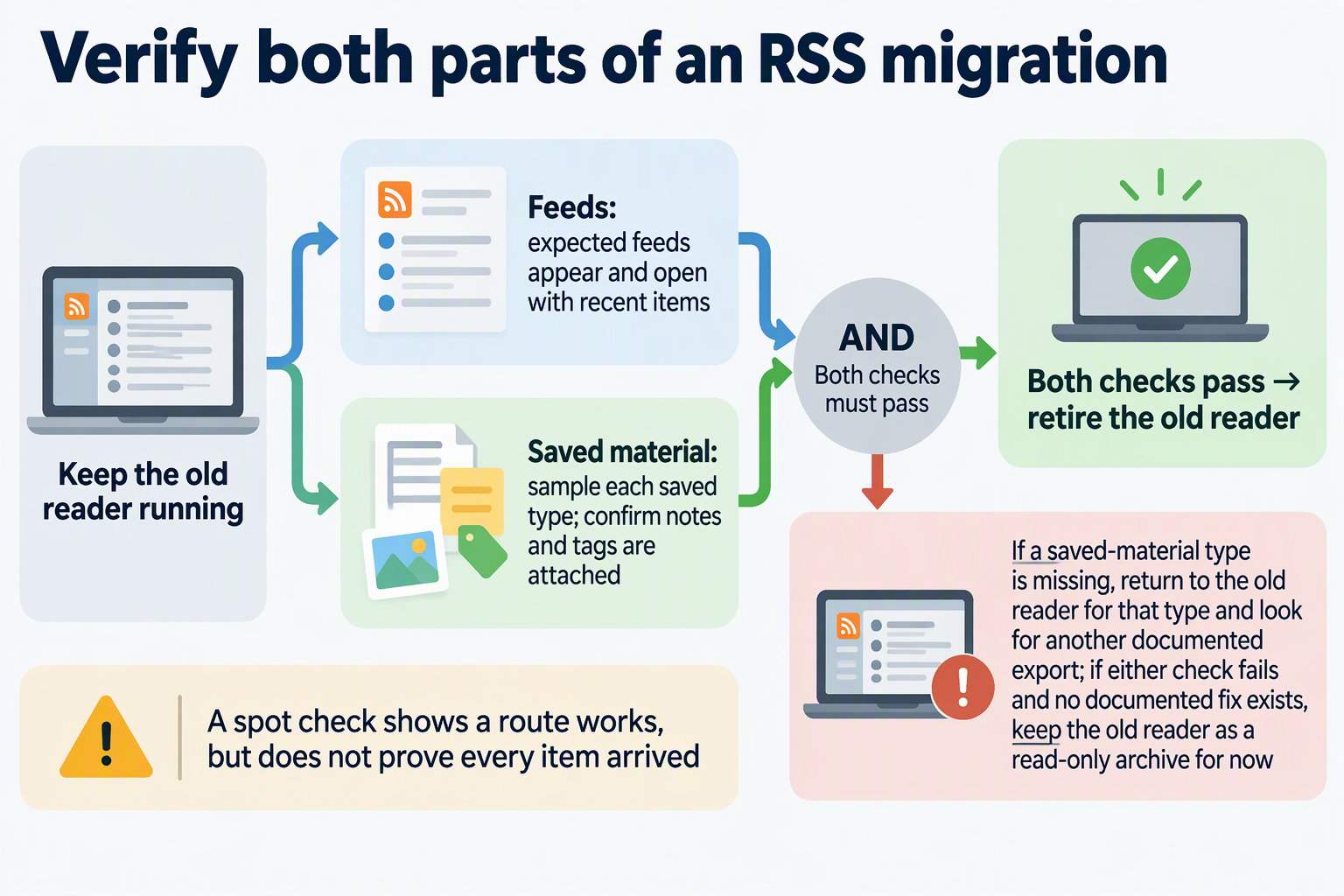
A spot check shows that a route works. It does not prove that every single item arrived. If one saved collection is critical for your work, compare counts or check it item by item before you close the old account.
Once both checks pass, you can cancel or delete the old reader with confidence. If either check fails and no documented fix exists, keep the old reader as a read-only archive for now.
FAQs
Can an OPML file contain more than a list of feeds?
Yes, it can. The OPML 2.0 specification allows extensions, so an app may add its own data to an export. Whether a given file includes anything extra, and whether your new reader uses it, depends on the exact source and destination apps and their versions. Check both apps’ documentation before relying on extra data.
Will my read and unread status carry over in an RSS migration?
Typically not through a standard OPML subscription list. A standard OPML subscription entry describes a feed with a label and an address, not your reading progress. Unless both your source and destination applications explicitly document a compatible method to transfer read states, assume unread counts and reading history will stay behind.
Do my feed folders survive the move?
They can. The OPML spec describes a subscription list as one that can have multiple levels, so folder structure can be written into the file. Whether your new reader rebuilds those folders depends on its importer. After importing, open the feed list and check that your folders and their contents look the way you expect.